Showing posts with label Xamarin. Show all posts

Tuesday, February 03, 2015

Cool eBook of the Day #1: Xamarin.Forms Book Second Preview Edition Now Available

Xamarin - Announcing the Xamarin.Forms Book Second Preview Edition!

Since Xamarin Evolve 2014, we’ve received fantastic feedback on the first Preview Edition of Charles Petzold’s Creating Mobile Apps with Xamarin.Forms, so we’re excited to announce that we’re making a Second Preview available for download.

The book has been updated to incorporate feedback from the first preview, as well as to include the latest features from Xamarin.Forms 1.3. Readers will notice a substantial re-organization of the book and additional XAML content that was not in the first preview.

The following chapters are available for download today:

...

And there are many more chapters still to come! We will be updating the download page every week or so with a new chapter until the book is complete [GD:Emphasis added] and we move into the final editing and publishing phase.

...

Creating Mobile Apps with Xamarin.Forms Book Preview 2

image

Charles Petzold is currently writing a new book - Creating Mobile Apps with Xamarin.Forms - which is due for publication in the spring of 2015.

We released the first preview in print at Xamarin Evolve 2014.

Preview 2 has been completely updated for Xamarin.Forms 1.3 and XAML support. Chapters will be available for download soon after they've been written and reviewed!

image

Samples

The samples for the second preview edition are available on github.

Preview 2 is a work-in-progress - it will not be published in other electronic formats. The final product will be published in book form and made available in the usual formats (as preview 1 was).

image

..."

Come on, it's Charles Petzold's work! Need I really say more? (Oh okay, it's Free too! There!)


Related Past Post XRef:
Cool Preview eBook of the Day: "Creating Mobile Apps with Xamarin.Forms" by Charles Petzold (Yes, that one)

Thursday, October 09, 2014

MVVM Light V5 for Windows, Xamarin and * (pretty much everywhere you'd want to .NET MVVM)

Laurent Bugnion (GalaSoft) - Announcing MVVM Light V5 for Windows and Xamarin

Here at the Xamarin Evolve conference in Atlanta, I just announced the immediate availability of MVVM Light V5. This version runs on the following platforms:

  • Windows Presentation Foundation (3.5, 4, 4.5, 4.5.1)
  • Silverlight (4 and 5)
  • Windows Phone (7.1, 8, 8.1 Silverlight, 8.1 RT)
  • Windows Store (8, 8.1)
  • Xamarin Android
  • Xamarin iOS
  • Xamarin Forms

What’s new?

There are three major changes in this version: Xamarin Support, NavigationService and DialogService, and Portable Class Library support.

...

Visual Studio Gallery - MVVM Light (VS2013)

image

The MVVM Light Toolkit is a set of components helping people to get started in the Model - View - ViewModel pattern in Windows 8, Silverlight, WPF, Windows Phone, Xamarin Android and Xamarin iOS. It is a light and pragmatic framework that contains only the essential components needed. It includes classes such as RelayCommand, Messenger, ViewModelBase and ObservableObject, SimpleIoc and more.

MVVM Light Toolkit (http://www.mvvmlight.net/)

Jump to: Intro / Documentation / Installation and Creation / Source and Codeplex / Support / Donate / Credits / Praises

...

Introduction

The main purpose of the toolkit is to accelerate the creation and development of MVVM applications in WPF, Silverlight, Windows Store (RT) and for Windows Phone.

The MVVM Light Toolkit helps you to separate your View from your Model which creates applications that are cleaner and easier to maintain and extend. It also creates testable applications and allows you to have a much thinner user interface layer (which is more difficult to test automatically).

This toolkit puts a special emphasis on the "blendability" of the created application (i.e. the ability to open and edit the user interface into Blend), including the creation of design-time data to enable the Blend users to "see something" when they work with data controls.

...

My current workday MVVM framework of choice is Caliburn.Micro, but I keep seeing more and more projects using MVVM Light, to the point where I think I'm going to have to check it out... That and it's hard to beat how portable it is. :)

Wednesday, October 08, 2014

The Xamarin.Forms excitement continues to build, getting broad third party support and more...

Like I said here, Cool Preview eBook of the Day: "Creating Mobile Apps with Xamarin.Forms" by Charles Petzold (Yes, that one), Xamrin.Forms is generating allot of excitement in the .NET/Xaml space and the excitement continues to build with the announcement of top tier third party support. Infragistics and Syncfusion both just announced support for Xamarin.Forms, among other top tier vendors, Enterprise Component Vendors Join Xamarin.Forms Ecosystem. Heck, even Microsoft is getting into the game!

Infragistics - Announcing Infragistics Xamarin.Forms!

I am very excited to announce a new partnership with Xamarin and our newest product release to compliment our Native Mobile story with Visual Studio – Infragistics Xamarin.Forms.

image

Over the last few years we have invested heavily in the native UI controls - we have an iOS control set, Android control set and Windows Phone control set.  Up until now, the target developer for these control sets were your objective-C, Java or Windows Developer.  Now with Infragistics Xamarin.Forms, the market is super-expanded - any Visual Studio, C#, XAML Developer can now write once, a single codebase, and then take our new Xamarin.Forms product with Xamarin’s product and ship native apps that target each major platform in no time..

There are a ton of reasons why this is so exciting, but from a pure cost perspective, using the technology from Infragistics & Xamarin, a company does not need to invest in the training and time loss of learning a new platform – using current C# & XAML skillsets native apps can be churned out in no time compared to building a native experience from scratch on each major mobile platform.  Add the long-term maintenance costs of bug fixes, feature changes, UI updates and more, and you are looking at a significant cost savings if you have a single code base to maintain while still having the benefit of native apps on each major platform.  Pretty cool!

So what exactly are we shipping today?

...

Syncfusion - Essential Studio for Xamarin has Arrived

As part of our participation in the Xamarin Evolve 2014 conference this week, Syncfusion is excited to reveal a new control suite for cross-platform mobile development: Essential Studio for Xamarin. We’ve incorporated some of your favorite data visualization and file-format components from Syncfusion with Xamarin.Forms, an API that enables developers to use a single C# codebase to build UIs for iOS, Android, and Windows Phone apps.

image

Native apps built with Essential Studio for Xamarin

Essential Studio for Xamarin is MVVM-compatible and includes a total of six Syncfusion controls. The Chart, TreeMap, and Gauge UI tools provide enterprise-grade processing and interactive visualization for your business data. File-format APIs XlsIO, DocIO, and PDF allow users to easily read, write, and edit Excel, Word, and PDF files on any device.

With Essential Studio for Xamarin, you can:

...

Multilingual App Toolkit's blog MAT v4.0 Technical Preview adds Xamarin support

The Multilingual App Toolkit v4.0 Technical Preview adds support for VS + Xamarin based iOS and Android projects.  We are super excited (just had to say it) about adding MAT’s localization workflow for developers using Visual Studio and Xamarin to create great cross-platform apps! You can download it here

I am fortunate enough to be in attendance at Xamarin Evolve 2014 this week. On Monday I attended a training session presented by Craig Dunn on Xamarin localization.  Craig did a great job covering localization in general, then focused on iOS and Android projects specifics as well as RESX with Xamarin Forms.  Craig’s demo code is available on GitHub.  So of course I wanted to see how the v4.0 technical preview would handle the code.  The demo is pre-populated with the target RESX files, so I simply removed them before using MAT v4.0 preview to add Japanese (JA) and Arabic (AR).  After generating translating using the default translation providers.  As you can tell from the images below everything worked as expected.

image

...

Given Xamarin Evolve 2014 still has a couple days to go (ends on the 10th), and given all the other announcements Xamarin have made, such as Xamarin Platform Previews, Introducing Xamarin Insights: Real-time Monitoring for Your Apps and New Xamarin Test Cloud Features I wonder what else we'll hear and see?


Related Past Post XRef:
Cool Preview eBook of the Day: "Creating Mobile Apps with Xamarin.Forms" by Charles Petzold (Yes, that one)

Tuesday, October 07, 2014

Cool Preview eBook of the Day: "Creating Mobile Apps with Xamarin.Forms" by Charles Petzold (Yes, that one)

Microsoft Press - Free ebook: Creating Mobile Apps with Xamarin.Forms, Preview Edition

Greetings! To help celebrate the Xamarin Evolve conference, we’re happy to release a free ebook today: Creating Mobile Apps with Xamarin.Forms, Preview Edition: Cross-platform C# programming for iOS, Android, and Windows Phone, by Charles Petzold. This ebook was created jointly by Xamarin and Microsoft Press.

image

You can download PDF and Mobi formats at the Microsoft Virtual Academy.

This Preview Edition ebook is about writing applications for Xamarin.Forms, the new mobile development platform for iOS, Android, and Windows Phone unveiled by Xamarin in May 2014. Xamarin.Forms lets you write shared user-interface code in C# and XAML (the eXtensible Application Markup Language) that maps to native controls on these three platforms.

This ebook is a Preview Edition because it's not complete. It has only six chapters. We anticipate that the final version of the book will have at least half a dozen additional chapters and that the chapters in this Preview Edition might be fleshed out, enhanced, or completely reconceived. The final edition of the book will probably be published in the spring of 2015.

Here’s an excerpt from the ebook’s Introduction, with greater detail:

Who should read this book

This ebook is for C# programmers who want to write applications for the three most popular mobile platforms: iOS, Android, and Windows Phone with a single code base. Xamarin.Forms also has applicability for those programmers who want eventually to use C# and the Xamarin.iOS and Xamarin.Android libraries to target the native application programming interfaces (APIs) of these platforms. Xamarin.Forms can be a big help in getting started with these platforms or in constructing a prototype or proof-of-concept application.

This ebook assumes that you know C# and have some familiarity with the use of the .NET Framework. However, when discussing some C# and .NET features that might be somewhat new to recent C# programmers, the ebook adopts a somewhat slower pace....

Xamarin.Forms is one of the more exciting things to happen in the C# and XAML space in a long time (to much to say it's revitalized XAML? Given it a new life? Defib'd XAML? Maybe.. [but maybe not]). Why? Read this free ebook and you'll see...

Wednesday, September 24, 2014

"Learning to Master Cross-Platform Mobile Development With Xamarin" Free (Name-Email-ware) eBook

Jesse Liberty - Free e-Book: Learning to Master Cross-Platform Mobile Development With Xamarin

The good folks at Falafel have put together all my posts (to date) on  Xamarin and Xamarin Forms into an e-book, which is available free at http://jliberty.me/masteringXamarinBook

image

Some snips from the PDF...

imageimageimage

Thursday, June 26, 2014

From AppStudio to Android, porting AppStudio apps with a little help from Xamarin

Just a couple days ago I blogged about how you can take your AppStudio app and load it into Visual Studio, From Studio to Studio - Apps made in App Studio, opened in Visual Studio. This post is even cooler, taking it to a whole new level...

Falafel - Porting a Windows App Studio Universal App to Android Using Xamarin

Microsoft's App Studio is a fantastic tool to help you design and generate applications for Windows Phone as well as Universal Apps for both the phone and Windows. The online interface allows you to add content like RSS feeds, Facebook pages, Flicker photos and more with a few clicks, generating a complete Visual Studio solution that can immediately be launched on the phone or desktop.

Today we'll look at how we can enhance the App Studio solution’s Portable Class Library so that we can use Xamarin to add an Android version of the app.

Creating the Solution with App Studio

I want to keep things as simple as possible, so for this example, I'm using the "Empty App" template, adding a single feed from our Falafel Blogs. Here's a quick look at the project page on App Studio:

image

Retargeting the PCL for Xamarin

The Universal project includes a Data project which contains the classes for accessing data which we will want to share to the Xamarin Android project. Although this is a Portable Class Library, it's only targeted to Windows and Windows Phone 8.1. A quick change to the project properties will take care of that.

...

...

Adding the Android Project

At this point your solution should be able to build, and we can proceed to add the Android Xamarin project. Obviously you need to have Xamarin installed, and for more information on getting started be sure to take a look at their Getting Started With Android Guide.

Add a new Android project to the solution. One important thing I discovered is that if the name of your app ends with ".Android" you will have problems resolving references from the Android component libraries in Xamarin.

...

image

...

Conclusions and Considerations

I kept things simple here, using the minimal amount of code from the AppStudio.Data project to make it easy to port to Android. Obviously the more components and datasources your App Studio project uses, the more complex it might be to port everything over.

However, we have seen that Xamarin can be a true cross-platform solution, reusing C# code developed exclusively for use by Windows and with only some minor changes and a new UI, expand its reach to an entirely new platform!

Download the source code and try it for yourself: ... [GD: Click through for the link]

...

image..."

You have to admit, that's pretty darn cool. I wouldn't have ever thought that I could take an AppStudio app and with a little tweaking get it run on Android. That's like some kind of Xamarin super power or something (well the super power of portable at least... :)

Monday, March 24, 2014

Party like a Xamarin at Build...

Party with Xamarin & .NET at Build!

This year, we’ve partnered with the Microsoft .NET team to throw a super-party for Build 2014 attendees and the entire San Francisco developer community.  Join Nat, Miguel, and the Xamarin team for food, drinks, music, and fun.

First, get in touch with your inner super hero by taking the .NET Code Legion quiz.  Then, join us for the night as we celebrate .NET and mobile development.

When:  Wednesday, April 2, 2014 at 8:30pm
Where:  Mezzanine — 444 Jessie Street, San Francisco, CA 94103

image

Feel free to bring along a sidekick—you don’t have to be a Build 2014 attendee to party with us.

If you’re attending the conference, make sure to visit us in the Build Exhibition hall at booth 301 or schedule time to meet with us one-on-one.  We’d love to learn more about your projects and how we can help.

Good timing on this. It starts right after the Welcome Reception, so there's no need to miss either. :)

I'll be there, so if you see this guy...

Profile-Shaved-240x227

..please introduce yourself and say, "Hi" (I look scarier and more serious in this picture than I really am... no... really... um... really! ;)

Friday, February 28, 2014

Dan's @ it again with @XamarinAppDev and XamarinAppDev.com

DanRigby.com - Announcing XamarinAppDev.com and @XamarinAppDev

Some of you may have noticed that I silently launched a new link blog and Twitter account on Monday. Today I'm formally announcing both: Say hello to http://XamarinAppDev.com and @XamarinAppDev!

image

I've been working on a very large native cross platform application for a client that runs on iOS, Android, Windows Phone, and Windows Store, leveraging the Xamarin tools. A natural extension of that process has been searching for news and content about what is going on in the Xamarin developer community.

So following in the footsteps of http://WindowsAppDev.com and @WindowsAppDev, my hope is that the new site and and Twitter feed will be a valuable resource for the Xamarin community.

..."

So you've heard my total and complete Build WAG (Wild Ass Guess) is? That on Day One they announce MS's is buying Xamarin. We'll see... (okay, maybe it will be Day Two... or not at all... lol)

Wednesday, February 26, 2014

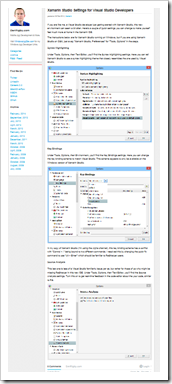
Xamarin Settings for the Visual Studio Guy

DanRigby.com - Xamarin Studio Settings for Visual Studio Developers

If you are like me, a Visual Studio developer just getting started with Xamarin Studio, this new environment can seem a bit alien. Here's a couple of quick settings you can change to make yourself feel much more at home in the Xamarin IDE.

The instructions below are for Xamarin Studio running on Windows, but if you are using Xamarin Studio on OSX, just swap "Xamarin Studio, Preferences" for "Tools, Options" in the steps.

Syntax Highlighting

Under Tools, Options, then ...

Key Bindings

Under Tools, Options, then...

Source Analysis

This last one is less of a Visual Studio familiarity issue per se, but rather for those of us who might be missing ReSharper in this new IDE...

image

..."

Unlike many of you cutting edge guys, and gals, I've yet to get started playing with Xamarin. But when I do, I know I'll need this (and those of you who are, this might come in handy for you now ;)