Wednesday, April 07, 2010

And The Top Tasty Geek Award goes to… “Hydrogen orbital cookies”!

Make: - Hydrogen orbital cookies

“…

As hard as it may be to believe, I see a lot of nerdy stuff in this job. But I have to tell you, these atomic orbital cookies from Evil Mad Scientist Labs may take all-time top honors in that department. You're looking at a chart of the orbital wave functions of a single hydrogen atom in 19 of its lowest-energy excitation states. They're 2D projections, of course, of regions in space that chemists sometimes call "electron probability density clouds." If you're thinking of electrons as particles, you can think of the intensity of the color at one spot as reflecting the probability of finding an electron in that spot.

image

…”

Ahhh… Cookies AND Science! (and cookies!)

This has got to be one of the geekest things I’ve seen recently…

…cookies…

So how do I get from here to OpenXML? Got a map for you, an Open XML SDK Blog Map…

Brian Jones & Zeyad Rajabi: Office Solutions - Zeyad Rajabi’s Open XML SDK Blog Map

“This post will represent the most up-to-date blog map for topics on the Open XML SDK.

Open XML SDK Basics

Word

Excel

PowerPoint

Multiple Applications (Word, Excel, and PowerPoint)

Office Services

Presentations


image

…”

Lots of very cool links and resources here, if you’re jumping on the OpenXML band wagon…


Related Past Post XRef
Open XML SDK 2.0 for Microsoft Office Released – Automate Office documents without Office

Open XML Format SDK 2.0 Code Snippets for Visual Studio 2008 – 52 C#/VB Code Snippets to help ease your Open XML coding
Open XML File Format Code Snippets for Visual Studio 2005 (Office 2007 NOT required)

Where to go to scratch your OpenXML dev info itch…
"Open XML Explained" Free eBook (PDF)

Open XML SDK v1 Released

OpenXML Viewer 1.0 Released – Open source DocX to HTML conversion, with IE, Firefox and Opera (and/or command line) support
Powering into OpenXML with PowerShell

Cassia – A .NET Windows Terminal Services Library (Think “Including the Terminal Services Manager MMC Snap-in functionality in your app’s” library)

code.google.comCassia

“Cassia is a .NET library for accessing the native Windows Terminal Services API. It can be used from C#, Visual Basic.NET, or any other .NET language.

What can I do with it?

Cassia supports the following operations on both local and remote terminal servers:

  • Enumerating terminal sessions and reporting session information including connection state, user name, client name, client display details, client-reported IP address, and client build number (WTSEnumerateSessions, WTSQuerySessionInformation, and friends)
  • Logging off a session (WTSLogoffSession)
  • Disconnecting a session (WTSDisconnectSession)
  • Displaying a message box in a session and getting a response from the user (WTSSendMessage)
  • Enumerating all processes (WTSEnumerateProcesses)
  • Killing a process (WTSTerminateProcess)
  • Shutting down or rebooting the server (WTSShutdownSystem)

In addition, Cassia supports enumerating all terminal servers on a domain (WTSEnumerateServers).

image

…”

I came across this today and thought it was pretty cool. This is one of those, if you need it you’ll think it’s cool, but if you don’t you won’t” kind of project…;)

Tuesday, April 06, 2010

How do you know if your users are using a given application and/or feature? Or how often they are using it? Check out the free, included with VS2010, “Dotfuscator Software Services - Community Edition”

Visual Basic How Do I Video Series - How Do I: Monitor Application and Feature Usage in Visual Studio 2010?

“Do you know how your users are really using your applications? Do you want the insights that an easy and effective Customer Experience Improvement Program can provide? See how to quickly instrument your applications to track real world usage by leveraging the functionality included in Visual Studio 2010 with Dotfuscator. Learn how to implement session tracking to determine what applications have been executed, what versions of those applications, and for how long. Also learn how to implement feature usage tracking to determine what features are being used, in what sequence, and for how long…

image …”

Deep Fried Bytes - Episode 22: The Future of .NET Dotfuscator with Gabriel Torok

“…

Keith and Woody sat down with PreEmptive President Gabriel Torok to discuss the news that Microsoft is including PreEmptive’s Dotfuscator Community Edition in Visual Studio 2010. The guys also discussed how Dotfuscator can be used to assist with Feature Monitoring, Usage Expiry, and Tamper Defense. …”

Visual Basic Development Center - Using Visual Studio 2010 to Collect Usage, Performance and Stability Information to Improve Software

“Gabriel Torok
Preemptive Solutions

Contents

Dotfuscator Considered as a Post-Build Code Injection Platform
A Concrete Example
Take Away

In Visual Studio 2010, Dotfuscator CE’s new official name is “Dotfuscator Software Services - Community Edition”. It has been renamed to emphasize its broader focus as a post-build tool in this release. A whole new class of features and services based on code injection has been added, and it has a new look, reorganizing and simplifying the user interface to improve usability and discoverability. Finally, there are improvements on the traditional obfuscation functions you may already be using. In this article, I’d like to introduce you to the new code injection features. Using these features might just help you build better software, faster.

image

…”

I’ve been thinking about building something like this for a couple of my work applications. I want to see if a given app is being used, how much, and if some of the features in it are (so I can justify killing some features, or investing time to improving it, all with some hard numbers). Looks like someone was reading my mind… :)

Monday, April 05, 2010

[PowerPoint Humor] – Save the Kittens!

Mark Goetz - My new wallpaper

image

Look I love cats, but this still made me laugh…

(via Fred Pollnitz UXA - Tufte on Powerpoint)

Blake Handler presents another “Ultimate” list - “Ultimate List of Free Windows Phone 7 Software & Resources from Microsoft”

The Road to Know Where - Ultimate List of Free Windows Phone 7 Software & Resources from Microsoft

“I've received a few emails asking if/when I'd be creating a "Windows Phone 7 Software & Resources" listing -- so here's the Road to Know Where's "Free Windows Phone 7 Software & Resources from Microsoft."

WINDOWS 7 PHONE FOR DEVELOPERS:

WINDOWS PHONE 7 SOFTWARE & PROJECTS:

ADDITIONAL WINDOWS PHONE 7 RESOURCES:

WINDOWS PHONE 7 GOODIES:

image …”

Blake’s done it again with another outstanding “Ultimate list”, this time focusing on my new favorite topic, Windows Phone 7

Check out a couple of his other lists here, FREE Microsoft Software I, and here, FREE Microsoft Software II (actually these are lists of his lists, but you get the idea… :)


Related Past Post XRef:
A Feed You Should Read #11 – The Road to Know Where

Sunday, April 04, 2010

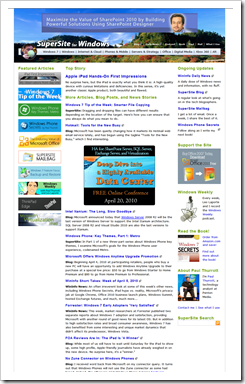
A Feed You Should Read #27 - Paul Thurrott's SuperSite for Windows

Today’s Feed is one that most Microsoft’ies will probably already be following, but you know that they say when you “assume” something…

Paul Thurrott's SuperSite for Windows

image

Background:

Paul Thurrott is just one of those journalist names. Names, like Mark Jo Folly, Ed Bott, to name just a couple, names we’ve seen reporting on, talking about, dissecting and living on the bleed edge (with the wounds to prove it) of the Microsoft and Windows for many years. His years of experience, knowledge and level of connections give him, and his posts, a certain of depth perception and breadth that newbes like me can only dream about

Heck, he’s written the BOOK on Windows! (Many books for that matter…)

BTW, if you like this site, and are into podcasts, make sure you also check out the Windows Weekly cast on the Twit network.

Why do I like this feed and think you might also?

Following Microsoft/Windows news is his job, career and passion. If your time is short, why not leverage that?

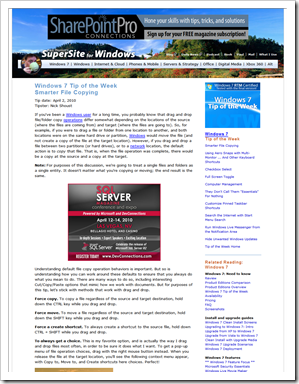
Snap of the latest post:

image

Blog Information:

Name: Paul Thurrott's SuperSite for Windows
URL: http://www.winsupersite.com/
Feed: http://www.winsupersite.com/supersite.xml
Post Types: Microsoft Consumer Products, Windows, XBox360, Commentary


Related Past Post XRef:
A Feed You Should Read TOC

Saturday, April 03, 2010

C64’ing your Win7 – Commodore 64 Theme for Windows 7

How-To Geek - Make Your 64 bit Computer Look like a Commodore 64

“The Commodore 64 was one of the bestselling home computers ever, and many geeks got their first computing experience on one of these early personal computers. Here’s an easy way to revisit the early years of personal computing with a theme for Windows 7.

With only 64Kb of ram and an 8 bit processor, the Commodore 64 is light-years behind today’s computers.  But with a Windows 7 themepack, you can turn back the years and give your computer a quick overhaul to look more like its ancient predecessor.

Age Windows 7 with a click

Download the Commodore 64 theme from PC World (link below), and unzip the files.

image

…”

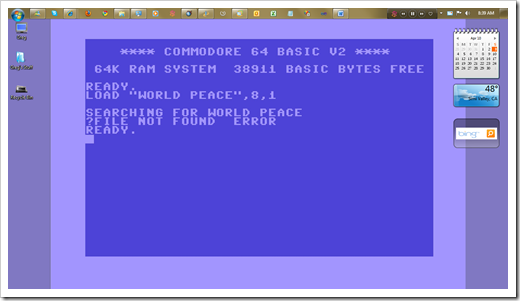
How can turning your Win7 box in a C64 (well the theme anyway) be anything BUT cool?  :p

It’s a simple make-over, with three background, a few icons, font change, etc (i.e. you’re not REALLY tuning it into a C64…). This is one of the backgrounds (that being the somewhat cranky guy I am made me chuckle)

image

From the included ReadMe;

“…

This theme pack recreates the look of a C-64, only on a slightly newer platform: Windows 7. It contains three backgrounds that give an authentic look at the familiar old C-64 screen. It also has desktop icons for your User folder (a miniature C-64 screen); your my Computer link (a C-64 computer), and Recycle Bin (that 1541 floppy drive—the green LED illuminates when the Recycle Bin contains something). The Window colors recreate the beige C-64 casing, and the System font should look familiar to any C-64 user.

…”

What I thought cool (I mean besides the whole thing) was that in the ReadMe the author talked a little about how he created the theme, tools he used, etc

Microsoft Office File Formats and Protocols documentation updated for Office 2010 (Think “Now with added ‘X’ flavor… DocX, PptX, XlsX, etc”)

Microsoft Downloads - Microsoft Office File Formats Documentation

“The Microsoft Office file formats documentation provides technical specifications for Microsoft proprietary file formats that are implemented and used in the Microsoft Office system.

Version: 0310a
Date Published: 4/2/2010
Language: English
Download Size: 150 KB - 330.4 MB*

The Microsoft Office file formats documentation provides detailed technical specifications for Microsoft proprietary file formats.

The documentation includes a set of companion overview and reference documents that supplement the technical specifications with conceptual background, overviews of file format relationships and interactions, and technical reference information.

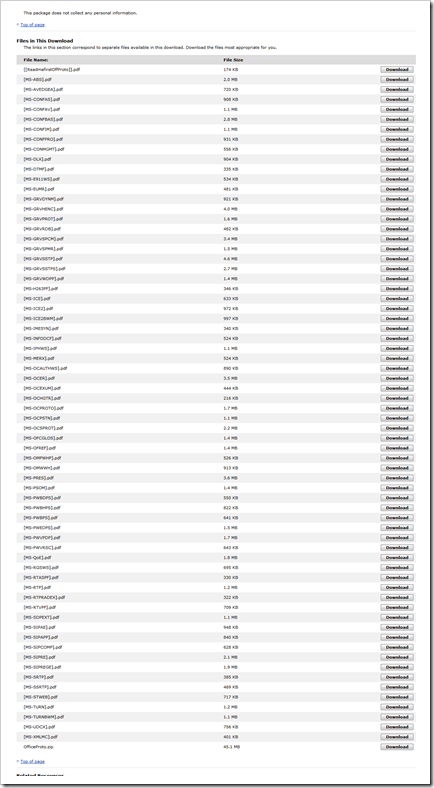
image

…'’

Microsoft Downloads - Microsoft Office Protocol Documentation

“The Office protocol documentation provides technical specifications for Microsoft proprietary protocols that are implemented and used in the Microsoft Office system.

Version: 0310
Date Published: 4/2/2010
Language: English
Download Size: 174 KB - 125.6 MB*


The Office protocol documentation provides detailed technical specifications for Microsoft proprietary protocols (including extensions to industry-standard or other published protocols) that are implemented and used in Microsoft Office client programs to interoperate or communicate with Microsoft products.

The documentation includes a set of companion overview and reference documents that supplement the technical specifications with conceptual background, overviews of inter-protocol relationships and interactions, and technical reference information.

image

…”

I think it’s a good sign that the MS-DocX specification is only 87 pages… (compared to the 631 pages in the [MS-Doc] specification)

image


(via The Road to Know Where - Microsoft Releases Office 2010 File Formats & Protocol Documentation)


Related Past Post XRef:
MS-PST file format specification released. Yep, the full and complete specification for Outlook PST’s is now just a download away.
Microsoft Office (DOC, XLS, PPT) Binary File Format Specifications Released – We’re talking the full technical specification… (The [MS-DOC].pdf alone is 553 pages of very dense specification information)
DOC, XLS and PPT Binary File Format Specifications Released (plus WMF, Windows Compound File [aka OLE 2.0 Structured Storage] and Ink Serialized Format Specifications and Translator to XML news)

Thursday, April 01, 2010

OpenTTD (aka Open Source Clone of Transport Tycoon Deluxe) v1.0.0 Released – Get your Tycoon’ness ready (and kiss hours away…)

OpenTTD - OpenTTD 1.0.0

“6 years. What were you doing 6 years ago?

In March 2004 OpenTTD 0.1 was released. Hardly a month later in April 2004 OpenTTD 0.2. And today, six years later... OpenTTD 1.0.0. It was a lot of work, hundreds of thousands of translations, tens of thousands of commits, thousands of graphics, hundreds of patches, dozen of sounds and musics, and one goal. How many people contributed? Dozen of artists, translators and developers, hundreds of testers and bug reporters, and also the thousands of players. Looking at the readmes and credit sections only gives a small hint. Some of those who were main contributors left long ago, and there are only a few who know them all and talked to them once via IRC or the forums. But if you consider all contributors, including those of the used libraries, and the external artists of OpenSFX... Well, then most likely not every contributor actually knows OpenTTD :)

…”

OpenTTD - Downloading OpenTTD

“For OpenTTD you can use the original Transport Tycoon Deluxe data files (you need to own a Transport Tycoon Deluxe CD). There are also the free alternatives OpenGFX (graphics), OpenSFX (sound) and OpenMSX (music) which can be installed automatically by the Windows installer. Please refer to the readme for more information.

image

…”

OpenTTD - About OpenTTD

“OpenTTD is an open source clone of the Microprose game "Transport Tycoon Deluxe", a popular game originally written by Chris Sawyer. It attempts to mimic the original game as closely as possible while extending it with new features.

OpenTTD is licensed under the GNU General Public License version 2.0. For more information, see the file COPYING included with every release and source download of the game.

Features

OpenTTD is modeled after the original Transport Tycoon game by Chris Sawyer and enhances the game experience dramatically. Many features were inspired by TTDPatch while others are original.

Significant enhancements from the original game include for example:

  • bigger maps (up to 64 times in size)
  • stable multiplayer mode for up to 255 players in 15 companies or as spectators
  • dedicated server mode and an in-game console for administration
  • IPv6 alongside IPv4 support for all communication of the client and server
  • in game downloading of AIs, NewGRFs, scenarios and heightmaps

Posting a full list would be futile as it would mean updating this page almost daily, and even then some things might be forgotten. Play with the game to experience all the features yourself, or look further at Wiki for a more thorough listing and explanation of the features and possibilities ingame.

Supported operating systems

OpenTTD is officially supported on the following operating systems.

  • *BSD, especially FreeBSD, NetBSD and OpenBSD
  • Linux
  • Solaris
  • Windows 95/98/ME/2000/XP/Vista/7

image …”

[No, this is NOT an April Fools… sigh… I hate blogging on April First]

TTD was a game that I played entirely to much. There was just something about it that would keep me playing for hours, something later re-writes/revisions/follow-ups just didn’t seem to capture.

With OpenTTD we can return to that world, return to the fun of being a Transportation Tycoon, all free,cross platform (Linux/Windows), x32/64, and open source.

What I think is cool about OpenTTD is that no only do we have an impementaion of the original TTD, but with all the patches, tweaks, etc made. AND they have made it VERY easy to get additional features and functionality with a cool integrated online feature browser/downloader/installer. Want a different AI? There’s a number of them. Map? A bunch. etc, etc. All easily found and downloaded.

Must… control… self… must… not… start… game… NOoooo… (Okay, just for a few minutes… :)


Related Past Post XRef:
OpenTTD 0.4.0 Released
OpenTTD 0.3.6 Released