Saturday, October 01, 2016

Microsoft MVP 2016!

Woke to this great email this morning…

image


Becoming, or keeping, the Microsoft MVP Award is a community effort. I’d like to thank my friends, family, co-workers, RadioTFS guests and hosts, the Coding4Fun readers and This Week on Channel 9 (TWC9) watchers. Without you, earning this award would not have been possible. Thank you!

MVP_Logo_Horizontal_Secondary_Blue286_CMYK_300ppi

Friday, April 15, 2016

"Unable to activate Windows Store app [GUID]. The [EXE Name] process started, but the activation request failed with error 'The app didn't start'." - Make sure your project is on C!

I spent the day fighting this issue...

Had a Xamarin.Forms app, based on the Cross Platform - Blank App (Shared & also Portable), that worked in the Android emulator, but all the Windows targets would fail. The apps would crash right after start...

---------------------------
Warning
---------------------------
A debugger is attached to App4.UWP.exe but not configured to debug this unhandled exception. To debug this exception, detach the current debugger.
---------------------------
OK  
---------------------------

Then

---------------------------
Microsoft Visual Studio
---------------------------
Unable to activate Windows Store app 'f736c883-f105-4d30-a719-4bf328872f5e_nh7s0b45jarrj!App'. The App4.UWP.exe process started, but the activation request failed with error 'The app didn't start'.


See help for advice on troubleshooting the issue.
---------------------------
OK   Help  
---------------------------

I did a bunch of repairs, re-installs, etc., thinking it was a Xamarin.Forms issue.

Then I did what all dev's should do when troubleshooting, started eliminating variables. "What happens with a standard, non-Xamarin UWP app?"

Same error! Well now we know it isn't Xamarin!

Finally I came across this thread;

[UWP] Unable to activate Windows Store app, the app didn't start - Windows 10 Universal Apps

What can be the problem here? This only happens on universal apps. Classic Desktop projects opens without problems.

Things I already did, some of which are based on solutions I came across while trying to solve this:

  • Install Visual Studio 2015 Update 1
  • Check for App.config (supposedly, I should delete this; there no such file so I can't really delete it)
  • Build > Clean Solution, Build > Rebuild Solution
  • Uninstall the output app on the start menu
  • Delete `bin` and `obj` folders
  • Change the `Package name` in the Package.appxmanifest file
  • Change the output from `x86` to `x64` and vice versa
  • Change the `Debugger type` in Properties to `Native Only`
  • Tried running as `Release` failed, then reverted it back to `Debug`, still failed
  • Tried renewing my developer license. It doesn't work for Windows 10 Universal Apps and is only for Windows 8 Apps.
  • Tried uninstalling Visual Studio 2015 completely and re-installing. Still nothing.
  • NEW: Tried doing a full fresh reformat of Windows 10 still didn't work.

So yeah, I've pretty much exhausted every solution I can find on the internet to try and fix this. If anyone can offer more solutions, I'd be glad to test it out. ...

All of that is what I did too (Except for the VS/Win uninstall/Re-install)

Scrolling down... no the "answer" can't be it! It can't be THAT simple!

"...I even went as far as to do a fresh install of Windows 10 but when the problem still persists, I was about to give up. But I found out another solution that I haven't tried: move the project folder to the C: drive.

Apparently, when I have the project folder on my D: drive, it wouldn't work and will show me the said error...

OMG, all my projects were on my D drive too! It CAN'T be that, can it?

Move the original Xamarin project from D to C and guess what?

Worked like a charm!


There are days when I hate technology...

Thursday, December 17, 2015

“Fixing” Windows Live Writer’s NotFound - Open Live Writer…

TLDR; Windows Live Writer Blogger user? Go get Open Live Writer 

Are you a Windows Live Writer user with a Blogger blog?

Tried to post recently?

Then you’ve seen this;
image
---------------------------
Windows Live Writer
---------------------------
Blogger returned the following error:

NotFound: Not Found
---------------------------
OK  
---------------------------


Windows Live Writer (WLW) used an old authentication API AND old Blogger API. Google has been wanting to deactivate both for a while now, but kept them available for Windows Live Writer users.

With last week’s release of Open Live Writer (OLW), the open source fork of Windows Live Writer, Google killed both.

The problem is is that OLW wasn’t/isn’t done. On day one, it was v0.5.0.0, i.e. a preview or early release. And that version wasn’t yet ready with Blogger support. So in short, we were kind of between a rock and a hard case… :/

Then… Showing the power of open source, dev’s stepped up and added initial Blogger support to OLW. If you download the latest version (which is SO nice and fast to install now), v0.5.1.2, you get Blogger support. Woot!

Matter of fact, I’m using it now to write this post Smile

That said, there’s still work to be done, like adding full label support, etc. What’s awesome is you can watch and contribute to the project now! It’s all open and on GitHub (for the record, I’m actually the latest code, compiled and run from within Visual Studio ;)

Summary:
If you’re a Blogger blogger and used to love Windows Live. Writer, there’s hope for you! Check out Open Live Writer… now…

Friday, December 04, 2015

Vote Early, Vote Often... Only a couple days left for the Bytes that Rock 2015 Awards!

coolthing_vote

There's only a few days left to vote. Remember to vote early and vote often... :)

Please Vote: http://www.rockybytes.com/bytes-that-rock/cool-thing-of-the-day

See the entire Software Blog nominee list: http://www.rockybytes.com/bytes-that-rock/blog-awards/software-blogs

Last, but not least, check out Bytes that Rock!


RadioTFS #102, Mass Hysteria, Git and TFVC living together

Mass Hysteria Git and TFVC living together

image

Martin and I had a great RadioTFS show this week, chatting about VS 2015 Update 1, TFS 2015 Update 1 and most importantly how to carve a turkey... :/

Seriously, we had a great talk about a number of cool features in VS 2015.1 and a YouTube webcast neither one of us had heard of before, but now that we KNOW of it... :)

See the show notes and listen in; 102, Mass Hysteria, Git and TFVC living together


Tuesday, November 24, 2015

Windows 10, Intel HD Graphics Driver & "Display driver stopped responding and has recovered"? Try turning off 3D Settings...

TLDR;

If you are seeing Display driver stopped responding issues and have an Intel card, try turning off your 3D settings, reboot and see if that helps.

Since upgrading to Windows 10 I've been getting "Display driver stopped responding and has recovered" every so often. SnagIt would trigger it, but other apps too.

imager

Yet sometimes it would go away, and stop happening.... grrr. I thought it was my Intel 4600 HD driver versions, that updating would fix it and that the issue would come back in later versions.

NOPE!

It was the 3D Settings! A problem I've run into before, sigh, Windows 10 Start Menu Text changing color and to dark to read? Try turning off your Intel 3D settings...

image

image

Problem: Intel Video Driver, Windows 10 "Display driver stopped responding and has recovered" when using SnagIt and other apps.

Environment: GS60 (Gold), Windows 10 Pro (x64) [upgraded from Windows 8.1), Intel HD 4600 (Driver version 15.40.10.64.4300)]

Fix: Change the Intel 3D settings in the Intel Graphics Control Panel to:

  • Application Optimal Mode: Disable
  • Multi-Sample Anti-Aliasing: Turn Off
  • Conservative Morphological Anti-Aliasing: Turn Off
  • General Settings: Balanced Mode


Related Past Post XRef:
Windows 10 Start Menu Text changing color and to dark to read? Try turning off your Intel 3D settings...


Saturday, November 21, 2015

Woot! Nominated for THE BEST SOFTWARE BLOG in the Bytes that Rock Awards 2015

image

How cool is that? My blog has been nominated in the Best Software Blog category for the 2015 Bytes that Rock Awards. It's just an honor to be included in this list, I mean check out the other nominees... yeah, wow. :)

Please Vote: http://www.rockybytes.com/bytes-that-rock/cool-thing-of-the-day

See the entire Software Blog nominee list: http://www.rockybytes.com/bytes-that-rock/blog-awards/software-blogs

last, but not least, check out Bytes that Rock!

image

Saturday, November 07, 2015

What I'm on Channel 9... again? Yep! This Week on Channel 9 @ MVP Summit

For the second time this week I was in the Channel 9 Studio recording a show, this time hosting This Week on Channel 9. The best part was that I suckered (um... errr... um... invited... yeah that) co-VS ALM MVP Brian Randell to be my co-host.

TWC9: MVP Global Summit 2015

image

This was only my third time on TWC9 (well 5th if you count the Skype ones), my second on campus (first was last year at the Summit, TWC9: Two Geeks and a Cube) and first recording ever in the Channel 9 Studio. Yeah, I've been doing Channel 9 stuff for nearly 5 years and this is the first time I've done anything in the Studio. That has to be a record... LOL

Thanks again to Brian, Golnaz, Kaitlin and @ch9

Thursday, November 05, 2015

RadioTFS #100 (with video!)

image

While the whole RadioTFS crew was on the Microsoft Campus for the MVP Summit 2015, we took over the Channel 9 Studio to record our 100th episode. How cool is that! Yes, now you can see what we all (currently) look like and put the voices to faces...

Channel 9: RadioTFS Channel 9 Studio Takeover (aka RadioTFS #100 @CH9!)

RadioTFS: 100 // The Channel 9 Studio Takeover


Yeah, my hair is a mess... lol

Friday, October 16, 2015

Surface Book 1TB and Surface Pro 4 1TB Versions now available (for preorder)...

My son gets the credit for pointing this out to me... Looks like the Surface Book and Surface Pro 4 1TB versions are now available for preorder (at least in the US)

http://www.microsoftstore.com/store/msusa/en_US/pdp/Surface-Pro-4/productID.325711500/config.true

(Make sure you select i7m 16GB Memory, then you select 1TB storage...)

image


http://www.microsoftstore.com/store/msusa/en_US/pdp/productID.325716000?icid=en_US_SurfaceBk_cat_modG_100615

image

$2,699 for the SP4 and $3,199 for the SB with with TB...

Friday, September 25, 2015

You are listening to RadioTFS, right?

image

You all are listening to the RadioTFS podcast right? You know, the one that I host with Martin Woodward and Paul Hacker? The one where every two weeks we talk all things TFS, VSO and ALM? And we interview many of the TFS/ALM influencers, MVP's and Microsoft team members?

And guess what? Episode #98, "Pocket Dialing Paul" is just out! Woot!

Well, if you're not... it's not to late!

Friday, September 11, 2015

Never Forget

Don't forget, but don't let the past overshadow the future...

We will never forget, but we will live for today...

Today is a day to remember, to celebrate our hero's...

Those that serve, served and will serve...

Don't forget, yet live for today...

Make today the best day of your life, and tomorrow better...

Saturday, August 01, 2015

Windows 10 Start Menu Text changing color and to dark to read? Try turning off your Intel 3D settings...

Problem: Windows 10 Start Menu Text changing color and too dark to read. Edge Favorites Bar background color is dark. Action Center Text to dark to read.

Environment: GS60 (Gold), Windows 10 Pro (x64) [upgraded from Windows 8.1), Intel HD 4600 (Driver version 10.18.15.4256)

Fix: Change the Intel 3D settings in the Intel Graphics Control Panel:

  • Application Optimal Mode: Disable
  • Multi-Sample Anti-Aliasing: Turn Off
  • Conservative Morphological Anti-Aliasing:: Turn Off
  • General Settings: Balanced Mode

image

Before:

image

After:

image


Full Story...

Like tens of millions of others, I upgraded my main machine last week from Windows 8.1 to Windows 10. Sure, I've been an Insider for forever and running Win10 on a number of machines, but for my main, I wanted to wait for Day One and experience what everyone else did.

Wednesday night I upgrade. The Get Windows 10 process didn't work for me, so grabbed the ISO, mounted and installed it from there, which worked great.

Thursday everything seems to be okay (once I upgraded a couple drivers...lol) but the text on my Start Menu looked funky. Same with the Action Center. Same with Edge. Funny as in changing colors and becoming so dark I couldn't read it. Check out these screenshots...

imageimageimage

See what I mean? Funky.

I updated the video driver, tried contrast settings, color, accent, etc. etc., and nothing worked.

A few others had the problem too (so it wasn't just me going crazy) Windows 10 Start Menu Text too dark to read

Last night RASTX posted how he had the issue and how he fixed it. Which also worked for me too! Woot!

The problem? Intel 3D settings! WWWHHHHaaaattttt? Yeah, 3D settings.

With my Intel HD 4600 3D settings set like this (and a reboot, don't forget that)...

image

... my Start Menu/Action Center and Edge were back and now normal!

imageimageimage


I am now a very happy Windows 10 Camper!

Wednesday, July 22, 2015

Visual Studio 2015 "The request was aborted. Could not create SSL/TLS secure channel" when Signing In or NuGet? Check your IE Settings...

As you all know VS 2015 was released on Monday, 7/20. [Missed the event? No you didn't! Catch it all here On Demand on Channel 9, Visual Studio 2015 Final Release Event]

Being me, I of course downloaded the RTM bits as soon as they were released and installed it on my main work machine.

Install was smooth, no errors, just installed.

I fire it up, try to sign in and...

image 

... sigh. Okay, maybe it's just a hiccup?

Let's fire up a project and, hey check NuGet for updates...

image

...Doh!

Fall back to VS 2013, NuGet and all still works like a charm. Access the https://api.nuget.org in IE, works like a charm.

Fiddler was installed with it's awesome HTTPS support, maybe that's it? Turn off Fiddler HTTPS, remove cert, uninstall, reboot. VS 2015 Sign-in/NuGet for work now? Nope.

Repair VS 2015. Reboot. Work? Nope.

Devenv.exe /resetsettings help? Nope.

Look at the /Log, ActivityLog.xml and see anything that stands out (except the big red errors when I try to use the NuGet Package Manager. Nope.

Add Nuget.org to IE's trusted sites? Nope.

Anyone else here on the same network have VS 2015 yet (so I can see if it's just me)? Nope.

I was about to throw in the towel and ping the ALM MVP's when I tried one more thing. Was I using a proxy? OH, I am! My "Use automatic configuration script" was checked. Hum... Let's uncheck that and see if THAT helps.

YES! That was it.

image

The proxy, setup up by my company, seemed to make VS 2015 an unhappy camper. Unchecked, everything in VS 2015 worked like a charm!

I was able to easily repro this, checking, broke VS 2015, unchecking, VS 2015 was happy (of course restarted VS 2015 between all these checks/unchecks).

Morale of the Story: If you install VS 2015 and get some weird behavior when access web resources, like "The request was aborted. Could not create SSL/TLS secure channel," check your IE Settings.

Wednesday, May 06, 2015

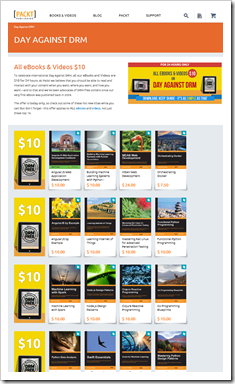
[Today only] It's DRM Freedom Day! Packt Celebrates Day Against DRM - 24 hours, $10 sale on no DRM eBooks!

2015 Banner

Packt celebrates International Day Against DRM, May 6th 2015

Packt Publishing firmly believes that you should be able to read and interact with your content when you want, where you want, and how you want – to that end they have been advocates of DRM-free content since their very first eBook was published back in 2004.

This year, to demonstrate their continuing support for Day Against DRM, Packt is offering all its DRM-free content at $10 for 24 hours only on May 6th – with more than 3000 eBooks and 100 Videos available across the publisher’s website www.packtpub.com, there’s plenty to discover, whatever you’re interested in.

“Our top priority at Packt has always been to meet the evolving needs of developers in the most practical way possible, while at the same time protecting the hard work of our authors. DRM-free content continues to be instrumental in making that happen, providing the flexibility and freedom that is essential for an efficient and enhanced learning experience. That’s why we’ve been DRM-free from the beginning – we’ll never put limits on the innovation of our users.”

– Dave Maclean, CEO

Advocates of Day Against DRM are invited to spread the word and celebrate on May 6th by exploring the full range of DRM-free content at www.packtpub.com - all eBooks and Videos will be $10 for 24 hours, including the latest hot titles.

The team at Packt is doing it again this year, 24 hour, $10 DRM Free eBook and video sale. Check it out here, http://bit.ly/1KgMzkl

image

This is today only, so load up your cart and library now!


Disclosure of Material Connection: I received one or more of the products or services mentioned above for free in the hope that I would mention it on my blog. Regardless, I only recommend products or services I use personally and believe my readers will enjoy. I am disclosing this in accordance with the Federal Trade Commission’s 16 CFR, Part 255: “Guides Concerning the Use of Endorsements and Testimonials in Advertising.

Tuesday, April 28, 2015

My Build 2015 Schedule (One time slot, lots'O sessions)

image

Here's my first pass for my session selection for this week's Build (which I'm obviously going to).

Some take-aways:

  • You will NOT be able to go to every session you'd like too (which is common with past Builds). The Channel 9 2015 Build page is your friend. Since all the sessions will be available for free on-demand viewing, create a schedule on Ch9, queue your sessions and come back and see them later
  • The event is for networking, connecting with vendors and Microsoft at the booths. The sessions are great, but again you simply will not be able to go to them all. So don't sweat it! If you get stuck behind "stinky guy" or it's standing room only, don't stay. Go network! You'll be able to see the session later. The ONLY time I suggest you stay is if you want to connect directly with the speakers
  • WPF isn't mentioned once. LOB dev doesn't seem to get much love. I also didn't see any .NET 4.6 sessions. This is common with past Builds, but still, as a LOB WPF dev, it bugs me
  • Check out the "After Keynote" sessions. Looks like the Keynote is going to have some cool news, as you'd expect!

Whine's aside, I think this is going to be a great event and I am very excited to attend!


Here's my current Build Schedule (very subject to change ;)

    • 2:00PM to 3:00PM
      Sessions
      • Office Development Matters, and Here's Why...

        In this kick-off session you will learn about what's new for developers in Office with demos and code.

      • What's New in XAML for Universal Windows Apps

        The Universal Windows Platform provides developers with a real opportunity to create meaningful, familiar, and tailored apps that run across a wide set of device families. To help with that, XAML UI took a big step forward in Windows 10 with new controls and new features to simplify tailoring app…

      • Developing Universal Windows Apps in Visual Studio 2015

        Come and learn how to build a Universal Window app in Visual Studio 2015. In this session, we will explore creating adaptive apps, building UI for different device families, using platform and 3rd-party extension SDKs, and integrating Application Insights. Also learn a lot more about the developer…

    • 3:30PM to 4:30PM
      Sessions
      • A Lap Around .NET 2015

        .NET 2015 is the next generation of .NET. This release encompasses several new innovations that improve developer productivity and enhance application performance. .NET 2015 builds on the advancements available in .NET 4.5, 4.5.1 and 4.5.2 to deliver a highly compatible platform for building…

      • Game Developers: Get the Most Out of Windows 10

        In this session, we will tour the new APIs, learn techniques and design considerations for building multi-device Windows games, explore how to integrate Windows games with Xbox Live, and discuss updates on the most popular gaming middleware and engines now ready for Windows 10.

      • Microsoft Passport and Windows Hello: Moving Beyond Passwords and Credential Theft

        Credential theft has become one of the most widespread attacks affecting our customers and users. Security experts have been advocating for years the needs to raise the bar on user authentication and move away from passwords. Multiple solutions on the market attempt to address this problem, but so…

      • Overview of Cross-Platform Mobile Development with Office 365

        Office 365 has a plethora of data and services that enable people and organizations. This session will detail how to hook into these services and data with any platform using our cross-platform tools and SDKs.

      • A Studio in the Palm of Your Hand: Developing Audio and Video Creation Apps for Windows 10

        Existing Windows APIs for media manipulation are powerful and flexible, but they require deep domain knowledge and are not easily accessible to C#/JS developers. Windows 10 introduces a powerful creative media platform that makes your original audio/video scenarios simpler to implement. Windows 10…

      • Get Your Hands Dirty with the Office 365 APIs, Authentication and SDKs

        This session will deep-dive into the available scenarios when using the OneDrive for Business, Calendar, Mail, Contacts and Sites services in the Office 365 APIs.

    • 5:00PM to 6:00PM
      Sessions
  • Thursday, April 30, 2015

      • Gaining Real-Time IoT Insights using Azure Stream Analytics, AzureML and PowerBI

        Devices are becoming smarter and more connected, and the expectation of what can be done with the data generated and collected from these devices continues to evolve both in the commercial and consumer spaces. Whether you are doing health monitoring, building or home automation, social media…

      • Azure API Apps for Web, Mobile and Logic Apps

        Azure API Apps makes APIs easy, whether they are APIs you author or APIs you use. In this demo-filled talk, we’ll look at building APIs with ASP.NET and open source languages, proxying existing API such as Office 365 and Salesforce, and taking advantage of SaaS connectors for the most popular SaaS…

      • Deep Dive into XAML and .NET Universal Windows App Development

        Universal Windows Apps require you to learn a number of new concepts to harness the full power of the platform and deliver the best possible experiences to the widest set of customers including .NET native, adaptive layouts, a plethora of device targets, and more - all in a world of where the…

    • 6:30PM to 7:30PM
      Sessions
      • Building Big Data Applications Using Azure HDInsight Service

        Come to this session to learn how to use Azure HDInsight service to build solutions that can handle any shape data at massive scale. We will build an end to end application that uses both data in motion (Streaming) as well as data at rest (Batch). In this session we will use Big Data technologies…

      • Screen Casting: Develop Multi-Screen Universal Windows Apps Using Casting Technologies

        In this session, we will explore how you can use Universal Windows Platform APIs to enable productivity and media scenarios across different screens and devices. We’ll discuss best practices for leveraging a wide variety of approaches like casting a media element, remote app launching, and creating…

      • Windows for Makers: Raspberry Pi 2, Arduino and More

        In Windows 10 we have enabled the creation of the next generation of intelligent devices. In this session you’ll learn about how to leverage the value of Windows when building these next generation devices based on hardware like the Raspberry Pi 2, as well as how to extend your Windows devices with…

      • Cortana and Speech Platform In Depth

        Build natural language speech experiences that start with Cortana. Learn about new options for authoring natural language Voice Command Definitions (VCDs).

      • Debugging Performance Issues Using Visual Studio 2015

        Come to this demo-driven session to learn how to use Visual Studio 2015 to continuously improve the performance of your applications during normal development. You’ll learn how to use the new capability of running diagnostic tools with the debugger and how to use the tools without the debugger to…

  • Friday, May 1, 2015

    • 9:00AM to 10:00AM
      Sessions
      • Deep Dive into ASP.NET 5

        This talk will take you deep into the internals of the all-new ASP.NET 5 framework. This new, fully open source web framework sits on top of the new composable cross-platform .NET Runtime - the Core CLR. Damian Edwards and Scott Hanselman will show you how ASP.NET 5 enables more choice than ever…

      • Camera: Developing Powerful Camera Apps

        Finally you can build a single camera app for Windows that will run on phones, tablets, and desktops. In Windows 10, the camera API sets have converged so you have support for the same feature set regardless of device. Features previously available only on phone (preview frame access) or desktop…

      • Application Insights for Any App: A Must-Have Tool for Understanding Your Customers

        Are you a product owner working in an agile world and building a modern service, web or mobile application? If so, then you know how critical it is to understand who your customers are and how they are using your product. You want to understand usage trends to better target the right personas and…

      • The "Project Spartan" Rendering Engine That Makes the Web Just Work

        We’ve made literally thousands of changes to jettison the legacy of the past and to dramatically improve support for the web of today and tomorrow. Our web platform roadmap at status.modern.ie also shows dozens of new features in preview and in development. Come and learn about the new capabilities…

      • What's New in C# 6 and Visual Basic 14

        C# 6 and Visual Basic 14 both add a number of bite-sized new features, all aimed at making your everyday code cleaner and clearer. Instead of introducing new concepts, each feature makes a common coding pattern simpler, and removes boilerplate to let the intent of the code stand out. In this talk…

      • API Contracts (or How I Learned to Stop Checking OS Versions and Love Feature Detection)

        Learn how to create an adaptive Universal Windows app that runs on multiple Windows 10 device families. While many APIs are present on all devices, sometimes you want your app to take advantage of device-specific APIs when the app is running on that device. Adaptive apps allow you to do that and…

      • New OneDrive APIs for Developing Against OneDrive AND OneDrive for Business

        Come learn how to use the OneDrive API and Microsoft Office 365 Files REST API to work with OneDrive and OneDrive for Business files and folders. Learn how to build solutions and apps using APIs to create folders and content, get folder properties, create or update a file, update file properties,…

    • 10:30AM to 11:30AM
      Sessions
      • Deploying Complex Open Source Workloads on Azure

        Microsoft is embracing open source like never before. In this session, you will see real-life scenarios using OSS on Azure, including LAMP, containers, big data and IoT scenarios. You will learn about how Microsoft makes different OSS technologies thrive on Azure, and how Microsoft is providing…

      • Case Studies of HoloLens App Development

        Microsoft HoloLens gives developers and designers creative opportunities unlike any seen before. Creating apps for this platform uses both existing skills as well as new skills. In this session, we’ll discuss the experience of three organizations with early access to developer kits. And we’ll get…

      • Vision APIs: Understanding Images in Your App

        Vision APIs enable you to build the most compelling app experience by providing ways to present the media in best form: • Use Thumbnail, Color Detection to help you present images in best form • Use Categorization to organize your content • Restrict\filter suggestive content appropriate for your…

      • Building a Single-Page App Using Angular and TypeScript Using Office 365 APIs

        Fresh from presenting at ng-conf in March, Andrew Connell, Dan Wahlin, and Jeremy Thake will show you how to build a single page application using the Angular and TypeScript frameworks. They will show how to leverage the ADAL.JS framework to call the Office 365 APIs using cross-origin resource…

      • Fast and Powerful Diagnostics, and Problem Solving with Application Insights

        Too many developers and product teams are still running blind. They are either not aware of problems with their apps, or do not have concrete information to fix those problems. Application Insights can help you turn the lights on with quick & proactive 360° information about your apps'…

      • .NET Compiler Platform ("Roslyn"): Analyzers and the Rise of Code-Aware Libraries

        We've rewritten (and open sourced!) the C# and Visual Basic compilers, and exposed their functionality through APIs as the .NET Compiler Platform. But what do these APIs mean for those who aren't compiler jocks?

    • 12:30PM to 1:30PM
      Sessions
      • Azure Virtual Machines Deep Dive

        Microsoft Azure is the best place for developing, testing and deploying your applications. The Virtual Machines service in Azure will allow you to deploy the widest range of applications from small micro services to large applications running across 32 of the latest Intel processors with almost half…

      • New XAML Tools in Visual Studio 2015

        Visual Studio 2015 is an exciting new release for developers building any kind of XAML app – be that a Windows universal app or a Windows Presentation Foundation (WPF) app. In this session, learn about some of its new capabilities including the re-designed Blend experience, UI debugging tools and…

      • Logic Apps

        In this session, learn how you can use Azure Logic Apps to automate business processes without using code. This course will demonstrate the new graphical designer, speak to the architecture of the underlying system, and how to best take advantage of different Logic App capabilities.

      • The Skype Developer Platform and Skype Web Developer Capabilities

        Learn more about the Skype Developer Platform and how Microsoft provides powerful developer and customization opportunities around Lync, Skype for Business and Skype. Learn how to build new web experiences that seamlessly integrate a wide variety of Skype for Business services and the larger Skype…

      • Building Consumer and Enterprise Device Solutions with Windows 10 IoT

        As component costs decrease and connectivity increases, the demand for intelligent IoT devices continues to accelerate rapidly. IoT fragmentation drives development, management and support costs up at the same time. Windows Internet of Things (IoT) offers solutions enabling you to build anything…

    • 2:00PM to 3:00PM
      Sessions
      • Azure Media Services Developer Deep Dive

        Azure Media Services is a platform-as-a-service which enables you to build a customizable media workflow. you could upload, encode, encrypt, package and deliver video content to multiple platforms and devices. In this session you will see how to build that workflow using Azure Media Services APIs…

      • App-to-App Communication: Building a Web of Apps

        The world wide web is one of the most powerful tools available to us. A lot of its power comes from how easily web sites can work with each other to answer questions and solve problems. Wouldn't it be great if every device contained a web of apps working together rather than just the silos we see…

      • Go Mobile with C#, Visual Studio and Xamarin

        Xamarin enables C# developers to become native iOS, Android, and Windows mobile app developers overnight. In this session, learn how to leverage your existing Microsoft .NET and C# skills to create iOS and Android apps in Visual Studio with Xamarin and share your business logic across all platforms.…

      • Historical Debugging with IntelliTrace in Visual Studio 2015

Friday, March 27, 2015

Blog Dead? Nope! Just taking a break (and if you need a Cool Thing fix, check these out...)

As if you haven't noticed, I'm on something of a blogging sabbatical. I'm still scanning my 2.5K+ feeds daily and sourcing stories for other areas (see below), but I've kind of run out of blogging want too. No, it's not dead and yes, I'll be back, but for now am just taking a little break...

Still need a Greg/Cool Thing fix? Then you should check out these blogs and casts that I'm  sourcing stories for or helping produce... :)

So yeah, all that and a full time day job (and a science fiction reading addiction), I think you can see why my blogging has been lacking recently. :)

Wednesday, February 25, 2015

IoT? Sensors? Devices? What's in what? "Understanding Internet of Things (IoT) Device Choices" Whitepaper

Understanding Internet of Things (IoT) Device Choices

File Name: Understanding Internet of Things_IOT_ Device Choices.docx

Date Published: 2/24/2015

File Size: 13.2 MB

This paper provides an introduction to the landscape of the Internet of Things (IoT) for devices, including accompanying high-level patterns for communications and enabling technologies, and serves as a primer for IoT. It is based on a variety of experiences with large-scale customers and deployments. This paper does not provide detailed guidance, such as how to choose a device for a specific purpose or decide on a communication pattern for devices.

...

Executive summary

As stated in the press, at conferences, and in publications[1], the Internet of Things (IoT) represents a huge opportunity across industries and customer segments. The paper “Building the Internet of Things”, which is available at http://aka.ms/iotwhitepaper discussed a broad set of topics associated with building IoT solutions. This paper is a follow on to that earlier paper and focuses on the "things" within IoT solutions.

First, it explains the concept of smart objects that contain devices, sensors and actuators, the combination of which will gather, process, send and receive data. Smart objects may or may not interact with a local gateway, which is sometimes used to provide external communication capabilities or provide local processing.

This paper also explains the set of considerations for device capabilities, and how they affect an overall solution. These considerations include cost, communications requirements, power availability, security requirements, and compute capacity. Next, it explains the options for device connectivity and the implications of choosing between common options.

Security in the IoT is critical, and a failure to consider security early in IoT design can lead to unfortunate and even catastrophic hacks that often end up in the news, potentially impacting human lives. Because overall system security starts at the device itself, the paper offers a set of device security principles and provides guidance on how to address those principles.

Interoperability in the IoT is also important today, and will continue to grow in mindshare and be seen as a critical requirement for emerging devices. This paper discusses standardization efforts, including the AllSeen Alliance, Open Interconnect Consortium, and several others. All of these efforts have strong industry supporters, but with the exception of AllSeen they are in their early stages. Although AllSeen and OIC are currently dominant, it’s too soon to call out a clear leader.

The final section of the paper discusses some example prototyping devices, their capabilities and some of the considerations when going from prototype to production.

This paper will give the reader a broad understanding of many of the aspects of device design for IoT solutions. For decision makers planning projects, this paper helps with scoping and knowing where more research is required to lay the groundwork for a successful IoT project.


[1] How IoT will disrupt the world, http://betanews.com/2014/11/17/gartner-how-internet-of-things-will-disrupt-the-world/.

...

image

..."

If you're trying to grok IoT and what it means (not like it's going to be, if not already is, the overused and misunderstood terminology of the year....um... yeah) this 37 page whitepaper does a pretty bang up job of making the devices used in IoT a little clearer.

For example, "What's a Sensor versus a device?" Answered...

Do you not do contracts because legalize isn't your thing? Then you should contract( ) ('Do Contract')!

gamasutra - announcing contract( ), a free builder for plain English agreements

Legalese is for attorneys. contract( ) is for game developers.

contract( ) (pronounced ‘do contract’) generates free, plain English agreements for and between game developers. It’s based on the idea that developers do not need legalese to come to an agreement or to resolve a disagreement.

After many iterations on contract( ), using feedback from experienced game developers and attorneys, I’m super excited to announce that contract( ) is now ready for public use. What started as a homemade tool to quickly make agreements between me and my collaborators, quickly developed into a full-fledged agreement builder that anyone can use. The builder currently includes templates for defining the work per project or per milestones, templates for giving out IP rights, and templates for compensation through a fixed fee, fixed rate, per milestone, or through revenue share.

...

docontract.com

image

...

What you need to know about contract( )

contract( ) offers a free agreement, using common language, covering most things you want to agree on before working together with someone in the games industry. contract( ) is based on the idea that two people or two companies do not need legal talk to come to an agreement or to resolve a disagreement.

For the sake of simplicity and clarification, contract( ) tries not to use the specific terminology of the laws of your country or state. Several attorneys have reviewed contract( ) to make sure it doesn't conflict with most country- or state-specific laws.

A legal document without legal talk?

The law is very advanced in handling situations between people or companies. When an attorney writes a legal document, he tries to match the terminology of those laws so that they connect one-to-one and make sure that the agreement is enforceable. However, this does not mean that a document with a different terminology is automatically invalid.

Every written agreement you make can be considered a legal document, even if your agreement is two sentences on a napkin. In case you and the contractor get into a disagreement and decide to take it to court (which is uncommon), much of the conversation in court will be about what is what, and only sections of the agreement that are very unclear or in direct conflict with country- or state-specific laws may be held unenforceable.

Country-specific laws?

...

In short: while contract( ) is designed to cover most cases, it is also designed to be short and straight forward. Be aware that contract( ) therefore still relies on local laws for a number of things like those listed above.

A personal note

contract( ) is my attempt to transfer my experience, but also the experiences of dozens of other developers and attorneys, to other game developers. I (Adriaan de Jongh) use the agreements from contract( ) myself, and feel that this is the only way to make it as unbiased, practical, honest, but also as legit as possible. I'm not responsible for your agreements with others, but I do not want to push anyone into an agreement I would not want to be in myself.

In the end, contract( ) isn't legal advice because that's exactly what it tries to avoid. If you wish to cover any of the legalese mentioned earlier, or want to know what the law provides if cases are not included in contract( ) agreements, hire a qualified attorney-at-law from your country or state to go over the agreement from contract( ) before signing it.

Attorneys recommended by other developers

In case you feel that this agreement does not fit your needs...

...

Made by & thanks to

contract( ) was made by game designer Adriaan de Jongh with the help of dozens of experienced game developers and attorneys. I have been in numerous tricky situations with contractors, IP transfers, and publishers, and found that it was never the legal talk that saved my relationship with a collaborator or contractor, but rather the inclusiveness of the contract: a contract in common language, simple and straightforward, can serve an equally good purpose if it reflects the conversation between two parties rather than the conversation between two attorneys.

..."

Something new and different and not something I'd usually share, but I think many of you will like, or might be able to use. Personally, thinking about "doing a contract" makes my... well... um... errr.... well, makes me not feel well... Now, make sure you read and understand this, but worse case, it's a great starting point!

.NET in 2015... Is it .NET 4.6, .NET Core 5, both? Beth knows and shares... (Hint: Both)

Beth Massi - Understanding .NET 2015

Last year after BUILD I posted Exciting Times for .NET and since then I have had the pleasure of working much closer with the .NET team, which includes the runtime, framework, languages & compilers. Although my focus has been a lot more on internal community in the last year, such as helping run internal conferences for our field employees, I’ve also spent time helping get the .NET Foundation off the ground and learning a lot about open source communities and all our .NET Foundation projects. Oh right, I also got married. :-) It’s been a transition period for me. Going from community “evangelist” to more of a “facilitator” or “connector”.  I really like Alex Hillman’s term: Tummler.

Now that we’re approaching the next BUILD, I’m even more excited about the progress we’ve been making, particularly around the .NET platform itself, and the team’s approach to open source. There are multiple tracks of .NET innovations happening so I thought I’d write a high-level “sign-post” style blog post to help people understand the major pieces and how and where to get involved with the projects. In other words, a good place to start learning about .NET 2015. At least that’s my hope!

.NET 2015 – 10,000 foot view

At a very high level, here’s the rundown of the major components that fall under the “.NET 2015” umbrella.

image

...

Major components of .NET 2015
Frameworks and Runtimes

The .NET Framework is a managed execution environment that provides a variety of services to its running applications. It consists of two major components: the common language runtime (CLR), which is the execution engine that handles running applications; and the .NET Framework Class Library, which provides a library of tested, reusable code that developers can call from their own applications.

.NET Framework 4.6 builds upon 4.5.2 and contains new APIs, improvements to event tracing, and many bug fixes. This is the next version of the full .NET Framework we know today. .NET Framework 4.6 will be included in Windows 10 and will also ship on Windows Update for previous OSes (Vista and above). See: .NET Framework 2015 Preview

.NET Core 5 is a general purpose, modular framework that can be used across a wide variety of app models and platforms, is available as open source, can be deployed modularly & locally (side-by-side), and will be supported by Microsoft on Windows, Linux and Mac OSX. It is a refactored set of base class libraries (corefx) and runtime (coreclr) which includes a new JIT compiler (“RyuJIT”), the .NET Garbage Collector, native interop and many other .NET runtime components. Today, .NET Core builds and runs on Windows. We are adding Linux and Mac implementations of platform-specific components over the next few months.

..."

I know YOU all know and understand what .NET 4.6, .NET 5 (Core), etc. etc. are, but I bet some (many/most) of your co-workers don't. Beth does a great job in detailing both, what's in what and what's not, what's open source (now and in the future) and what's not... In short, read her article. AND keep if for reference, as it IS a little confusing right now (and for a few years into the future, I'll bet...)