Monday, April 27, 2009

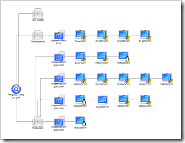
Making pretty VM Visio diagrams with the free Virtualization Visio stencil from VESI (Virtualization EcoShell Initiative)

Dmitry’s PowerBlog: PowerShell and beyond - Free virtualization Visio stencil

“Need to create cool-looking Visio diagrams for your virtual, VMware, Hyper-V, etc. infrastructure? You can actually get one for free!

The folks at VESI (Virtualization EcoShell Initiative) have shared the stencil they are using for Visio reporting (the same stencil is also used in PowerGUI’s VMware PowerPack). Just go to the VESI downloads page, scroll to the bottom of the page and download the stencil” [Post Leach Level: 99%]

 VESI (Virtualization EcoShell Initiative) – Downloads

Visio_Sample_sm

image

We starting a VM initiative at work [snarky comments deleted], so I thought this might come in handy.

image

Sunday, April 26, 2009

Redgate is doing it again… A metric ton-load of free eBooks (and their suite of tools too) is just a quick reg away.

redgate - The Art of XSD - SQL Server Schema Collections

“Today, a lot of applications exchange information in XML format. As such there needs to be an agreement between the sender and receiver about the structure and content of the XML document. An XSD (XML Schema Definition Language) Schema can be used to enforce this contract and validate the XML data being exchanged.

This book will help you learn and use XML Schema collections in SQL Server. Prior knowledge of XSD is not required to start with this book, although any experience with XSD will make your learning process easier. This book starts with the basics of XML schemas and then walks you through everything you need to know in order to build powerful XML schemas in SQL Server.

…

image ”

Which leads you to this…

“SQL Server eBook Selection

  1. Simple Talk Crib Sheet Compendium
  2. The Art of High Performance SQL by Grant Fritchey
  3. The Art of XSD by Jacob Sebastian

…

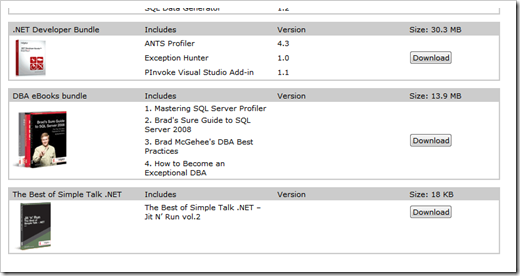
DBA eBooks bundle

  1. Mastering SQL Server Profiler
  2. Brad's Sure Guide to SQL Server 2008
  3. Brad McGehee's DBA Best Practices
  4. How to Become an Exceptional DBA

image

image

…”

Also available as a single book, 'Mastering SQL Server 2005 Profiler' (redgate - Free eBook and 14-day trial for faster SQL Server troubleshooting)

image

That’s officially a “bunch” of eBooks. Enough to keep you all busy for a bit, ya think? ;)

(via Felipe Ferreira - Free E-Books)

Saturday, April 25, 2009

First/Alpha release of my Scrum for Team System Quickboard Project (Think “10 foot SfTS Dashboard”)

CodePlex - Scrum for Team System Quickboard

SfTSMainForm

In my day life, my team uses the very cool Scrum for Team System (SfTS) TFS template. While it does almost everything we need, the one thing I wanted to see was a very quick dashboard like screen with some general Sprint summary information. The Sprint Burn down, PBI and SBI counts and hours, that would auto update every XX minutes, etc. Something I could keep up and running in the Team room next to our Build Status screen...

So I wrote one.

This is a work in progress and is very tightly coupled to the SfTS. I am using this project as a tool to help me and my team manage our Sprints, as means to learn WPF, MVVM, and the TFS API (with a little SQL Server Reporting Services fun mixed in).

THIS CODE IS FUGLY! Due to all the “firsts” for me (i.e. WPF/XAML, MVVM, TFS API, etc) in this project I’m hacking and slashing away just trying to get the darn thing to work. Yes, I know the WPF isn’t “right”. I know my MVVM – Models are not “right” yet. I know the UI is BUGLY. I know there are no unit tests yet. I know the code is fugly… Yeah, yeah, I know, I know. But it fricken works and since I’m doing this on my time, on my dime, “working” is the goal. I’ll be improving, refactoring it over time, as I “INSERT WPF/MVVM INTO Greg.Brain”…

Dev/Tech Notes

  • Model-View-View Model (MVVM) based WPF application.
  • Consumes the TFS API.
  • Written in Visual Basic 8

Standing on the shoulders of giants, here are some sources that without which this project would have been much harder (and I’d have lost even more hair … ;)

WPF

Model-View-ViewModel (MVVM)

TFS API

SQL Server Reporting Services


Special Note
To reemphasize the point, I, and this project, are not directly associated with Conchango or the Scrum for Team System project in any way. I'm just a consumer of the template, trying to add a little value and give a little back... (i.e. this is “Fan-ware… ;)


Related Past Post XRef:
Scrum Resources
Scrum for Team System 2.2 Released – More Reports, bug fixes, SQL Server 2008 and new Report Slide Show feature

Thursday, April 23, 2009

Who needs a stink’n PowerShell Owner’s Manual? (Cough… ME!... cough… ;)

TechNet – PowerShell Owner’s Manual

“This is your guide to getting started with Windows PowerShell. Read through these pages to get familiar with Windows PowerShell, and soon you’ll be driving around like a pro.

Getting Started with Windows PowerShell

A complete introduction to help you get started.

Customizing the Windows PowerShell Console

Don’t like the look of your new console? No need to worry, Windows PowerShell comes with plenty of built-in options that allow you to customize the look and feel.

Windows PowerShell Shortcut Keys

Learn how to get around your console with minimal effort with the help of a few shortcuts.

Piping and the Pipeline

Discover the true power of Windows PowerShell by learning about the pipeline.

…

image ”

PowerShell IS the wave for the Windows command-line future. Know it, live it, shell it…

(via Tweet from ScriptingGuys - Windows PowerShell Owner's Manual: http://tinyurl.com/2jaads)


Related Past Post XRef:
PowerShell Quick Reference & Graphical Help File(chm)

Wednesday, April 22, 2009

VSDB 2008 GDR R2 Released or DataDude for 2008 GDR++ RTM’ed or Latest and coolest version of Data Dude now available

Home of the Data Dude - RTM of VSDB 2008 GDR R2

“The QFE rollup release for the Visual Studio Team System 2008 Database Edition GDR release is now available.

You can download the SETUP.EXE from the regular location. (http://www.microsoft.com/downloads/details.aspx?FamilyID=bb3ad767-5f69-4db9-b1c9-8f55759846ed)

If you have the VS2008 RTM version of the Database Edition or the RTM version of the VSDB 2008 GDR release installed, this setup will automatically upgrade your installation. If you have the RC installed of the QFE rollup, you have to uninstall first and then re-install the GDR.

For more detail on what got fixed in the QFE rollup, please see my previous posting: http://blogs.msdn.com/gertd/archive/2009/03/26/release-candidate-of-gdr-qfe.aspx

…”

Microsoft Downloads - Microsoft® Visual Studio Team System 2008 Database Edition GDR R2

“…Microsoft® Visual Studio Team System 2008 Database Edition GDR R2 implements support for SQL Server 2008.

Version: RTM
Date Published: 4/21/2009
Language: English
Download Size: 209 KB - 21.0 MB*

…”

From the Release Notes (edited);

“…

The following issues are addressed in this release.

Validation

1. External objects cannot be resolved when they are aliased. The following example causes an error.

2. Permission type "SEND" should be a database level permission. The following example causes an error.

3. Permission: TSD03110: An object can only have either INCLUDE or EXCLUDE treatment on its columns. The following example causes an error.

4. CTE (Common Table Expression) names should respect the case-sensitivity setting. The following example causes an error.

5. Adding a permission with the object name defined as an empty string crashes Visual Studio

6. OpenXML generates warnings/errors in SQL Server 2000 database projects

7. Table sources should be accessible to sub queries of select columns. The following example causes an unresolved reference error.

8. "TSD03006: Procedure has an unresolved reference to Assembly" error for a referenced assembly. Defining a stored procedure that uses a SQL CLR assembly causes an error.

9. TSD03127: Cannot use CAST in a view with SCHEMABINDING

10. Validating permissions is very slow.

11. Building the database project causes error TSD03006 when the script contains an XQuery clause.

12. A script containing a left join and union causes error "TSD02010: Incorrect syntax near UNION"

Schema Compare

1. Visual Studio might crash when you compare a composite project (that has a reference to a server project) with a database on a server where the master database has lesser privileges.

2. The option to only compare objects defined in the source schema does not work. To reproduce this issue, perform the following steps:

3. Database role membership cannot be ignored using the Schema Compare option. To reproduce this issue, perform the following steps:

4. When using Schema compare, the Write Updates command, when applied to projects, comments out all composing children whose parent objects are ignored. To reproduce this issue, perform the following steps:

5. System.IndexOutOfRangeException appears when you compare a database to itself

Refactoring

1. Preservation of intent does not handle the scenario when a new object must be created that uses a name that was previously refactored.

2. Incremental deploy fails after refactor -> rename of a table that has an extended property on a column

Static Code Analysis

1. Static Analysis rule SR0014 throws an exception

2. Using LEFT or RIGHT method causes DataTypeCompatibility to throw an exception

Deploy

1. Output clause in parameters is omitted during build. The following is not built and deployed properly:

2. Composite Projects: Implementing tables and constraints in separate database projects causes a Null Reference exception when you deploy.

3. Deploy silently fails when it encounters unknown syntax from the target database during reverse engineering.

4. Incremental deployment is dropping computed columns when updating column collations.

5. Deployment fails with “An item with the same key has already been added” after the project is copied to a new location on disk or when the solution configuration is changed with a specific sequence.

6. A computed persisted function column blocks deployment if the function was changed.

VSDBCMD

1. NullReferenceException when importing a database schema with VSDBCMD

2. VSDBCMD fails if the schema being deployed has multiple references to external .dbschema files.

3. VSDBCMD exits incorrectly with code=0 on unexpected failure.

4. VSDBCMD depends on a registry key which prevents it from running on systems that do not have SSMS or VS installed.

Project System

1. SQLCMD and Deployment properties files are not being persisted in the .user file when the Dev chooses "My isolated development environment."

2. ALTER ANY DATABASE AUDIT and ALTER ANY SERVER AUDIT permission types are missing after Import Script. After importing the following script:

3. Copying a solution with database references then deploying causes deploy to crash.

4. Imported permissions are always added to the model even if the user chooses to not add them.

Unit Test

1. Problems occur in the Create Unit Tests wizard when you create a unit test for a method in a solution that contains a Database Edition GDR project, a Silverlight project, or a WIX project in Visual Studio 2008 Service Pack 1

The solution to this issue is to install this hotfix: http://code.msdn.microsoft.com/KB962866

…”

It’s funny the games me brain plays on me. I saw the news about this yesterday but when I saw “R2” and I thought I saw “RC2” so didn’t worry about it. sigh… stupid brain…

In short if you have Data Dude 2008, aka VSDB 2008, etc installed get this.
 

Related Past Post XRef:
Data Dude Updated for SQL Server 2008 – VSTS 2008 Database Edition GDR RTW’s (Think “VSTS 2008 Data Dude SP1++”)

Easily Find Microsoft Fix It’s – Zillion’s of Fix It’s, one tiny gadget (and web page)

Microsoft Fix it BLOG - Microsoft Fix it Gadget and Solutions Website is Now Available!

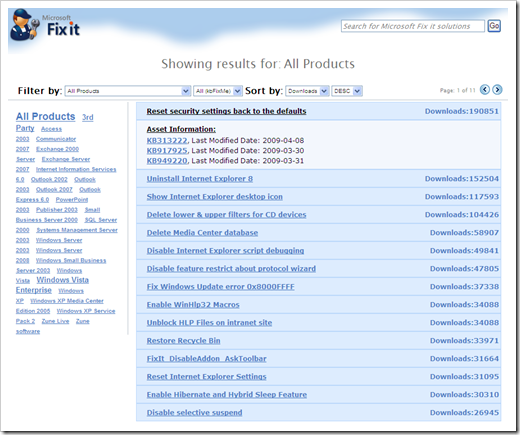
“The Microsoft Fix it team has just released two new tools to help partners and customers find Microsoft Fix it information and track solutions. The first tool is a Windows Vista Sidebar Gadget that displays download stats and related solution assets for Fix it solutions such as Knowledge Base articles or Windows Error Reporting responses and allows the user to filter by product as well as search for Fix it solutions.

…

The second tool is the Fix it Solutions page, a companion website to the Fix it Gadget for users who do not have the ability to use Sidebar Gadgets. The Fix it Solutions page provides all of the functions and features found in the Fix it Gadget and can be used with most popular browsers.

…”

https://fixit.support.microsoft.com/reporting/

image

This is a pretty simple and easy way to browse all the currently available “Fix It For Me”s. I liked the tag cloud navigation which made it easy for me to find a couple Fix It’s that I immediately put to use.


Related Past Post XRef:
Fix It for Me for Fix It for Me…
Getting your Fix it Fix – The Fix it for me blog

Network Monitor (NetMon/NM) 3.3 Released

Microsoft Downloads - Microsoft Network Monitor 3.3

“Tool to allow capturing and protocol analysis of network traffic.

Version: 3.3 1641
Date Published: 4/21/2009
Language: English
Download Size: 5.0 MB - 16.3 MB*

Network Monitor 3.3 is a protocol analyzer. It allows you to capture network traffic, view and analyze it. Version 3.3 is an update and replaces Network Monitor 3.2. Network Monitor 3.x is a complete overhaul of the previous Network Monitor 2.x version.

…”

What more can be said? NetMon rocks? Updated NetMon == Cool?  ;)

Update 4/22/2009 @ 7:40AM PDT:
For a cool list of what’s new, check out Blake’s post, The Road to Know Where - Microsoft Releases Final Version of Microsoft Network Monitor 3.3 for Windows 7


Related Past Post XRef:
NetMon Parsers – Existing parsers available and more coming via CodePlex
NetMon API – Capture, Parse and and Capture File Access (with Managed P/Invoke example too)
Network Monitor 3.2 (aka NetMon, NM3) Beta Released – Now with application network conversation tracking UI
NetMon 3.1 Released
Network Monitor 3 (aka NetMon 3, aka NM3) Re-released for Vista
NetMon 3.0 RTW

Tuesday, April 21, 2009

Free Star Trek Icons (for personal desktop use). You know you want them. Just accept your inner-geekness and go get them… I won’t tell… ;)

Iconfactory – Star Trek Icons

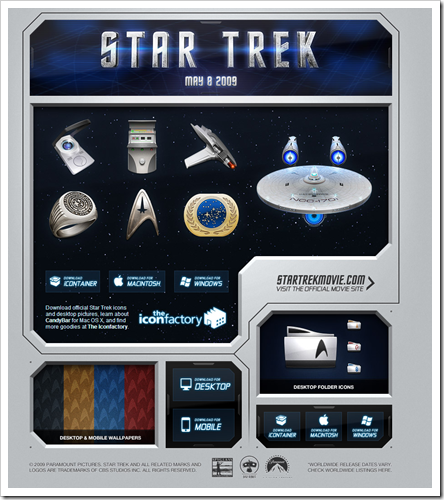
“The Iconfactory has teamed up with Paramount Pictures to bring you 15 gorgeous high resolution icons drawn from objects that are used in the new Star Trek film. These icons will make the perfect addition to any Star Trek fan’s computer desktop.

…

The icons contained in this archive are Copyright © The Iconfactory, Inc. and are intended for personal desktop use ONLY. …”

image

image

Doesn’t everyone need a few more Star Trek icons?

(via Gizmodo - Star Trek Icons! Star Trek Icons!!)

New Scrum Quick Reference Card from DZone/Refcardz (Reg-ware)

DZone – Refcardz – Scrum Reference Card

“Overview

Scrum is an iterative, incremental software development framework commonly used with agile software development. This Refcard provides a concise overview of the structure of roles, meetings, rules and artifacts within a Scrum organization – it is the definitive cheat sheet for any development manager or software team that is currently using or planning to use Scrum.

…”

image

Six (well five and a quarter) pages of Scrum Reference from the Refcardz masters, DZone. Brought to us by danube, my favorite Scrum training providers (where I got my Scrum Master Certification ;)

I really liked how this card wasn’t complete overview but instead more brass tacks (as much as you can be in 5 pages anyway). I see this Card as a good reminder and fill in a few blanks (aka a “reference card” ;) resource for those you already know some about Scrum. This isn’t for the scrum-noob but instead more for those how are actually starting, or using Scrum.


Related Past Post XRef:
Scrum Resources

Can’t get to a local user group meeting/conference/etc? Still want to take advantage of goodness that INETA speakers offer? Here’s a few live webcasts just for you…

.NETicated - INETA Live Webcasts: Round One

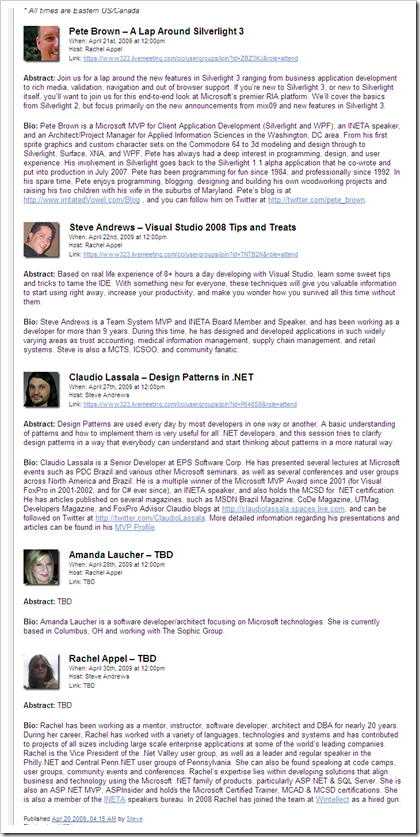
“One of my initiatives as Director of Technology for INETA is to further develop INETA Live. To that end, Rachel Appel and I will be hosting five exciting live webcasts this month on Live Meeting, all from INETA speakers. Details below, and remember to stay tuned for more exciting content from INETA Live. If you are interested in doing a live webcast on INETA Live, please contact me.

* All times are Eastern US/Canada

Pete Brown – A Lap Around Silverlight 3

…

Steve Andrews – Visual Studio 2008 Tips and Treats

…

Claudio Lassala – Design Patterns in .NET

…

image

…”

If you’re too busy, not close enough, don’t have the travel funds, like to learn on the fly or just don’t like “people” then these live INETA sessions may be just the ticket for you. The price is just right and you can attend in your PJ’s so what’s not to like?  ;)

Monday, April 20, 2009

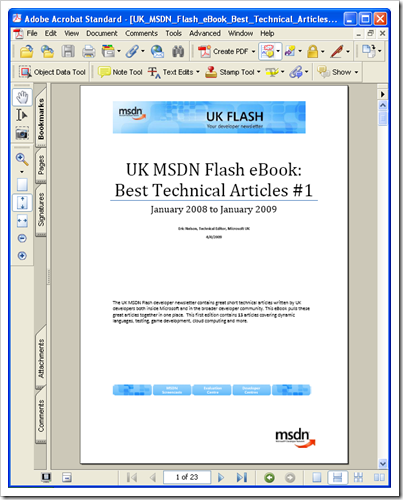
UK MSDN Flash – Best of 2008 #1 in eBook form

IUpdateable from Eric Nelson - FREE MSDN Flash eBook with 13 technical articles spanning dynamic languages to game development to cloud computing

“…

Every two weeks we send an email out to tens of thousands of UK based developers. This email is called the MSDN Flash. The Flash contains many useful sections including a 400 to 500 word technical article on a developer related topic either written by a member of the Microsoft UK technical team or a member of the broader UK developer community. We have had some great articles over the years which to some extent end up “hidden away” in the archives of the MSDN Flash. This is a shame as the authors have worked hard to condense complex topics into short articles which are informative and take only a few minutes to read.

I decided it was time to surface the best of the articles on a regular basis and provide them in an easy to download and read eBook. This initial edition covers the period January 2008 to January 2009 but we aim to create a new eBook every six months from here on in. The next edition should therefore be out around August 2009.

…

image 

Table of Contents for #1

TABLE OF CONTENTS 2
INTRODUCTION 4
From the Editor 4
Would you like to become an author? 5
Subscribe to the UK MSDN Flash 5
VISUAL STUDIO 2008 7
Synchronization made Easy by the Sync Framework 7
WMI Provider Extensions in .NET Framework v3.5 8
Non-Attributed Data Contracts in WCF 9
Introducing the ADO.NET Entity Framework 10
Introducing the .NET Client Profile 11
XNA Game Studio 12
LANGUAGES 13
Combining Dynamic Languages and Static Languages 13
Getting Started with IronPython 14
TOOLS AND DEVELOPMENT PRACTICES 15
Pex: Automated testing for .NET 15
WEB 16
The Integrated Pipeline in IIS7 16
VISUAL STUDIO 2010 17
Introducing Parallel Extensions to the .NET Framework 17
CLOUD COMPUTING 18
Azure Services Platform 18
Windows Azure 19
MEET THE AUTHORS 20

image

While the page count isn’t huge, the information density seems pretty high. Short and sweet read for the train or bio break (did I REALLY just say that? :P  )

TextGlow now on CodePlex

CodePlex - TextGlow

“textglow

Project Description
TextGlow is a Silverlight 2.0 demo application for viewing Word 2007 documents in the browser.

…”

TextGlow - TextGlow source code (alpha)

“…

TextGlow source code
source code, 1962K, uploaded Sun  - …

Release Notes
The TextGlow source code licensed under the Microsoft Public License.

…”

TextGlow - Source

image

Ah… A cool project on my favorite source site… :)

(via James Newton-King - TextGlow CodePlex Project)


Related Past Post XRef:
Sharing the Glow - Using TextGlow to display Word documents on SharePoint
See your OpenXML documents glow in Sliverlight via the newly open sourced TextGlow

Sunday, April 19, 2009

US Zip/City/County/State spatial data all ready for your SQL Server 2008… Just download, SQLCMD/import and go

CodePlex - US Census Data for SQL Server 2008

“Project Description
This is a repository for US Census Data for SQL Server 2008 with spatial information. Some of the data that is and will be included will be for states, counties, cities, and zip codes. The project will be updated as the data is available in SQL Server 2008 format.

Please note that this tables contain geometry data types made for the "Flat Earth Model."

Data downloaded from http://www.census.gov and imported using the SQL Server 2008 Spatial Tools (http://www.sharpgis.net/page/SQL-Server-2008-Spatial-Tools.aspx) by Morten Nielsen

…

Florida

FloridaCounties "

…”

US Census Data for SQL Server 2008 - State and County Table

“…

State Table
source code, 1785K, uploaded Today …

County Table
source code, 14132K, uploaded Sat …

Release Notes

The State and County Table are based on the 2000 Census Data and was normalized to the best of my knowledge. Please note that the the County table requires the State table. Both scripts contain the create and insert of the data.

The State geometry was derived by grouping all of the counties of each state using the User Defined Function found here: http://conceptdev.blogspot.com/2007/12/sql-server-2008-geometry-stunion.html

…”

US Census Data for SQL Server 2008 - Version 0.0.1.0

"...

State
source code, 1528K, uploaded Today - ...

County
source code, 7148K, uploaded Today -...

City
source code, 12258K, uploaded Today - ...

ZipCode
source code, 42531K, uploaded Today - ...

Release
Notes

Changes:
Added the ZipCode table
Modified all scripts
to include the spatial index
Compressed the files to a rar to make the files
smaller#

..."

A number of the podcasts I listen to have been covering SQL Server 2008’s spatial data type, so when I saw this I knew I had capture the data and mention it…

Update 4/20/2009 @ 7:15am:
There's now a City table/download (21860K) too... ;)
Update 4/20/2009 @ 4:20PM:
Added 0.0.1.0 block, which includes ZipCode data!

Friday, April 17, 2009

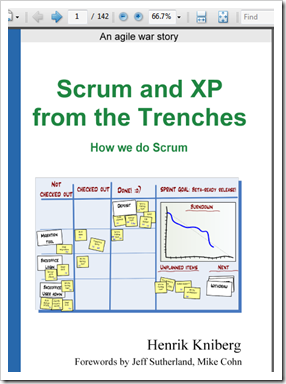
Free (reg-ware) ebook of the day - “Scrum and XP from the Trenches”

InfoQ - Scrum and XP from the Trenches

 image

“The tricky part to agile software development is that there is no manual telling you exactly how to do it. You have to experiment and continuously adapt the process until it suits your specific situation.

This book aims to give you a head start by providing a detailed down-to-earth account of how one Swedish company implemented Scrum and XP with a team of approximately 40 people and how they continuously improved their process over a year's time.

…

This book includes:

  • Practical tips and tricks for most Scrum and XP practices
  • Typical pitfalls and how they were addressed
  • Diagrams and photos illustrating day-to-day work
  • Testing and test-driven development
  • Scaling and coordinating multiple teams
  • Dealing with resistance from inside and outside the team
  • Planning and time estimation techniques
  • Forwards by Jeff Sutherland and Mike Cohn

…”

Ah… some Scrum reading material for the weekend… ;)

(via John Hines' Code Blog - Getting Started with Scrum)


Related Past Post XRef:
Scrum Resources

Still trying to wrap your head around Team Foundation Server workspaces? Here’s a quick primer…

Continuously Integrating - Workspaces in Team Foundation Server - Part 1

“One of the reasons they can do this is because they are somewhat out of sight, out of mind and can be created without any intervention of the user.

First a primer on what they are and how they work. A workspace represents a user (Larry) working on a specific computer (Workstation1) with a selection of files from Team Foundation Version Control (TFVC), maybe it is all of the files stored in the “BigApplication” project ($BigApplication), that are copied to my workstation in a specific location, perhaps to D:\DevelopmentProjects\BigApplication. This data represents four distinct pieces of information; who, what workstation, which server files/directories, where are the server files mapped to on the workstation.

All of this information is stored on the Team Foundation Server.

When a user first connects to TFVC and gets files from the server to their workstation the user is asked where to copy the files on the workstation. This creates the “which” and “where” elements of the four pieces of information, by simply connecting to TFS the user and workstation (“who” and “what”) are identified to the server. Once the user has told TFS where to copy the files TFS automatically creates a workspace with the relevant information. Using the example above I would have a workspace with the following information:

…

In my next post on this subject I will look at managing workspaces from the command line as well as some recommended best practices.”

I don’t know what it was (probably a brain patterns built from using MS Delta –> SourceSafe) but TFS Work Spaces was  one of the harder things for me to “get” with TFS.

In the above post, Larry has put together a nice primer and introduction to TFS workspaces. What I liked about it was that it went beyond “This is a workspace… this is how you create one… etc” and toward more real world like multiple developer interactions with an application beyond “Hello world”


Related Past Post XRef:
Team Foundation Server Workspaces 101

Remote Desktop/Terminal Services and the Highly Graphical Application – Tips and Reg Tweaks

Ask the Performance Team - Terminal Services and Graphically Intensive Applications

“Hello AskPerf, my name is Subheet Rastogi and I am a Technical Lead on the Performance team in Bangalore.  Today, we’re going to take a quick look at issues that typically arise when using graphic intensive applications or media streaming in a Remote Desktop Session.  Some common examples where you might encounter issues in an RDP session include Java applets embedded into web pages, Adobe Breeze, CAD-type programs and of course – playing games.  Why?  Because RDP was oroginally designed to flush the video frame buffer to the client about once every 100 milliseconds.  While this is fine for most Windows GDI applications, graphic intensive applications, 3D applications and applications requiring audio / video synchronization don’t fare so well.  With respect to streaming media in particular, RDP is only meant to cache the bitmap files (compressed) not the audio which is uncompressed over the wire.

…

Regardless of whether or not you are using graphic intensive applications or streaming media across RDP, there are some things that you can do that may provide some performance benefits in your environment:

…”

A few cool tips, tricks and reg tweaks to help when doing Presentation Virtualization (i.e. Remote Desktop/Terminal Services) with a "graphically intensive” application.

Been doing RD for a while and I think the reg tweaks were news to me, so well worth a capture for future reference.

Thursday, April 16, 2009

“One Billion” Bytes of SQL Server 2008 Training PPTX’s, Videos, Hands on Lab’s and VPC’s, for the Dev, BI and IT crowds (reg-ware)

Dave does Data - SQL Server 2008 Jumpstart Materials – very detailed training, now FREE to download.

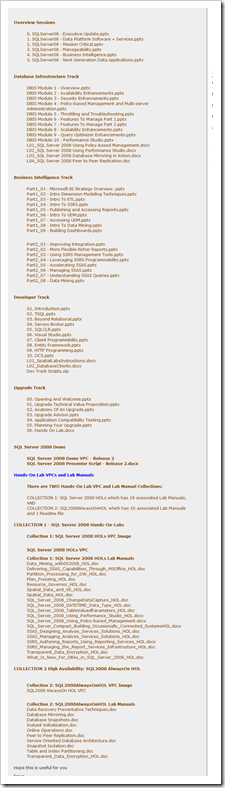
“This post is a pointer to a lot of in-depth training on SQL 2008. It includes Virtual PC’s with Demo Scripts, Lab Exercises & a lot of PowerPoint's with notes.

To get access to it all click here SQL Server 2008 Training. It is free but you do need to register as helps us to cost justify developing this type of material.

What is it?

As SQL 2008 was being developed. The team at corp ran a number of workshops with the bigger S/W development companies (Independent S/W Vendors (ISV’s)). It was intended to help them optimise their product for the new platform & to expose them to the new features they may be able to use to gain a competitive advantage.

This material has a lot of very useful detail on the changes.

To help you decide if it is relevant to you, I’ve listed, below, the Sessions that we ran over several days.

…”

image

Here’s one of the Track pages;

image

Here’s about a metric ton of cool SQL Server 2008 Training materials, VPC’s, videos, presentations and such… All in all, videos, VPC’s, etc, I’d say about 15-20GB’ish of data and materials.

One beef I have is that the VPC’s are configured in such a way as to be a major pain to download (even with FDM). I don’t mind major gigs to download, but I do hate having to download one rar that’s broken into 62 download pieces (and again there’s no simple way that I can see to feed them all to FDM… but I could be having a brain cramp too ;)

Tuesday, April 14, 2009

Mocking introduction for the Discerning Dev Dude - Spaghetti Code Talks Mocking with Donn Felker

Spaghetti Code Podcasts - Donn Felker Talks Mocking

“Spaghetti Code Talks with Donn Felker about how developers can use mocking in their unit tests and some of the approaches to being successful.

…”

Mocking/Isolation is something I’m interested in yet I’ve not made the leap. Why? Well I understood the concept and reason (and like it) but still felt I wasn’t really “getting it”.

After listening to this cool cast, the light has begun to come on (you know how those CFC’s take a while to light… ;)

If you’re interested in mocking and want to get a feel for just what it’s about, all in 45 minutes or less, check out this podcast.


Related Past Post XRef:
Isolation Framework, are you Mocking me?
Mocking is good thing… when unit testing at least – Intro to Mocking

More MS Press Free eBooks (available for a short time only) - “Windows Small Business Server 2008 Administrator's Companion (Pro—Administrator's Companion)” & “Microsoft Visual Basic 2008 Express Edition: Build a Program Now!”

Born to Learn - Free E-book Offer Is Back for April – April 15-22

“…

The two books for April are:

…”


Because it’s been well DAYS since I’ve blogged about a free ebook… ;)

These books are available now, a day earlier than expected. Remember they will only be available for a few days, so get them while you can.

image

image

Monday, April 13, 2009

From a blank canvas to cool icon, a Expression Studio tutorial that even I can follow… (Greg != Graphic Designer)

Designing for .NET - Creating Great Looking Icons with Expression Studio

“Before I start this tutorial, I would just say that there are a lot of aspects to consider when creating great user interface elements and iconography. I will  walk through an example in creating a standard icon using Expression Design. However before doing so I have compiled a list of reference links that I believe you should spend the time reading through and understanding. It is also necessary to have some historic perspective on icon design in the past and how it applied to different versions of operating systems.

…

Where to start…

Let’s look at some design tenants that were introduced with Windows XP via the XP user experience team and later expanded with Windows Vista..

  • The angle and perspective should be equal between the images (and objects within the image)
  • Edges and corners of objects are soft and slightly rounded
  • Light source is coming from the upper left-hand corner
  • The images should have a drop shadow
  • Outlines provide definition, objects should be drawn in a stroke pen of sufficient thickness that outlines the objects.
  • Use colors from the primary icon color palette (not such a requirement anymore at least inside of a WPF or Silverlight application), more related to backward compatibility with older versions of Windows and windows OS icons.)
  • The icon color palette is luckily fully documented as a set of 31 RGB color specifications
  • System Icons need to be provided in standard system sizes and palette colors (see the MSDN article I referred to above).

Expression Design

Let’s open up Expression Design and create some layers..

 ED1

…

…

…

ED18

Anyway that’s my tutorial on creating ICONS. With a little background and some really quick and easy tools you can have top notch UI elements quite quickly..”

I’d love to be able to craft/design graphic’s, but it just doesn’t click for me. Funny how the mind works. So anyway, any time I find a cool tutorial I like to capture it and work through them, just to see if it’s the spark I need.

Also make sure you click through as Don has included a number of links to related and like resources.


(via Visual Studio Hacks - Visual Studio Links #111)