Saturday, August 09, 2008

Bart’s De Smet’s VB9 Feature Focus Post List – Or “How to get an introduction to the new stuff in VB9 in 14 blog posts”

B# .NET Blog - VB 9.0 Feature Focus – Link Collection

“Collecting a few of my posts for easy quick reference:

If you haven’t read those already, enjoy!” [Post leached in full]

What’s great about Bart’s posts is their depth. They are almost more like chapter sections then blog posts…

I’d forgotten about the new If Ternary operator. So much to remember, such a small brain (err… I mean… um… such a full brain… yeah… that… ;)

And oh yeah, he has his C# list too, C# 3.0 Feature Focus – Link Collection

Fabulous Photo Fun – Free, Cheap and Easy Online Photo Tweaking

ASP For Blondes - Image and Photo Effects on the Cheap (Free!)

“I've been expanding my graphic design skills quite a bit lately.  I was under the impression that I'd need to spend a lot of money to do cool things with my photos or to create images for websites.  Au contraire!  Here are some examples of FREE ways to do cool things with photos and images:

I created this one at DUMPR .  They have a wide selection of free effects you can use…

I created this adorable image at PhotoFunia .  They don't offer all the posting features, but they are totally free, and they have some darned cool effects…

…”

Dana highlights and demos some very cool photo manipulation, tweaking, mighty morphing, “We don’t need no stink’en Photoshop” sites.

PhotoFunia uses facial recognition for some very cool and interesting effects.

PhotoFunia_98ea3[1] 

PhotoFunia_993a2

PhotoFunia_99538 <- LOL! Oh yeah, I see that happening one day! ;)

Friday, August 08, 2008

OpenCV (Open Source Computer Vision) for C# – Wrapper, plus info on it

CodeProject - Easy to use Wrapper (DLL) for Intel's OpenCV Library with Examples

“If the first thing you want to do is try out some examples please start with reading the Install section.

This is my first contribution for this great forum and I hope the wrapper I'm introducing will be useful for those who are friends of the C# language and are occupied in the area of image processing.

Some years ago I decided to change from C++ (MSVS 6.0) and Java (Eclipse) to C#. I was surprised at how easy it was to pick up, even for understanding complex tasks. At the same time I was seized by the desire to port some of my older C++ image processing projects where I used parts of Intel's OpenCV Library.

Some Features

  • The wrapper is provided in the form of a dynamic link library. (DLL)
  • All exported methods (e.g. cvCanny,...), the most important macros, constructors, constant definitions and callbacks are visible through on class. (e.g.: cvlib.Functionname(...), cvlib.CV_LOAD_IMAGE_COLOR).
  • All structure definitions are usable in a familiar way (e.g. IplImage img;, CvMat mat;).
  • Special function parameters like pointers are passed by IntPtr, and for casting additional support is available (a second tools library, see cvtools) when necessary.
  • The conversion to and from drawing types like Bitmap is integrated in the Library and casting operators to and from Bitmap are available.
  • For error handling, the provided mechanisms of the OpenCV Library can be used. There is no support for exceptions (still not).
  • Callbacks are handled by predefind delegates. Use trackbars in a child window, mouse callbacks and error handlers in a familiar way.
  • The user has to take care freeing the unmanaged memory. This is simply done by call of the appropriated OpenCV functions, e.g. CvReleaseImage(...).

The OpenCV Library has a very extensive amount of highly developed algorithms (more than 400 functions, hundreds of macros, myriads of constants etc.) so it seemed nearly impossible for a single person to encapsulate all of this. Additionally, there is a high probability of overloading and default values.

…”

Intel - Open Source Computer Vision Library

“Introduction

This library is intended for use, incorporation and modification by researchers, commercial software developers, government and camera vendors as reflected in the license.

See the Library Overview for a quick idea of what's in the library.

FAQ (Frequently Asked Questions).

Philosophy – Aid commercial uses of computer vision in human-computer interface, robotics, monitoring, biometrics and security by providing a free and open infrastructure where the distributed efforts of the vision community can be consolidated and performance optimized.

…”

Open Source Computer Vision Library - Overview

“This library is mainly aimed at real time computer vision.  Some example areas would be  Human-Computer Interaction (HCI); Object Identification, Segmentation and Recognition; Face Recognition; Gesture Recognition; Motion Tracking, Ego Motion, Motion Understanding; Structure From Motion (SFM);  and Mobile Robotics.

Library Areas

  • Image functions
    Creation, allocation, destruction of images. Fast pixel access macros.

  • Contour Processing
    Finding, displaying, manipulation, and simplification of image contours.
  • Geometry
    Line and ellipse fitting.  Convex hull.  Contour analysis.

  • Morphology
    Erode, dilate, open, close. Gradient, top-hat, black-hat.
  • Background Differencing
    Accumulate images and squared images.  Running averages.

  • Camera Calibration
    Intrinsic and extrinsic, Rodrigues, un-distortion, Finding checkerboard calibration pattern
  • View Morphing
    8 point algorithm, Epipolar alignment of images
  • Gesture Recognition
    Stereo based: Finding hand, hand mask.  Image homography, bounding box.

Intel® Image Processing Library (included in OpenCV WinOS download):

  • Image creation and access (same image header used for both libraries).
  • Image arithmetic and logic operations.
  • Image filtering.
  • Linear image transformation.
  • Image morphology.
  • Color space conversion.
  • Image histogram and thresholding.
  • Geometric transformation (zoom-decimate, rotate, mirror, shear, warp, perspective transform, affine transform).
  • Image moments.

…”

OpenVC Library Wiki

“Welcome to the OpenCV Wiki

This Wiki is intended to support the OpenCV community. The main objective is to share experiences and improve the documentation.

Contents

  1. Introduction
    1. What is OpenCV?
    2. How do I Download OpenCV?
    3. Installing OpenCV
    4. Getting Started with OpenCV
    5. Frequently Asked Questions
    6. Tutorials
  2. Support, Documentation & Resources
    1. Technical Support
    2. Documentation of Functions
    3. OpenCV Online Resources
    4. Ideas for the Future of OpenCV

…”

This is the first time I’ve looked at OpenCV. Wow, there’s some pretty nifty stuff there! And the license is very friendly too.

Hum… Looks like one more project to keep an eye on. :)

Using Live Mesh as a Message Based PowerShell Remoting Tool

Precision Computing - Client-free PowerShell Remoting - a Live Mesh Command Line

"Once problem that often arises when trying to manage machines is when the management layer itself is the thing you need to diagnose. For example, trying to diagnose Remote Desktop connectivity issues when port 3389 is blocked, or using PowerShell Remoting when WSMAN is misconfigured.

Alternatively, you might not have the client you need to manage the machine -- such as an SSH client, or a version of PowerShell V2 installed.

One way to get around both of these problems is another communication channel. It may be of lower fidelity, but can help you get your job done.

One perfect example of an alternative communication channel is any of the many synchronization tools out there: Live Mesh, Syncplicity, FolderShare, etc. In addition to managing connectivity, they let you broadcast messages (by way of files) between connected computers. Let's use that as our communication protocol:

…”

There’s something about this, well this “hack” in the classical sense of the word, that just appeals to me. Using Live Mesh to transfer messages (i.e. files) between workstations, kind of like a MSMQ channel seems kind of neat. And given MS is working hard to secure Live Mesh, will be providing a SDK, etc, well there might be something to this.

Okay, yeah, yeah, I know it’s a Frankenstein, Rube Goldberg, like contraption, but that doesn’t make it any less cool.  :)

I HAZ UR DEEP LOL – Deep Zoom meets LOLCats

robburke.NET - I maded you a FractLOL…

“… and then I Silverlit it!

Is alternately a LOLQuilt, a ROFLMosaic, or a Deep LOL! :)

image

Here is the full screen version.

Click, drag, shift-click and use the mouse wheel to see that the image is made of over 10,000 LOLCats (there are 2,442 unique images here).

How this came to be?

The kittehs are from the very awesum icanhascheezburger.com which I love and will link to again because I hope they will also find this awesum and not tell me to make it go away.

The photomosaic was generated…”

What better use of Silverlight, Silverlight Streaming, Deep Zoom and Deep Zoom Composer than a mosaic of 2,442 LOLCats? Take that Hard Rock! LOL

That top picture is a mosaic of 10,000 LOLCats images. Deep zoom way in to see the base images…

(via Martha Rotter's Blog - LOL-Tastic)

Doomed Advisory Level

Dan Fernandez's Blog - The Unofficial Microsoft Overworked Advisory System

“Scott Hanselman recently blogged about "Ninjas on fire" as a way to describe being overwhelmed at work, here's a snippet from his post on the origin:

Scott and I taped This Week on Channel 9 earlier to day and I was telling him how our old team came up with a similar version of "Ninjas on Fire" as we just had *so* many projects to be working on and so little time that we continually had too many things to handle. To illustrate the overworked advisory system, I've added this helpful graphic which is of course ripped off from the US Government's Homeland Security System.

DoomedLevel

My current level is:

…”

That made me laugh… As developers/IT are we ever NOT doomed? :p

But then again, this could apply to SAF (Spouse Acceptant Factor) as well. “If I buy this…”

Sounds like an idea for a WLW Plugin. LOL

Olympics for the Media Center, IP Style (think “DVR Without TV Card”)

Matt Hester's WebLog - Watch the Olympic Games on Media Center - NO TUNER CARD NEEDED!

“I just caught wind of an extremely cool FREE service for Windows Media Center:

NBC Olympics On the Go

This will be an Internet-delivered catch-up TV service from NBC Universal powered by Wavexpress’ TVTonic platform. This free download-and-play service will highest-quality Internet-delivered Olympics experience in the USA.

With NBC Olympics On the Go in Windows Media Center, you will get:

  • NBC Sports’ complete on-air HDTV coverage of the Beijing Olympics on the NBC, USA and Universal networks
  • 225 hrs of long-form Olympics video over 17 days
  • 24 sports, full opening ceremony, and a closing ceremony montage
  • Up to HD quality, with the vast majority of the video delivered in 840x480 progressive scan resolution at 1.5 Mbps bit rate, plus several events per day delivered in 1080i resolution

Unfortunately, this is only supported in the US and even more unfortunately, it is not supported on 64 bit.  …”

It’s 8/8/08 so I guess it’s time an Olympics post. This sounds pretty cool, I guess I CAN have my IP and watch it too (okay, that was a very weak play on having my cake and eating it too, I know, I know… ;)

Since I don’t already have enough stuff running on my “Vista Compatible” notebook, I’ve added this as well. Installed easily, activated quickly.

image

Something to note though… Free is never really free. Looks like by installing this you auto-subscribe to some channels, which you cannot unsubscribe too (without turning off all downloading, which kills the purpose). Not that much of a biggie for me, as I understand it’s got to be paid for some way. It’s just something to be aware of.

I’ve subscribed to one channel, the rest are “just there”

image

Thursday, August 07, 2008

Five Year Blog-aversary, and 500K+ Visit Milestone

Can you believe it’s been a year already? Time flies when you’re having fun… :)

Usually I use this post to comment on the stuff I learned, relearned or wanted to forget in the past year. This year? Well heck, I guess I’ll do the same thing!  MUHAhahahaha… ;)

1) You have to blog for you

I think I say this every year, but that doesn’t make it any less true. You have to know why you are blogging and be happy with that if you want to continue doing it. If it’s for fame, glory or financial success, then so be it. Do what you can to meet that, to be that and make it so. If it’s to share with friends and family, to give back, to show off, what ever, then realize that and be happy with it. Do it for you, because you want to.

For me, it’s about capturing stuff I find cool so I can easily find it again (I’m a huge fan of self-search blogs  ;).

Simple, easy, no fus, no mus. Since I’m a news hound, since I live and breath new news, I may catch new cool stuff pretty quickly. So my sharing not only helps me, but others too who may be less “news hound’y”. In that way I feel it’s also a chance to give back a little. A chance that in doing what I already enjoy doing also helps or informs others…

2) You have to “own” it if you really want to change it

This last year, as I turned 42, I decided I was done being fat. 70+ pounds over a “good” weight was just too much. My wife was my role model. Last year she was able to quit a 30 year smoking habit and is still smoke free to this day. Wow. Well if she could do it, I could do something about my problem.

I took ownership of the problem, I stopped avoiding it, stopped “hoping” it would get better and took action to change it. To really and finally change it. Not some short term stop gap, but a commitment to a basic, fundamental change.

And it’s working. Because I owned the problem, I also own the solution and I have been able to stick with it for the better part of a year now. Today I weighted in at 211 (from 270 in 11/07). Just 10-15’ish more pounds to go…

But it’s NOT about loosing the weight. That wasn’t the problem. It was what I was eating, how much and my level of activity that was the problem. Once I fixed that, once I made a basic lifestyle change, the weight is fixing itself.

3) If you’re not growing, you’re not growing

Don’t let yourself get stuck in a rut… If you’re not growing (wider doesn’t count ;) then you could be stagnating.

As I picked up more Agile stuff this year, I realized what a rut I was in. That it was like I had been in this bubble where my wheels were spinning but I really wasn’t going anywhere. What an icky feeling.

My goal this coming year is to learn and work more on the people side of things. I love coding and don’t plan on giving that up, but I know I also need to focus beyond that. Code is nothing without the people writing it, using it, supporting it and funding it…

4) Life is short

Life is just so short… We have so few years. Enjoy life, your family, pets, everything now, while you can. Is it really worth it if you’re not enjoying, or at least satisfied with, it?  Is it?

5) It’s Stats, man!

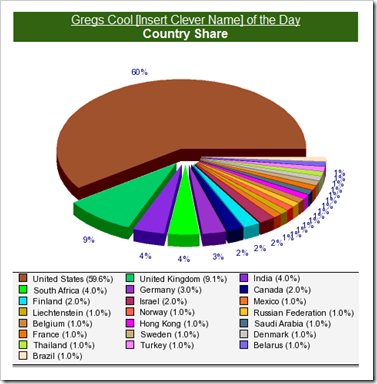
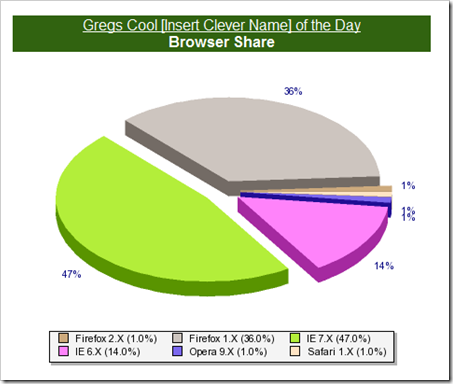
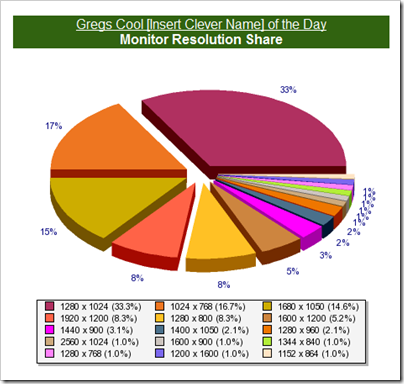
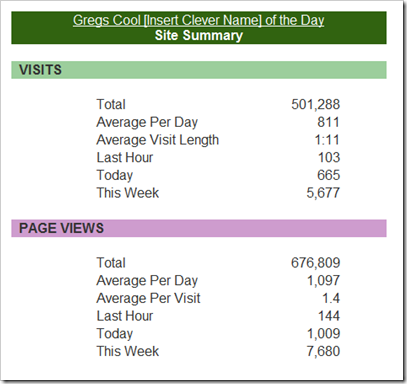
Yesterday was a big milestone for my blog. I hit 500k+ site visits! All I have to say is “wow.” For a blog that I keep as a way to capture stuff I find cool so I can easily find it again, that’s… well… just pretty cool. 

Given that milestone I thought I’d make this blog-aversary post a little different and include some high level stats. Why? Heck, I don’t know… Because it’s my blog and I can get away with it? So you can see who you’re sharing my blog with? So next year we can look back and see how far we’ve come (or not)? Well okay, mostly because I thought the stats were cool… :)

Years Blogging: 5
Visits: 501,288 (as of 8/7/2008, 9:00AM PDT, per Site Meter)
Page Views: 676,809 (as of 8/7/2008, 9:00AM PDT, per Site Meter)
Posts: 3212 (as of this post)

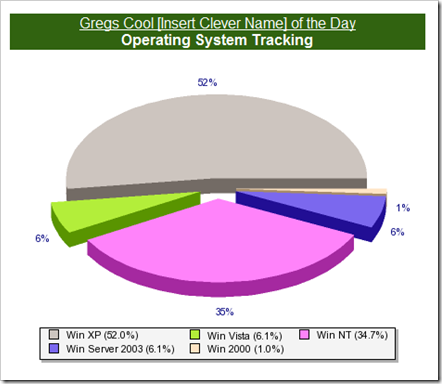
As of 9:00am PDT here are some of the site stats from the dawn of the blog (well as least from when I added Site Meter in March 2004), curtsy of Site Meter;
image

image

image

image

image


Enough for now… Take care and thank you for reading…


Related Past Post XRef:
Four Year Blog-aversary
Three Year Blog-aversary...
Two Years and Counting...

Wednesday, August 06, 2008

Sync Framework v1 RTM’s (and includes ADO.Net Sync Services v2)

Rob Tiffany's Windows Mobile Accelerator - Sync Framework v1 and Sync Services for ADO.NET v2 are now Generally Available!

“As of today you can download the Sync Framework SDK in 11 languages including Chinese (Hong Kong), Chinese (Simplified), English, German, French, Italian, Japanese, Korean, Portuguese, Russian and Spanish for AMD64, IA64 and x86 processors from the Sync Framework Download Center

What is Sync Framework?

Imagine being able to build a solution that seamlessly exchanges contact information between Outlook, a database contact management application, your mobile device and your service based contact management system.  Or how about a mobile device that connects with other devices to exchange pictures and videos.  How about being able to take data from any of your enterprise databases, file or enterprise systems and make it available offline for users to modify and sync back up to the enterprise.  All of these capabilities are possible with the Sync Framework and best of all, it is free on Windows platforms and licensable on non-Windows platforms!

…”

Microsoft Downloads - Microsoft Sync Framework v1.0

“Microsoft Sync Framework is a comprehensive synchronization platform for enabling collaboration and offline scenarios for applications, services and devices

Version: RTM1
Date Published: 8/5/2008
Language: English
Download Size: 1.1 MB - 504.3 MB*

Microsoft Sync Framework is a comprehensive synchronization platform that enables collaboration and offline scenarios for applications, services and devices. Developers can build sync ecosystems that integrate any application, any type of data, using any protocol over any network.
The Microsoft Sync Framework provides a platform for taking web services and databases offline. In addition, it provides optimized P2P sync of any type of file including contacts, music, videos, images and settings. The extensible framework includes built-in support for synchronizing databases, NTFS/FAT file systems, FeedSync compliant feeds (formerly known as Simple Sharing Extensions), devices and web services.

Sync Framework Highlights

  • Add sync support to new and existing applications, services, and devices
  • Enable collaboration and offline capabilities for any application
  • Roam and share information from any data store, over any protocol, and over any network configuration
  • Leverage sync capabilities exposed in Microsoft technologies to create sync ecosystems
  • Extend the architecture to support custom data types including files


Sync Services for ADO.NET
Sync Services for ADO.NET is a Microsoft Sync Framework powered solution for synchronizing ADO.NET enabled databases in offline and collaboration scenarios. Sync Services for ADO.NET allows developers who are familiar with the concepts of ADO.NET to apply that knowledge to data synchronization through a very similar set of APIs to that of ADO.NET. Sync Services for ADO.NET provides the flexibility of a programming model like offline datasets and a richer synchronization feature set like that found in Merge replication. Sync Services for ADO.NET also supports synchronization over services, such as Windows Communication Foundation (WCF).

Sync Services for ADO.NET Highlights

  • Offline Database Synchronization: With Sync Services for ADO.NET you are able to build a solution where multiple remote clients connect and synchronize to a central ADO.NET database in a Hub-and-Spoke configuration. This enables occasionally connected devices to periodically connect and synchronize changes with a central ADO.NET database server. This topology is a common solution for remote workers such as sales reps or field service workers.
  • Collaboration Between Databases: Sync Services for ADO.NET also includes Peer-to-Peer capabilities. Through a custom Peer provider, collaboration between two or more SQL Server databases can occur (support is not available for SQL Server Compact). Unlike a Hub-and-Spoke architecture, this provider enables a SQL Server database to communicate and exchange information with any other SQL Server database. This type of scenario is useful in group scenarios where users (such as auditors) need to update information and then collaborate those changes with other group members.
  • SQL Server 2008 Integrated Change Tracking: If you are using SQL Server 2008, we recommend that you use the SQL Server change tracking feature. This feature addresses many of the issues of custom-tracking systems and provides a straightforward way to track changes. Change tracking is also supported by the Local Database Cache in Visual Studio 2008 SP1. Developers can now specify that the Configure Data Synchronization wizard should enable SQL Server change tracking on the server and generate the commands necessary to select and apply changes to the server database. Unlike custom change tracking systems, SQL Server change tracking does not require any schema changes in the server database. For more information, see the Visual Studio 2008 documentation.

…” [Description leached in full]

Microsoft Sync Framework - Top New Features in Sync Services for ADO.NET v2

“Today’s release of Microsoft Sync Framework includes the latest version of Sync Services for ADO.NET.  A great deal of work has gone into this release and I thought I would take some time to point out some of the top new features in version 2 since our previous release.

  • Peer-to-peer synchronization support:

  • Sync Services is now based on Microsoft Sync Framework:

  • Synchronize with devices:

  • Support for SQL Server 2008 Integrated Change Tracking:

  • Support for the new data types in SQL Server 2008:

  • The ability to trace the synchronization process:

…”

Though referenced in the SQL Server 2008 Feature Pack, August 2008 post, I thought this one deserved its own shoutout…


Related Past Post XRef:
Using Microsoft Sync Framework in Visual Studio 2008 to Sync SQL Databases (SQL CE with SQL Server)
Microsoft Sync Framework CTP1 Released

SQL Server 2008 Feature Pack, August 2008 (i.e. The SQL2K8 RTM Feature Pack)

 Microsoft Downloads - Microsoft SQL Server 2008 Feature Pack, August 2008

“Download the 2008 Feature Pack for Microsoft SQL Server 2008, a collection of stand-alone install packages that provide additional value for SQL Server 2008.

Version: 10.00.1600.22
Date Published: 8/6/2008
Language: English
Download Size: 1.0 MB - 318.6 MB*

The Feature Pack is a collection of stand-alone install packages that provide additional value for SQL Server 2008. It includes the latest versions of:

  • Redistributable components for SQL Server 2008.
  • Add-on providers for SQL Server 2008.
  • Backward compatibility components for SQL Server 2008.

Microsoft SQL Server 2008 Analysis Services 10.0 OLE DB Provider

Microsoft SQL Server 2005 Backward Compatibility Components

Microsoft SQL Server 2008 Command Line Utilities

SQL Server Compact 3.5 SP1

Microsoft SQL Server 2008 Data Mining Add-ins for Microsoft Office 2007

Microsoft SQL Server Driver for PHP 7

Microsoft Core XML Services (MSXML) 6.0

Microsoft SQL Server 2005 JDBC Driver 1.2 (Based on the description looks to also support SQL Server 2008)

Microsoft SQL Server 2008 Management Objects

Microsoft OLEDB Provider for DB2

SQL Server Remote Blob Store

Microsoft SQL Server 2008 Native Client

Microsoft SQL Server 2008 Policies

Microsoft SQL Server 2008 Reporting Services Add-in for Microsoft SharePoint Technologies

Microsoft SQL Server System CLR Types

Microsoft Sync Framework

Microsoft SQL Server 2008 Upgrade Advisor

…”

So pretty much everything but the kitchen sink!

All available as stand-alone downloads (i.e. this isn’t some monster download but allot of smaller ones)


Related Past Post XRef:
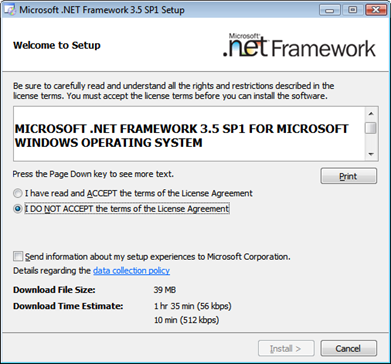
SQL Server 2008 RTM Requires/Installs .Net 3.5 SP1 & Wait for VS2008 SP1 before you install SQL2K8 on your Dev machines
SQL Server 2008 Edition Side–by-side Feature Comparison - (aka. What Edition do I need so I can get feature X,Y or Z?)
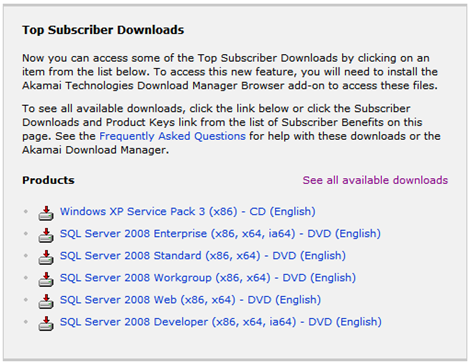
SQL Server 2008 RTM’s (and is now available on MSDN Subscribers Download)

SQL Server 2008 RTM Requires/Installs .Net 3.5 SP1 & Wait for VS2008 SP1 before you install SQL2K8 on your Dev machines

 image

Microsoft SQL Server 2008 Release Notes

“…

Before You Install

Please read the KB articles listed below before you install SQL Server 2008. More known issues can be found online; we recommend you read about the following issues first.

KB ID Summary

956139 Visual Studio 2008 SP1 may be required for SQL Server 2008 installations

…”

Visual Studio 2008 SP1 may be required for SQL Server 2008 installations

“INTRODUCTION

The release version of Microsoft Visual Studio 2008 Service Pack 1 (SP1) may be required when you install Microsoft SQL Server 2008.

MORE INFORMATION

Visual Studio 2008 does not support having both Visual Studio 2008 without a service pack and Visual Studio 2008 with SP1 installed on the same computer. Because certain SQL Server 2008 features install components that are also part of the release version of Visual Studio 2008 SP1, SQL Server 2008 requires Visual Studio 2008 with SP1. If Visual Studio 2008 without a service pack is installed instead, it may not work correctly after you install SQL Server 2008.

If you try to install a SQL Server 2008 feature that installs a Visual Studio 2008 SP1 component, and you have Visual Studio 2008 without a service pack installed, you receive the following error message:

Rule "Previous releases of Microsoft Visual Studio 2008" failed.
A previous release of Microsoft Visual Studio 2008 is installed on this computer. Upgrade Microsoft Visual Studio 2008 to the SP1 before installing SQL Server 2008.

…”

Looks like I’m waiting until next week to install SQL2k8 on my dev machine… :(


Related Past Post XRef:
SQL Server 2008 Edition Side–by-side Feature Comparison - (aka. What Edition do I need so I can get feature X,Y or Z?)
SQL Server 2008 RTM’s (and is now available on MSDN Subscribers Download)
VS2008/.Net 3.5 SP1 still coming “Real Soon Now” (Update: “Service Pack 1 which will be available … after August 11, 2008.”)

SQL Server 2008 Edition Side–by-side Feature Comparison - (aka. What Edition do I need so I can get feature X,Y or Z?)

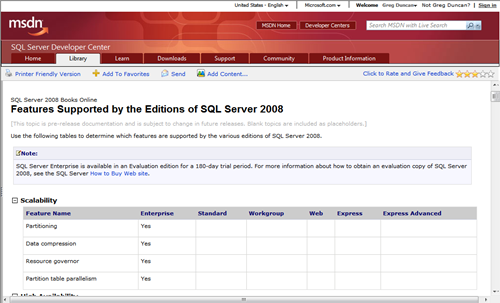
Editions and Components of SQL Server 2008 - Features Supported by the Editions of SQL Server 2008

image

This took me a few clicks to find, so I wanted to capture it here for easier future reference.

Why is this important? It helps answer the question, “What edition of SQL Server 2008 do I need to buy if I want to use [Data compression|Transparent database encryption|Parallel index operations|etc]”

Please note the note that this might not yet be updated to reflect what shipped in the RTM version.


Related Past Post XRef:
SQL Server 2008 RTM’s (and is now available on MSDN Subscribers Download)

SQL Server 2008 RTM’s (and is now available on MSDN Subscribers Download)

Shut-Up and Smile - SQL Server 2008 RTMs

"Wahoo! Congrats from South Africa.

..."

Hilton Giesenow's Jumbled Mind - SQL Server 2008 RTMs Today!

“Wow, a fresh announcement at Tech Ed South Africa for a change - apparently SQL Server 2008 RTMs today :-)” [Post leached in full]

MSDN Subscriptions

image

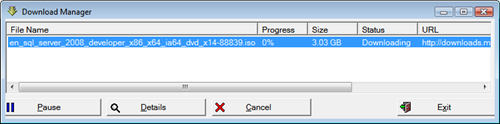
Downloading it now!  :)

image

VS2008/.Net SP1 has to ship real soon now..


Update #1

From MSDN Subscriptions;

"SQL Server 2008 RTM Available for Download

English downloads are available now and additional languages will be added on a daily basis. Visual Studio 2008 users will need to download and install Service Pack 1 which will be available here after August 11, 2008." [GD: Emphasis added]

So looks like Monday/Tuesday'ish for VS2008 SP1! :)

VS2008/.Net 3.5 SP1 still coming “Real Soon Now” (Update: “Service Pack 1 which will be available … after August 11, 2008.”)

system.data.objects dev guy - EF v1 (delivered by VS 2008/.net 3.5 SP1) is... almost... here. (And the .Net Rocks podcast announcing it is already here.)

“I suspect some of you are quite anxious for EF v1 to finally RTM.  I wish I could announce that it is out now.  Believe me, I really wish I could make that announcement.  ;-)  Sadly near the last minute there was a slight delay, and it just hasn't quite hit the web yet.  Soon.  Very soon. [GD: Emphasis added]

…”

sigh… My F5 key is wearing out I’m hitting it sooooo often waiting for the announcement… ;)

Update #1
From MSDN Subscriptions;

"SQL Server 2008 RTM Available for Download

English downloads are available now and additional languages will be added on a daily basis. Visual Studio 2008 users will need to download and install Service Pack 1 which will be available here after August 11, 2008." [GD: Emphasis added]

So looks like Monday/Tuesday'ish for VS2008 SP1! So I can give my F5 a rest for a bit… ;)


Related Past Post XRef:
Craig “Scoop” Shoemaker - .Net 3.5/VS2008 SP1 RTM “weeks” away
SQL Server 2008 RTM’s (and is now available on MSDN Subscribers Download)

Speed Launch from Office Labs - Your applications, web pages, documents and searches are just a Windows+C away

Microsoft Office Labs - Project: Speed Launch

speedLaunchSplash SpeedLaunchLauncherII

"This is the first community prototype from Office Labs. Community prototypes are projects Microsoft employees work on in their spare time. Speed Launch's goal is to let you get to the stuff you use faster and with less frustration.

…"

Project: Speed Launch - Speed Launch - Frequently Asked Questions and Answers 

"...

Why do I need Speed Launch?
Work faster and with less frustration. Speed Launch gives you lightning quick access to all the documents, files, and websites you use often. In the past when you used something a lot you might have created a desktop shortcut, added it to your IE favorites, or placed it on your quick launch bar. Speed Launch allows you to create centralized shortcuts to all the stuff you need and allows you to access them effortlessly.

What is Speed Launch?
Speed Launch is an application launcher that extends the functionality and usability of Microsoft Windows. With Speed Launch, users can select their own words to open frequently used websites, documents, and applications. The most compelling feature of Speed launch is the use of a drag and drop interaction model to make this advanced functionality more intuitive to novice computer users.

How is it used? How does it work with Windows?
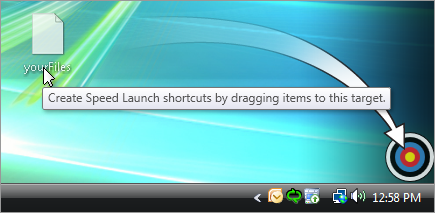
Speed Launch is a downloadable program available at www.officelabs.com After you've download Speed Launch, simply drag the file, document, or website url onto the Speed Launch bull's-eye to create a Speed Launch shortcut. From then on, any time you need to access that file, document, or website, just hit "Windows+C", type the shortcut name, and what you need will immediately appear.

..."

Seems like an interesting utility. Sounds like kind of like SlickRun?

Installs easily (Vista x86) and seems to work great (even on my lower-end notebook). I like how very easy it is to add new shortcuts. Hard to beat drag-n-drop ;)

(via The Road to Know Where - Microsoft Releases Windows "Speed Launch" - Quick Access Application Launcher)

Tuesday, August 05, 2008

VSTS 2008 TFS MSSCCI Provider v2.1 Released

Microsoft Downloads - Visual Studio Team System 2008 Team Foundation Server MSSCCI Provider

“Enables integrated use of Team Foundation Version Control with products that do not support Team Explorer integration.

File Name: Visual Studio Team Foundation Server MSSCCI Provider.msi
Version: 2.1
Date Published: 8/5/2008
Language: English
Download Size: 1.1 MB

This version (2.0) includes:

  • Updated provider to link against VS 2008 TFS assemblies (i.e. version 9.0.0.0)
  • Enabled support for MSSCCI BeginBatch/EndBatch in VS 2003 and SQL Server Management Studio during Check In operations. This should alleviate the "multiple Check In dialog" issue by showing all pending changes in the workspace in the first dialog that appears and permitting the user to check in all changes from that first dialog.
  • Changed Open From Source Control in VS 2003 to validate a project file exists in the selected server folder before leaving the dialog.

…”

I’ve not needed this yet, but I still think it’s only a matter of time (unless I can kill off my VB6 code in the near future… ;)

Of course I’ve only been saying that for years now… :/


Related Past Post XRef:
VSTS 2008 TFS MSSCCI Provider
Team Foundation Server MSSCCI Provider 1.2 Released
Visual Studio TFS MSSCCI Provider Update Released
Visual Studio Team Foundation Server MSSCCI Provider RTM
I SO Love the power of the search.... "Team Foundation" menu doesn’t appear in VB6 (Fixed)
"An updated TFS MSSCCI provider is available"
VS6 MSSCCI Provider for TFS

WCF/Improving Web Services Security Guide Released

CodePlex - patterns & practices Improving Web Services Security - Now Released

“Welcome to the patterns & practices Improving Web Services Security: Scenarios and Implementation Guidance for WCF project site! This guide shows you how to make the most of WCF (Windows Communication Foundation). With end-to-end application scenarios, it shows you how to design and implement authentication and authorization in WCF. Learn how to improve the security of your WCF services through prescriptive guidance including guidelines, Q&A, practices at a glance, and step-by-step how tos. It's a collaborative effort between patterns & practices, WCF team members, and industry experts. This guide is related to our WCF Security Guidance Project.

- J.D. Meier, Carlos Farre, Jason Taylor, Prashant Bansode, Steve Gregersen, Madhu Sundararajan, Rob Boucher

WCFSecurityGuideReleased 

Released version posted on August 1st. Start using the guide today!

Parts

Part I, "Security Fundamentals for Web Services"
Part II, "Fundamentals of WCF Security"
Part III, "Intranet Application Scenarios"
Part IV, "Internet Application Scenarios"

…”

image

Yep, that’s 689 pages you see there… Yet with that depth, the eBook is organized very usefully and feels approachable. I dig the fast track, how to’s, check lists and Q & A sections as those help me jump right to the areas I’m interested in.

This is a book you’d see on the bookshelf, yet is free for the download. If you’re doing WCF, this book is easily well worth a read, if not in-depth examination.

(via Public Sector Developer Weblog - Improving Web Services Security Guide v1.0 Released by P&P Team)

Deep Zoom Composer Update Updated – Tweaks to the PhotoZoom functionality

LiveSide - News blog - Deep Zoom Composer Updated (Again!)

“Just a few days after the last Deep Zoom Composer update, it got updated again. This to address many of the issues that arose with the previous version.

  • The Export tab has changed to make clear you need to create an account on PhotoZoom before you are able to upload via Deep Zoom Composer
  • Time-out for uploads has been increased

Before you install this new version you need to uninstall the previous one first!

If you are unsure if you have the latest version you can check by going to Help > About, make sure it says build date 3 August 2008.

…”

Microsoft Downloads - Deep Zoom Composer – English

File Name: DeepZoomComposer.msi
Version: 0.9.000.5
Date Published: 8/4/2008
Language: English
Download Size: 7.6 MB

Minor PhotoZoom related update to the recent update Deep Zoom Composer update


Related Past Post XRef:
New Deep Zoom Composer – Now with uploading to PhotoZoom and photo stitching
Take A deep breath and zoom - Deep Zoom Composer Tech Preview
PhotoZoom - DeepZoom your Photo's

Monday, August 04, 2008

Avoid the Spoliation Factor using this software based write blocker – Lock down a HD/USB/Thumb/etc for imaging, analysis, etc

Ride the Lighting - FOR THE PROPELLER HEADS: SENSEI’S SAFE BLOCK XP TESTING

“We recently completed basic testing on ForensicSoft’s “SAFE Block XP” version 1.1, a software-based write-blocker designed for the Windows XP Operating System. The SAFE Block XP software allows for the read-only acquisition and/or analysis of any storage device attached directly to the workstation, regardless of interface or connection type. The vendor’s website provides a detailed user’s guide documenting the installation, setup and usage of the software, as well as The University of Rhode Island Digital Forensics Center’s evaluation of SAFE Block using the National Institute of Standards and Technology’s (NIST) guidelines for testing software write-blockers.

In testing the software, we conducted three, simple, hard-disk drive imaging comparisons using a stand-alone hardware imager, a hardware write-blocker and SAFE Block XP. All three test scenarios completed without error and resulted in the creation of a unaltered, bit-for-bit forensic image file. SAFE Block XP performed as expected, providing a level of read-write controllability not available by the other methods.

…”

Forensics Software - SAFE Block 1.1

“SAFE Block XP is a software-based write blocker designed for the Windows XP Operating System. SAFE Block XP facilitates the quick and safe acquisition and/or analysis of any disk or flash storage media attached directly to your workstation.

  • Are Windows Software Write Blockers Viable? Many in the industry like the ease of use and lower cost of software write blockers - but are they viable for viewing evidence or making forensically sound copies of disks on Windows systems? Yes! The US National Institute of Standards (NIST) has recently tested a less-functional Windows software write blocker available only to U.S. law enforcement. SAFE Block XP V1.1 has also been tested against the NIST test suite and passed all tests. Read more...
  • SAFE Block XP Is Simple. SAFE Block XP is a simple Windows GUI interface that allows the user the ability to block and un-block any disk or flash storage device detected by Windows. Devices are listed in a tree by type (USB, SCSI, IDE) and, where appropriate, by controller and channel.
  • SAFE Block XP Blocks Multiple Devices. SAFE Block XP provides the ability to simultaneously write block as many disk devices as are connected to a computer without the need for multiple expensive hardware write blocking devices.
  • SAFE Block XP Is Application Independent. SAFE Block XP is application independent and works with all forensic acquisition and analysis applications that run on Windows XP.
  • SAFE Block XP Is Faster Than Hardware. SAFE Block XP allows for write blocked, Windows-based, disk imaging speeds that are significantly faster than imaging in Windows using commercially available hardware-based write blockers. …

…”

This is not a free/OSS/etc product (list price is $219, free trial available) but given how it’s one of those “if you need you really need it” tools I wanted to mention it.

The convenience of this solution is what struck a cord with me. I’ve used hardware write blockers and they can be a pain. And given the number of media types we can get, well it’s a losing battle. Once you get a IDE one, you need a SATA one, then a USB one, then a … and a… then… etc. This one is just a online purchase/download away vs waiting for hardware to arrive.

This software based product appears to be a viable solution. Sure it gives me the willies a little to think about using a Windows software based write blocker, but given it passed the NIST tests it seems well worth a look at least.

Look guys, you’ve been hearing it and reading about it, you need to get ready for a electronic discovery request (if you haven’t gotten one already). And that is something you REALLY don’t want to screw up. (And just plugging in a drive to see if it has data can sometimes be considered “screwing up’, aka spoliation). Using a write blocker will go a LONG way to inadvertent spoliation.

Team Foundation Sidekicks 2.2 Released – Includes new Permissions Sidekick!

Team Foundation Sidekicks - Team Foundation Sidekicks 2.2 is released (and with a new Sidekick too)!

“I am very proud to announce new Team Foundation Sidekicks release. In addition to numerous bug fixes and improvements, version 2.2 contains all new Permission Sidekick.

Let me start with minor changes and then present new Sidekicks family member.

Features

  • Code Review Sidekick: Added work item association indication in changesets for review list (those associated with at least one WI, will have * next to changeset ID)
  • Code Review Sidekick: Allow to compare version of file in view with previous not-in-view version
  • Labels Sidekick: Allow saving to CSV list of changesets/work items in label
  • Visual Studio integration: allow separate configuration of “Dynamic History” option for folders/files

Bug fixes

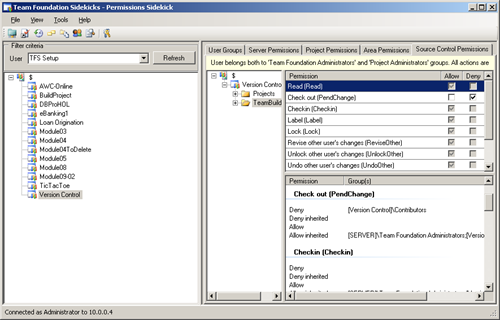
Let me conclude with brand new Permission Sidekick features list. This Sidekick provides effective permissions view for the selected user (including global server, project, version control items and areas permissions) as well as the view what groups contribute to current effective permissions.
image
More specifically, Permission Sidekick lets you to

  • Select user whose effective permissions are to be reviewed
  • View Team Foundation Server groups user is a member of (Windows domain groups are not included)
  • View user's global TFS server permissions
  • Select Team project to view project specific effective permissions
  • View user's Team project's permissions
  • Select project's version control folder/file and view effective version control permissions for that item (including indication whether permissions are inherited or explicitly set)
  • Select project's area and view effective permissions for that area
  • For every effective permissions display, view a reason for every effective permission setting - namely, for which groups Allow/Deny permissions are set and therefore what effective permission is based on

…”

If you’ve ever played the TFS Permission game, then you’ll agree with me that this new sidekick sounds pretty darn useful and cool.

And it’s still freeware (for all usages scenarios :)

Related Past Post XRef:
Team Foundation Sidekicks 2.1 Released
Team Foundation SideKicks v2 Released (TFS2005 & TFS2008)
TFS Sidekicks 1.2 (with new Labels Sidekick) Released

Sunday, August 03, 2008

New .Net Framework Designers Tools Released – Deps, Layering and PotentialCallers, oh my…

Brad Abrams - New Tools for Framework Designers Published

“Mircea recently published a set of tools we have been using recently in design and Architecture reviews of the .NET Framework. 

You can download the three new tools Deps, Layering, and potentialCallers here:

http://code.msdn.microsoft.com/fxarch

Deps

Deps.exe constructs the dependency diagrams between assemblies, and carries out cycle detection analysis.

The tool produces the files:

  • Full.dot. This is a graphviz – formatted file containing the inter-assembly dependencies, based on what each assembly declares as its references.
  • Api.dot. This is also a graphviz formatted file containing inter-assembly dependencies, but only those that are based on the non-private API signatures of public types. This includes the types themselves (i.e. a type A inheriting from a type B defined in another assembly will cause a dependency arc between these assemblies)
  • Full.txt. This is a text file showing which assemblies can be reached from each assembly, and whether there are cycles (the “True/False” statement)
  • Api.txt. Similar to above, but based on API-only dependencies.

Layering

Layering.exe verifies that some assemblies respect an architectural diagram.

The tool also outputs a file called “graph.dot” which shows the relations between groups within a layer and, between layers, the dependencies that violate layering. The file can be processed by graphviz.

PotentialCallers

PotentialCallers shows the list of methods that may (directly or indirectly) make a statically-determinable call to any one of the methods in a given set. To reiterate: no virtual calls are analysed.

The tool outputs at the console the list of direct calls that leads to calling any of the methods in the list. The output may be captured and then processed by graphviz.

…”

MSDN Code Gallery - Tools for Framework Architecture Verification

“This is a suite of tools primarily aimed at validating the architecture of a framework.

Currently, there are three tools:
Deps: produces dependency diagrams between assemblies, based both on implementation, as well as API-only.
Layering: verifies that a layering and grouping diagram is indeed satisfied by a set of assemblies
PotentialCallers: lists all the methods that call, directly or indirectly, a set of methods.

More documentation is included with the tool zip file (please see the Downloads section)

Feedback is more than welcome! Please feel free to use the Discussions page.

Note: the tools are built using F#. You need to download F# from here. Exact version information is included in the readme of the release.” [Project Description Leached in Full]

Some interesting sounding tools. I like idea behind the Deps tool. Sounds sort of like a diagramming/graphical Depends like utility.

Note the F# requirement… (downloading it myself now)

Getting External with LINQPad – Advanced LINQPad Dimecast (aka part 3 of 3)

Dime Casts. Net - # 31 - Advanced Usages of LinqPad

“In this episode we will walk you though how to use some of the advanced features of LinqPad.

By the end of this episode you will see how you can load external assemblies into LinqPad and use them in your statements.” [Description leached in full]

The final part, part three of three of the cool LINQPad Dimecast series. This one shows how to setup and use external assemblies, be them .Net ones or your own…


Related Past Post XRef:
Fun with .Dump() in LINQPad – An intermediate level Dimecast for LINQPad
Link to LINQPad – A Dimecast LINQPad Walkthrough
DimeCasts.Net - Everyday coding issues covered in 10 minutes or less
LINQPad - A Free Interactive LINQ to SQL (and others) Utility (Think "SQL Analyzer for LINQ")

SVN - The SlickEdit Versioning Toolbox way

Derik Whittaker - Managing SVN via SlickEdit

“Anyone that has used Svn (Subversion) for any length of time knows that it is a kick-ass source control system.  But what does drive some people away is the fact that to manage your files you either need to use the command line or download the TortoiseSVN client.
Now using the TortoiseSVN Client is a snap and to be honest is a great way to get started, but not having a SVN client that integrates into Visual Studio is a turn off to many people.  Well the good news is that SlickEdit tools has a nice plug-in that will allow you to connect to an mange your SVN repository. 

Setting up your IDE to use the plug-in is easy as pie, and I will show you below.

…”

I wanted to use the SlickEdit Versioning Toolbox the other day and of course didn’t RTFM and couldn’t seem to figure it out.

In my mind, I though I was supposed to put the SVN repository path in the SlickEdit Versioning Toolbox Options – SVN path. Not the path to the SVN.EXE. Doh! Man I hate making ID-10-T errors! LOL


Related Past Post XRef:
More on SlickEdit Versioning Toolbox – This time a cool Screencast from Visual Studio Hacks
Code Review with Annotation Fun via the SlickEdit Tools, Version Control Toolbox
Code Review with help from the SlickEdit Tools, Version Control Toolbox
SlickEdit Tools 2.0.2 Released
SlickEdit Releases two new Toolboxes, the Editing and Versioning Toolboxes

New Deep Zoom Composer – Now with uploading to PhotoZoom and photo stitching

LiveSide - News blog - Deep Zoom Composer updated; now with photo stitching

“The Expression Blend and Design blog has announced an update to the Deep Zoom Composer, now available for download.  In addition to bug fixes and performance improvements, the Deep Zoom Composer will now upload to PhotoZoom.  Now you can store and serve Deep Zoom photo albums you create on PhotoZoom, or upload photos from the Deep Zoom Composer

The Deep Zoom Composer now also includes the same photo stitching technology from Microsoft Research that powers photo stitching in Windows Live Photo Gallery.”

Microsoft Downloads - Deep Zoom Composer – English

“…

We are pleased to present a technology preview of Deep Zoom Composer, a tool to allow the preparation of images for use with the Deep Zoom feature currently being previewed in Silverlight 2 Beta 2. The new Deep Zoom technology in Silverlight allows users to see images on the Web like they never have before. The smooth in-place zooming and panning that Deep Zoom allows is a true advancement and raises the bar on what image viewing should be. High resolution images need to be prepared for use with Deep Zoom and this tool allows the user to create Deep Zoom composition files that control the zooming experience and then export all the necessary files for deployment with Silverlight 2.

…”

Nice to see cross fertilization of different Microsoft photo tech. It would be cool if we were to see more (like the geo-data stuff from the Pro Photo tool, etc). I wonder how re-usable the stitching tech really is? And how hard it was for the Deep Zoom Composer team to integrate it? Why do I care? Just curious and nosy…  lol  ;)


Related Past Post XRef:
Take A deep breath and zoom - Deep Zoom Composer Tech Preview
PhotoZoom - DeepZoom your Photo's