Wednesday, July 07, 2010

Play Moonbase Alpha! (No, not that one… you’re showing your age… ;)

Moonbase Alpha

“Do you have what it takes ...

In ‘Moonbase Alpha’, players will step into the role of an exploration team member and will be immersed in a futuristic 3D lunar settlement. Their mission is to restore critical systems and oxygen flow after a nearby meteor strike cripples a solar array and life support equipment. Available resources include an interactive command center, a lunar rover, mobile robotic repair units and a fully stocked equipment shed.

This 'First Person Explorer' serious game includes both a single player capability and LAN or internet multiplayer gameplay for up to six active players on a team. Selectable maps will be available for specific player numbers (e.g., 2 player map, 4 player map, etc.).  Each of these maps is represented and tracked individually within the game’s leader boards.

Proper use and optimal allocation of their available resources (player controlled robots, rovers, repair tools, etc.) are key to the team’s overall success.  There are several ways in which the team can successfully restore the life support system of the lunar base, but since the team is scored on the time they take to complete the task, they have to work effectively as a team, learn from decisions made in previous gaming sessions, and make intelligent decisions in order to top the leaderboards.

Team up with your friends…
Utilize the latest NASA technologies…
Immerse yourself in an awe-inspiring lunar environment…
Compete with your team to reach the top of the leaderboards…

Minimum System Requirements

•  Win XP SP3
•  2.0+ GHZ Single Core Processor
•  2GB of System RAM
•  NVIDIA 7000-series or ATI Radeon X1900 Video Card
•  2GB of Free Hard Drive Space
•  DirectX 9.0c

Recommended System Requirements

•  Win XP SP3 / Vista / Windows 7
•  2.4+ GHz Dual Core Processor
•  4+ GB of System RAM
•  NVIDIA 9000+ or ATI Radeon 3600+ Video Card
•  5.0 GB of Free Hard Drive Space
•  DirectX 9.0c for XP/Vista
•  DirectX 10 for Windows 7

image…” [GD: Site content leached in full. It’s in part my tax dollars, so is it really “leaching”? ]

While I’d much rather my tax dollars go toward actual space exploration, getting people excited about it is a close second. Now if only we hadn’t recently scraped our Return to the Moon program (cough… irony alert… cough…)

BTW, I used to dig the “real” Moonbase Alpha (sigh… gee, NASA, thanks for the “damn, I feel old” moment. lol  )

(via The Road to Know Where - NASA Releases Free "Moonbase Alpha" Online Video Game)

A WebMatrix Roundup

I’m going to try something new today. Usually I focus on one blog post and its thread, but today, given all the news about the new WebMatrix beta release, I’m going to do a “roundup” post, aka link curation, etc. But instead of dry links, I though I’d add a visual element to it and provide thumbnails and of the posts. My intent is to give you a quick way to gage the given post’s breadth and give you a feel for what’s there... To help you spend your click-through’s wisely (we only have so many clicks left in our lives and so must spend them well… so something like that… ;)

Here’s a few, of many, WebMatrix posts I came across this morning (in no particular order).


ScottGu's Blog - Introducing WebMatrix

ScottGu The Gu does his usual rock’n post with a nice pictorial WebMatrix introduction and usage walk through.

Little on text, lots on showing your many of its features and capabilities.

Paul Thurrott's SuperSite for Windows - Microsoft Introduces Web Matrix

image[3] Paul provides a brief overview of WebMatrix and included technologies

Scott Hanselman's ComputerZen.com - Microsoft Introduces Web Matrix

Scott Hanselman - Microsoft WebMatrix in Context and Deploying Your First Site Scott walks you through downloading and building your first web site with WebMatrix.

Make sure you scroll down and check out the Related Links section. There’s a ton of links to more information, videos, walk-through’s, tutorials etc

Mikesdotnetting - WebMatrix - A First Application

WebMatrix - A First Application Mike walks us through creating our first WebMatrix based web site, using the new SQL CE database/data binding and the new view engine, Razor.

Bob's Blog - WebMatrix Top Features

image Bob highlights his top 10+1 WebMatrix features

Angle Bracket Percent - How WebMatrix, Razor, ASP.NET Web Pages and MVC fit together

image David provides a nice overview on how all the new pieces, MVC, Razor, ASP.Net all fit together with WebMatrix

BillS IIS Blog - Announcing WebMatrix – a small, simple and seamless stack for Web developers

image A brief “Introducing” post via IIS.Net

Mary Jo’s All About Microsoft - Microsoft takes aim again at Web developers with new WebMatrix tool suite

image Come on, it’s Mary Jo!

Michael Crump - The Forrest Gump guide to the new WebMatrix.

The Forrest Gump guide to the new WebMatrix How can you go wrong with a post title like that! lol

Mike starts even farther back in the “Install” thread, starting from the Web Platform Installer and going forward from there to usage and deployment.

Tuesday, July 06, 2010

The PowerGUI Visual Studio PowerShell extension is now officially a v1 (RTW/RTM, Released, Stable, etc, etc)

Shared Points for SharePoint - PowerGUI Visual Studio Extension is out of beta

“…

But as the title indicates the focus of this posting will be on the newly released PowerGUI Visual Studio Extension. PowerGUI Visual Studio Extension is an integration of the PowerGUI Script Editor into Visual Studio. In my opinion this is a very good idea because it brings PowerShell development into a familiar environment, as we can now maintain the scripts in Visual Studio projects. Additionally we get version control integration “for free.”

…”

PowerGUI Visual Studio Extension - PowerGUI Visual Studio Extension v1.0

“…

Released: Jul 4 2010
Updated: Jul 4 2010 by AdamDriscoll
Dev status: Stable

Recommended Download

PowerGUI VSX Extension
application, 578K, uploaded Sun…

Release Notes

This update to the beta 1 version is minimal. It includes mostly branding and some minor bug fixes.

  • Bug Fixes
    • The editor was forcing ASCII encoding (71202)
    • The extension would crash if an incorrect version of PowerGUI was installed (71200)
  • Added Features
    • Better branding
    • Added ability to Launch PowerGUI to start debugging the current script

…”

I love the smell of V1 in the morning…


Related Past Post XRef:
Now our Visual Studio is cooking with Power! The PowerGUI Visual Studio PowerShell extension that is…

PS for your VS – PowerConsole a PowerShell console for VS 2010

PowerGUI 1.5 RTM is now available
PowerGUI is now officially RTM
PowerGUI - Free PowerShell Script Editor and System Management Console (via PowerShell)
Want to access TFS Work Items via PowerShell? Then you'll want to check out the Team Foundation Server Project Browser PowerPack for PowerGUI
Making pretty VM Visio diagrams with the free Virtualization Visio stencil from VESI (Virtualization EcoShell Initiative)

A short diagramed guide of a few Model-View-* patterns

UK Application Development Consulting - Model-View-*

“I find myself answering questions related to the presentation patterns repeatedly. Since I am a lazy person, I am writing this post to illustrate my understanding and interpretation of the Model-View-* patterns and their variations so I can refer back to this post later.

I understand the concerns the Model-View-* purists might have around the correctness and/or pureness of these diagrams so I do apologize for potential inaccuracies in advance and I welcome any suggestions / comments!

I am not going to explain every single Model-View-* pattern as you can find better explanations in other places. Instead, I will focus on the relationship between participant components in each pattern.

Let’s start with a list of patterns we are going to cover:

  • MVC: Model-View-Controller
  • MVP (Supervising Controller): Model-View-Presenter with Supervising Controller
  • MVP (Passive View): Model-View-Presenter with Passive View
  • MVVM: Model-View-ViewModel
  • MVVMC: Model-View-ViewModel-Controller
  • MVPoo: Model-View-ViewModel with some Poo (in ViewModel)
  • MVPo: Model-View-ViewModel with little Poo (in ViewModel)

None of these are new so you should have heard the names before, apart from the last one (MVPo) where I have come up with a new name by slightly modifying the original name.

image…”

“MVPoo” just tickled my boy-in-a-man’s-body tickle bone. Such a true and accurate name for the MV pattern we all to often find our code in…

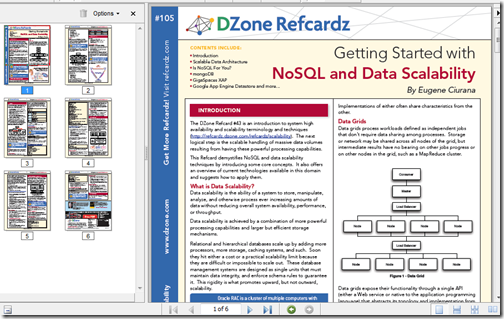
Want to learning about this NoSQL thing in five pages or less? DZone has the refcardz for you…

DZone Refcardz - Getting Started with NoSQL and Data Scalability

“Overview

This DZone Refcard demystifies NoSQL and data scalability techniques by introducing some core concepts.  It also offers an overview of current technologies available in this domain and suggests how to apply them.

…”

image

This RefCard provides a high level NoSQL overview as well as a brief introduction to three of the bigger NoSQL players, MongoDB, GigSpaces XAP and Google App Engine Datastore

From the PDF;

“…

IS NoSQL FOR YOU?

Preparation:
• Don’t fall prey to the NoSQL fad
• Don’t be stubborn; neither NoSQL nor traditional databases apply to all cases
• Apply the CAP Theorem to your use cases to determine feasibility

Brewer’s (CAP) Theorem
…”

Got to love practical, pragmatic advice like that… (i.e. programming should be about solving problems and providing solutions, not just exercising our geek/tech muscles… ;)

Monday, July 05, 2010

Programming robots without robots–Using the Microsoft Robotic Developer Studio, the Visual Programming Language and the included simulation environment

amazedsaint's .net journal - Hobby Programming – Creating your first robotic simulation using Microsoft Robotic Dev Studio and Visual Programming Language

Preface

This is a quick introduction towards starting your life with Microsoft Robotic Developer Studio (RDS) and Microsoft Visual Programming Language (MVPL) for creating simple robotic simulations. This is intended to be an ‘absolute beginner’s guide’ to RDS.

In fact, I just started playing with RDS after some inspiration from Ramaprasanna during Kerala DevCon 2010 - and it is fun. And the objective of this post is to share the fun, mainly from a hobby programming perspective.

As a pre-requisite, for doing the hands own instructions below - you may need to download and install  Microsoft Robotic Developer Studio 2008 R3 – The installation should be pretty simple and easy.

Now, the fun part.

Your First Simulation

So, Let us create a quick simulation, using the Microsoft Visual Programming Language environment.

image…”

Been a while since I’ve mentioned the Microsoft Robotic Developer Studio (RDS) and come on, there’s few cooler things than robots! Smile

The above post is a simple walk-through of using the RDS and Microsoft Visual Programming Language (VPL) and quickly gets you playing in the virtual environment.


Related Past Post XRef:
Microsoft Robotics Developer Studio 2008 R3 Released - Now one edition, still free, VS2010 compatible, new simulation environments and more

What’s better than writing/building virtual robot tanks in .Net and having them battle it out? Having them battle Java virtual tanks!

Free “Programming Microsoft Robotics Studio” eBook (reg-ware, Copyright 2008, for MSRS v1.5)
"An Introduction to Programming Robots with Microsoft Robotics Studio"
Learn to Master your Inner Robot - Introductory Courseware for Microsoft Robotics Studio
MSDN Webcast: Robotics: Programming Lego Mindstorms Using Visual Basic 2005 Express (Level 100)

Sunday, July 04, 2010

[Book Review] “VirtualBox 3.1 – Beginner’s Guide”

[Full Disclosure Notice: The mentioned book was provided to me free by the publisher. This review is my own. The publisher has not seen it, nor promoted me in its content in any way, shape or form. All they did is provide the book free and asked me to review it… ]

The guys at Packt Publishing have given me a copy of “VirtualBox 3.1 – Beginner’s Guide” by Alfonso V. Romero read and to share with you.

image4

Table of Contents:

Chapter 1: Getting to Work with VirtualBox

Chapter 2: Creating Your First Virtual Machines: Ubuntu Linux

Chapter 3: Creating Your Second Virtual Machines: Windows 7

Chapter 4: Installing Guest Additions and Advanced Settings

Chapter 5: Storing Data in VirtualBox

Chapter 6: Networking with Virtual Machines

Chapter 7: Using Virtual Appliances

Chapter 8: Managing your Virtual Machines from a Remote Computer

Appendix A: Using Snapshots

Appendix B: Pop Quiz Answers

Overview

The book takes you from download to being productive with Sun’s/Oracle’s VirtualBox. Each chapter builds on the previous and not only walks you through each topic area step by step but also takes a step back and talks about “what just happened.” (i.e. it’s not a ton of simple screenshots and “click, click, click” instructions but also works to “teach you to fish”)

Likes 

One of the things I liked about the book is used a number of techniques to engage the reader and to help get a chapter’s point across. For example, an ongoing story/scenario was used to relate a chapter to something that might have, or will, happen to you “in the real world.” This made the reading more engaging, applicable and much less dry. It also took you beyond what you might read online (via wiki’s, VirtualBox doc’s, etc).

That was one of my questions when first getting the book. What will this teach me that I couldn’t just look up online? How is the price of the book versus the tons of free online information?

The problem is that the “tons of online information” is really “crud loads of data.” It’s up to the reader to turn it into “information” and then wisdom. This book jumpstarts your drive to VirtualBox wisdom, helping you better “know what you don’t know.”

It’s a Beginner’s Guide, so you’ll not walk away a VirtualBox Zen Master, but you WILL be on the path towards becoming one… (especially if you were like me and hadn’t ever installed or used VirtualBox)

Improvements

What did I think could be improved? Well you know I live in a mostly Microsoft world… So I wish there had been a little more coverage there. For example, Microsoft makes a number of it’s trial products available as VM’s. I would have liked to see some guidance/help/information on taking an existing Virtual PC 2007/Windows Virtual PC/Hyper-V VHD and converting it VirtualBox. Also I’d have liked to see why VirtualBox is better than the Windows Virtual PC that I already have. Something simple, a side-by-side chart would do. Just something to help me get over the concern of having two VM systems in place on the same machine (Windows 7 Virtual PC and VirtualBox).

What did I learn?

So did I actually apply anything I read in the book? You bet! Just yesterday, I used this book to help me resolve an issue my son and I were having with a legacy game what wouldn’t run well on Win7 x64 (nor in Windows Virtual PC). After reading this book and finally having my eyes opened to the capabilities of VirtualBox, it seemed well worth the effort to try to resolve this long standing issue.

So I downloaded the latest version of VirtualBox and was able to very quickly, because I already had exposure to, and a basic understanding of from my reading, get a VM created, storage added, settings configured, tweaked and VM shared. In the end I was able to be a Tech Hero to my son because I was finally able to get the game he’s wanted to play for months now working on his notebook. All because of this book (and VirtualBox)… I’ll call that a win!

Final Thoughts

In the end, one thing to remember is the subtitle “Beginner’s Guide”… It’s not Level 400 material, but then again it’s not supposed to be! It’s a guide to take the VirtualBox uninitiated and get you working and productive with it with no fuss, muss or tears.

Would I recommend a friend or coworker buy this book if they wanted to learn about VirtualBox (even if they lived in a mostly Microsoft world)? Oh yeah, no question about it. Matter of fact I AM going to be recommending it to a number of coworkers whom I know are VirtualBox users… ;)


Related Past Post XRef:
[Coming Soon][Book Review] “VirtualBox 3.1 – Beginner’s Guide”

Saturday, July 03, 2010

Windows Live Writer 2011, aka Wave 4, shortcut keys (No you’re not going crazy, some have changed)

Aaron's Live Writer Blog - Keyboard shortcuts for Windows Live Writer Wave 4 beta

“Adding the Ribbon UI to Windows Live Writer gave us a chance to also look at the keyboard shortcuts for the product as a whole.  Here is a list of keyboard shortcuts that you can use in the Live Writer beta.  We tried to match the same shortcuts used in Office applications looking specifically at Word since it is the most common to Live Writer.  I should note that these are for the English build. Some may be localized for a specific language or locale.

image…”

For a while there, using the new Windows Live Writer 2011 (wave 4) I thought it a little busted. A few of the keyboard shortcuts I used in nearly every post didn’t work anymore. (like CTRL-L to insert a photo, CTLR-SHIFT-V for the past dialog, etc).

But nope, not borked, just changed.

<whine>

This bugs me a bit… My main whine (yeah, yeah, I know this is beta… that’s why it’s just a whine) is that the keyboard shortcuts are not easily discoverable. Without the above post, how would I have known what they were? I like the Ribbon UI in general, and hope WLW’s implementation is still very beta and improves. For example I would REALLY like to editing/customizing, keyboard shortcuts in the tooltips, i.e. a more complete and full Ribbon UI implementation. </whine>

(via Windows Observer - Windows Live Writer Wave 4 Keyboard Shortcuts)

Windows Live Writer Twitter Notify URL Shortner Setting Utility OR How to tweak the URL Shortner used by the Twitter Notify plugin without edit your registry

InsertableContentSource - Twitter Notify, Because No-one Should Be Hacking The Registry

“Anyone who uses the Twitter Notify plug-in for Live Writer will know that it gives you a tinyURL.com url to tweet your link with, but sometimes, tinyURL isn’t what you want to be using, perhaps you prefer is.gd, or you have your own bit.ly account and want to use your own user details. Joe Cheng, when he was on the Writer team, wrote a blog post detailing how to go about changing this. Then, again, today Aaron Bregel, the Test Lead on the Writer team, wrote another post on how to go one step further and use the bit.ly API key.

Now, both of these posts are fine, and give you good instructions on how to change the setting, but it involves a registry change. The registry is not a place people should really be changing stuff by themselves, no matter how good the instructions, someone will screw it up.

So I decided what was needed was a little tweaker utility, so I quickly wrote one:

…”

Scott (who is no fool no matter his domain name) has come through again, seeing a pain point for the Windows Live Writer community and delivered. Today’s output from his big brain is a simple utility that makes it drop dead easy to switch what URL shortner is used by the Windows Live Writer Twitter Notify plugin.

In short, no more reg hacking!

Downloading, unzip it, run it (assuming you have the .Net framework installed), set it and you’re done.

Thanks Scott.

image

image


Related Past Post XRef:
Windows Live Writer, Twitter Notify and bit.ly? Yep, here’s how…
Windows Live Writer, the Twitter plugin and changing its URL Shorter

Friday, July 02, 2010

Windows Live Writer, Twitter Notify and bit.ly? Yep, here’s how…

Aaron's Live Writer Blog - Using bit.ly with The Twitter Notify plug-in for Live Writer

“One of my favorite plug-ins for Windows Live Writer is Twitter Notify which will give you the option to create a tweet on Twitter as part of publishing your blog post.  By default it uses TinyURL as the URL shortener.  The “problem” with TinyURL is that it uses 20 characters whereas newer shorteners use 17 or less characters and with the 140 character limit of Twitter every character counts.

Joe Cheng wrote a blog post, Using alternative URL shorteners with Twitter Notify plugin, and in the main article he explains how to configure the plug-in to use shorteners like is.gd, snipr.com, snurl.com, and cli.gs but I found in the comments of that post that Max Paulousky has explained how to configure it for bit.ly.  What follows are the instructions on how to setup the Twitter Notify plug-in for bit.ly.

First make sure you have the latest version of Twitter Notify.  You can download and install it from the gallery.  http://gallery.live.com/liveItemDetail.aspx?li=6b2b5ffe-936a-4cb3-869c-c01de29de176&bt=9

Second you need to know your username and API Key from bit.ly.  …

image…”

I had tried this, using bit.ly, when I did my original post about URL Shorteners and Windows Live Writer, but only very half-heartily and when it didn’t work the first time, because I didn’t know how to setup the URL correctly, I got lazy and gave up.

Luckily Aaron didn’t. He figured it out and better yet shared it with us. :)

So now my Twitter Notify short links should now be using bit.ly. Let’s publish this and see…


Related Past Post XRef:
Windows Live Writer, the Twitter plugin and changing its URL Shorter