Saturday, August 04, 2012

THE open source WinForm & WPF docking library gets overhauled and a new version two, AvalonDock v2's!

AvalonDock - AvalonDock 2.0.1320

"Welcome to the first release of AvalonDock 2.0

Finally I can upload the new release of AvalonDock. This new release is stable and includes many new features if compared to 1.3:
  • AvalonDock 2.0 has been completely rewritten to take full advantage of the MVVM design.
  • The layout model is now completely separated from the view controls; integration with frameworks like PRISM is easier and faster.
  • I worked a lot to get the best performance especially when user move panes in floating window or set them as auto hidden.
  • Floating windows can now be arranged together as it's possible in VS2010.
  • The library itself is lighter because use only standard controls restyled like the TabControl or the Grid panel.
  • Since first beta I fixed a lot of bugs; this version should be stable enough for most of the projects.
  • Comes with two additional themes: VS2010 and Aero theme.

..."

AvalonDock

AVALONDOCK 2.0 RELEASED!

Hi all, I'm happy to announce that the first public release of AvalonDock 2.0 is published!

Here you can find some key concepts of the new version.


Project Description
AvalonDock is a WPF controls library which can be used to create a docking layout system like that is present in VisualStudio. It supports fly-out panes, floating windows, multiple docking manager in same window, styles and themes and it can host WinForms controls.
Features
  • Supports MVVM design
  • Almost everything can be restyled
  • Support for Windows Forms controls

image

This is one of the libraries that is used in many projects yet doesn't always get the press and kudo's it's due. If you want docking windows behavior in your WinForm/WPF Desktop app's then you need to check out this library.


Related Past Post XRef:
AvalonEdit, a (the?) WPF code editor component from the SharpDevelop team (think WPF based, monster cool, code editing, IDE like, uber textbox +10)
Working Workflow into your app's. Workflow Studio, a source available example of rehosting the Workflow Designer

Lost a Windows Password? Here's six free utilities to help you recover it.

ZoomZum - 6 Best Free Tools to Recover Windows Password Easily

Not every person who uses windows is tech savvy. Everyone does keep a password for extra security and they do sometimes tend to forget it. The people who do not understand the technology or computer very well cannot easily crack it and will resort to options of either re-installing or re-formatting the entire operating system. But to bring in the knowledge of these people that the password can be very easily recovered without formatting or reinstalling the entire operating system.

There are a lot of password recovery tools available these days. These tools are basically software that can help in very easily cracking or recovering the person incase a person misplaces or looses it due to any reason. These tools provide the best and the fastest way to recover and make safe password. It is also not at all difficult to get these. All you are required to do is to download them from the website. these tools are free to use.

A few days ago, we had cover some best microsoft .net development tools, instant messaging tools, audio editing software for windows, best free windows antivirus and many more. Today we are going to share best free windows password recovery tools/software. Visit this list and select the best one for you. i hope windows users would love to use these tools to recover and keep safe password. Also share your thought in our comment section below.

image

Sometimes you just need a tool like this (I did a few weeks ago) and it's been a while since I've mentioned a like utility. So caching this list for future reference. These are also a great security demonstration too, showing someone all their cached passwords and how easily they can be grabbed/cracked (Scary too...).

Remember, use these for the power of Good only!

Planning your Personal Planning Poker cards (and how to create your own, such as LOLCATS cards)

Dylan Beattie's Blog - Planning Poker… with LOLCATS

So… there’s this thing called planning poker, which although it looks a little odd at first, is actually a really effective way to flush out uncertainty during software planning meetings. It’s played with a special deck of cards, and for the last year or two we’ve been using a couple of decks that I got at a SkillsMatter event.

Now, in normal poker, all the cards need to be from the same deck – otherwise you could read the card backs. Obvious. But with planning poker, only the cards in your own hand need to be the same – there’s no reason why your deck needs to be the same as the other people in the planning session – so there’s nothing stopping you making your own planning poker cards. So, thanks to a bit of interwebbing, a little bit of magick and those wonderful people at MOO.com, I give you my one-of-a-kind LOLcat planning poker deck.

...

image..."

That's awesome. I love how he included the instructions on how to make your own.

Creating the Complex [databases for testing] Series

SamLester - Creating Complex Test Databases - Intro

As a very brief intro, I have worked as a tester in SQL Server for the past 10+ years on many different features. Along the way, we develop and test features and release them to the public only to discover some customers inevitably encounter bugs when they run the features against their databases. How can this happen when we have amazing PMs and developers, devoted and talented test teams, and thousands of automated test cases per feature? The answer often lies in the incredible complexity of customer databases running on SQL Server and the evolution of those databases as they have grown from small to very complex databases over the years. As testers, we have a few different options to try to mitigate this problem and represent "all possible databases" in our testing, but it is impossible to test every possible permutation of databases based on this complexity. In practice, we do all of these to an extent and are constantly working on improving each of them.

Some options are to:

  • Acquire real customer databases - these are often the best test databases, but pose many challenges to acquire due to size, network, security, PII, NDAs, etc. We often work with our internal Microsoft product teams who run large scale database applications to leverage their DBs. (Dreaming out loud: I'd love to try to work with customers to figure out a way to get more "privacy scrubbed" customer DBs into our test environment. Microsoft products get better coverage, the customer applications are guaranteed to work, and we all win. I'll blog more on this later, but send me a message if you're interested in working together to get your scrubbed databases in our test bed.)
  • Programmatically write tools that can create many permutations of databases with various objects, properties, relationships, etc. Feed various inputs into this tool to create different test databases. We have had pretty good success with this model as we're able to use many smart testing techniques and create some great test databases that uncover some great bugs.
  • Maintain a database of "interesting" syntax and write automated data-driven test cases based on this object level syntax. As we encounter any new bug, distill the bug down to the problematic syntax and add that to our existing syntax database.
  • Handcraft complex databases with very specific requirements based on the testing needed for a particular feature/sign-off.

The last option (handcrafted databases) are often our last resort, but result in the most effective method for ensuring that specific features work for specific test cases. Our dev, test, and PM team spent some time recently for a feature we are working on to come up with the list of "complex" databases that we do not have in our test environment, but would like to add. Over the next few blog posts, I'll cover some of the interesting databases and the techniques I used to create them. Here are a few of the DBs we had in mind:

SamLester - Creating Complex Test Databases - One Table for each of the 2,397 supported Collations

As a follow up to my post on complex test databases, this article will cover one of the more interesting test DBs I recently created.

Goal: Create a database that includes one table for each supported collation. Each table contains a single column with the various column level collations supported by SQL Server 2012 (nearly 2,400 different collations supported).

The first step here is to determine where we can find the exhaustive list of supported collations. The answer comes from the built-in table-valued function, fn_helpcollations, that returns the list of supported collations in SQL Server 2012. Once we have the exhaustive list of supported collations, we need to determine how we will leverage this list to create one table for each collation. If we were to do this manually, we would write out the following CREATE TABLE statements:

create table T1 (c1 nvarchar(50) collate Albanian_100_BIN)
create table T2 (c1 nvarchar(50) collate Albanian_100_BIN2)
create table T3 (c1 nvarchar(50) collate Albanian_100_CI_AI)

create table T2395 (c1 nvarchar(50) collate Yakut_100_CS_AS_KS)
create table T2396 (c1 nvarchar(50) collate Yakut_100_CS_AS_KS_WS)
create table T2397 (c1 nvarchar(50) collate Yakut_100_CS_AS_WS)

The repetition of these statements makes them good candidates for scripting using T-SQL. By leveraging the ROW_NUMBER function as the table numeric identifier, we're able to put together the following statement:

..."

SamLester - Creating Complex Test Databases - Creating a Database with 1 Billion Random Rows

"As part of my series on creating databases with interesting characteristics for testing purposes, today we'll create a database containing a large number of tables, each with a large number of rows inserted.

Goal: Create a database that contains 1,000 tables. Each table contains 5 integer columns and should contain 1,000,000 random rows of data.

1,000 tables x 1,000,000 rows/table = 1,000,000,000 rows of data

One billion rows? Really? Yes, 1 billion rows! And random data, please.

For this task, we can break it down into two steps. The first is to create the 1,000 tables, which we can easily accomplish through a TSQL script. The next part is to populate to the tables with data. For this task, we will leverage the Data Generation tool in Visual Studio 2010.

..."

A co-worker mentioned a bit ago that his team needed something like this, safe yet complex data at a production scale. While this series isn't a prefect problem fit yet, it looks like it might evolve into one. Worth shooting off an email to him anyway... :)

Eric's done it again... ANOTHER large collection of free eBooks and Resource Kits

Microsoft SMS&P Partner Community Blog - By Eric Ligman - Another large collection of Free Microsoft eBooks and Resource Kits for you, including: SharePoint 2013, Office 2013, Office 365, Duet 2.0, Azure, Cloud, Windows Phone, Lync, Dynamics CRM, and more.

Last week, I put up my Large Collection of Free Microsoft eBooks post (60+ eBooks) here on the blog and the response and feedback I am receiving about it is incredibly positive about how much you liked it. Because of this, I thought I would put up this follow-up post which includes even more free Microsoft eBooks available to you for download. Just like with the last list I published here for you, if you find this list helpful, please share it with your peers and colleagues so that they too can benefit from these resources.

image..."

Eric's followed up his Large collection of Free Microsoft eBooks for you, including: SharePoint, Visual Studio, Windows Phone, Windows 8, Office 365, Office 2010, SQL Server 2012, Azure, and more. post with this cool post of additional free ebooks and stuff...


Related Past Post XRef:
A Microsoft eBook Bonanza - Office, SQL Server, Development, WinPhone, Career and more
Microsoft Technologies E-Book Gallery (TechNet Wiki)

Thursday, August 02, 2012

Nuget needs your help! Help in testing if a CDN helps make your Nuget'ing faster or not... [Update: Done and results are in... ]

Nuget.org Blog - Help Us Test CDN for NuGet.org

"Over the past few weeks, we’ve been investigating whether to turn on the content delivery network (CDN) feature of the Azure blob storage container for NuGet packages. In theory, this would make package downloads faster – especially if you’re located outside of the United States.

We want your help to conduct an experiment to measure the difference in downloading packages with CDN enabled verses disabled. Our initial experiment deployed nuget.exe into different regions and measured the time to download a set of NuGet packages. Unfortunately, in all of the regions we deployed to, we were still sitting on an Internet backbone connection, so even our baseline measurements (with CDN disabled) showed a statistically insignificant difference between a deployment in northern Europe and a deployment in the USA. As such, it would seem that enabling CDN wouldn’t yield any measurable benefit.

We think that the reason for the inconclusive baseline is due to the fact that there’s no “last mile” involved in the measurements, and this is where the majority of the slowdown happens. While we could try and simulate last mile time, we would rather change the experiment a bit and ask for your help.

We’ve created a custom of NuGet.exe along with a batch file runner that you can download here. Just unpack the zip file and run NuGet-CDN.bat. This will download the top 25 NuGet packages from both the standard package URL and a CDN URL and then log the time it takes to perform the download operations. You will then be asked to optionally provide your location, which will help us get a better sense of the global impact of using the CDN.

...

The batch process will wrap the log files along with your location information into a new NuGet package. Please email that package to nugetgallery@outercurve.org."

This is a quick and simple process, to cloud-source some Nuget testing on if a CDN would help get your nuget packages faster or not.

Do you Nuget? Are you outside of the US (or not, I'm not, but the wider their set cases the better)? Want to help them see if a CDN would make your Nuget'ing faster? This is your chance to help. It's quick, easy and when done, you just need to email them the generated 9K "NuGetTraces.1.0.nupkg".

I know, you're thinking a CDN HAS to be faster right? Well sometimes these things are really counter intuitive and I think it's cool that they are putting some hard data behind their CDN decision.

I've already done it and emailed my package in. Have you?


Update 8/12/2012:

Results of NuGet CDN Experiment

A little over a week ago, we asked for your help with an experiment that we were conducting to see whether there was value in enabling CDN support for our packages blob storage container. Over 100 of you responded from all over the world, and the data that you provided made it pretty clear that there was sufficient justification for turning on CDN support for the production NuGet blob storage container. So firstly, thank you to everyone who participated in the experiment!

In addition to turning on CDN, we wanted to share the results of the data that you provided us. First, the worldwide numbers look like the following:

...

image..."

Phishing? Email Hacking? Viruses? Explain them, you try? Threatsaurus, get you must...

Windows 7 Hacker - Learn How To Explain Phishing to Your Grandma with This FREE eBook

"Have you ever had trouble explaining what the phishing means to your grandma, or your parents, or even yourself? Or do you understand the web threads in general? and would like to explain these threads in a tongue that even a person who only knows what a browser is can understand?

Here is a free eBook, published by Sophos, a security solution provider, that explains the facts about threads to your computers and to your data in simple, easy-to-understand language.

..."

Sophos - Threatsaurus (The A-Z of computer and data security threats)

Everyone knows about computer viruses.

Or at least they think they do.

To protect against malware and data loss, first you have to know what you’re up against. The more you know about individual threats, the better prepared you’ll be to defend against them.

This guide is written in plain language, not security jargon. So it’s perfect for IT managers and end users alike. Whether you're an IT professional, use a computer at work, or just browse the Internet, our Threatsaurus is for you.

Here’s what you get:

  • An A-Z glossary on computer and data security threats
  • Practical tips to stay safe from email scams, identity theft, malware and other threats
  • Our security software and hardware guide

image

This is a friendly, non-technical, great for family, friends and co-workers (not that your team needs this, but maybe others in your company, the more info-workers, etc).

image

image

And it's free, as in just download it, it's free...

Syncfusion helps shed a little succinct light on LightSwitch with "LightSwitch Succinctly" (Reg-ware)

Syncfusion - LightSwitch Succinctly

image

Visual Studio LightSwitch may be one of the most under-utilized development tools available to professional and amateur developers alike. Designed specifically for creating data-centric business applications, LightSwitch alleviates some of the tedium involved in the development cycle by making the creation of screens, data entities, data relationships, queries, and more simpler and easier.

The author of this e-book, Jan Van der Haegen, is a self-described green geek who writes a monthly LightSwitch column for MSDN magazine. In LightSwitch Succinctly, he provides a quick tour of the different parts of the LightSwitch development environment so that you can judge whether Visual Studio LightSwitch would be an ideal tool to add to your belt.

Table of Contents

  1. Where Do I Get Visual Studio LightSwitch 2012?
  2. Hello World
  3. The Entity Designer
  4. The Query Editor
  5. The Screen Editor
  6. Application Editor
  7. Moving On

Another cool eBook from Syncfusion.

As usual, here's some snaps;

image

imageimage


Related Past Post XRef:
"JavaScript Succinctly" - Another free (reg-ware) eBook from Syncfusion
Get into sync with HTTP with the new free (reg-ware) Syncfusion Succinctly eBook, "HTTP Succinctly"
Spelunk the technical details of the PDF format with "PDF Succinctly" from Syncfusion (Free/reg-ware PDF/Mobi ebook)
"Git Succinctly" Free/reg-ware PDF/Mobi ebook)
jQuery Succinctly - Free eBook (reg-ware, PDF and/or Mobi)

New samples galore from the Windows Phone SDK Team - 33 new samples, 4 pages, 2 languages, 1 boat load of code...

Developer Code Samples - Windows Phone SDK Team

imageimageimageimage

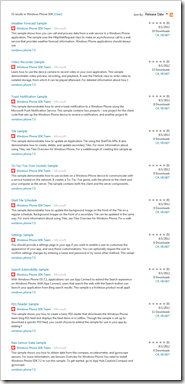
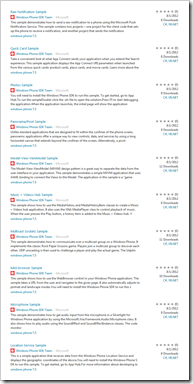
33 new samples all released yesterday (8/1/2012). From Audio to video, RSS, Picture and Music Hub integration and more.

Just a few of those that stood for me;

Augmented Reality Motion Sample

Windows Phone SDK samples are developed and tested by the Windows Phone SDK Team to ensure that you have a great experience.

This sample shows how to use the camera and the Motion API to create an augmented reality application. Windows Phone supports multiple sensors including a compass, which tracks the phone’s position relative to the earth’s magnetic field, and the accelerometer, which measures the ...

Music + Videos Hub Sample

Windows Phone SDK samples are developed and tested by the Windows Phone SDK Team to ensure that you have a great experience.

This sample shows how to use the MediaHistory and MediaHistoryItem classes to create a Music + Videos hub application. It also uses the XNA MediaPlayer class to control playback of music. When the user presses the Play button, a history item is added to the Music + Videos hub. Y...

RSS Reader Sample

Windows Phone SDK samples are developed and tested by the Windows Phone SDK Team to ensure that you have a great experience.

This sample shows you how to create a basic RSS reader that downloads the Windows Phone team blog RSS feed and displays the feed items in a ListBox. Though the sample is set up to download a specific RSS feed, you could choose to extend the sample for use in your app by adding f...

Video Recorder Sample

Windows Phone SDK samples are developed and tested by the Windows Phone SDK Team to ensure that you have a great experience.

Learn how to use the device camera to record video in your own application. This sample demonstrates video preview, recording, and playback. It uses the FileSink class to write video to isolated storage, from which it can be played afterward. For detailed information about how t...

Weather Forecast Sample

Windows Phone SDK samples are developed and tested by the Windows Phone SDK Team to ensure that you have a great experience.

This sample shows how you can call and process data from a web service in a Windows Phone application. The sample uses the HttpWebRequest class to make an asynchronous call to a web service that provides weather forecast information. Windows Phone applications should always use

Those that I checked included but C# and VB.Net versions too!

That not enough? Then also check out, Code Samples for Windows Phone

Free Learning? 250 Videos? 750 Lessons? From computer to General Ed stuff? GCFLearnFree.org!

What's On My PC - Absolutely FREE – Quality, Innovative Online Computer Skills Training

"was in the process of drafting a mini written tutorial on the usage of Microsoft Powerpoint for someone in my Church when I came across a really nice online training tutorial site that has a section totally devoted to computers skills. It is called, GCFLearnFree.org (Goodwill Community Foundation).

..."

GCFLearnFree.org - About

GCFLearnFree.org® creates and provides quality, innovative online learning opportunities to anyone who wants to improve the technology, literacy and math skills needed to be successful in both work and life. By delivering over 750 different lessons to millions of people in over 200 countries and territories ABSOLUTELY FREE, GCFLearnFree.org is a worldwide leader in online education.

View one tutorial. Complete a whole class. We believe there's freedom in the ability to learn what you want, when you want, regardless of income or circumstances.

A program of Goodwill Industries of Eastern NC, Inc.® (GIENC®), all GCFLearnFree.org® educational content is designed and produced in the GCF Global Learning® building in Downtown Raleigh, NC.

..."

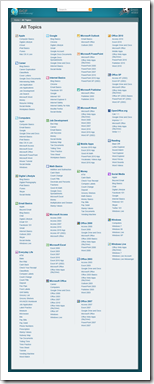
GCFLearnFree.org

image

GCFLearnFree.org - All Topics

image

SNAGHTMLfb75285

I love finding new free learning resources like this. What caught my eye was that my Mom just joined Facebook and was asking me some questions about it, so the Facebook 101 reached out and grabbed me (Which I've just forwarded to her... not that I don't like talking with my Mom, but you know... lol ;)

Think Rx (Reactive Extensions) is just for Stocks and stuff like that? Here's a cool use with the FileSystemWatcher

Matthieu MEZIL - FileSystemWatcher, Rx and Throttle

"Imagine that we want to be notified if a directory files changed.

In general, when we use files, we don’t need to have a real time application.

Moreover, if we change many files in same time, we perhaps don’t need to have many notification and one notification at the end could be enough.

For this case, Rx and particularly Throttle method is very useful.

...

Now we can use the observable like this:

var fileWatcher = new FileWatcher(".", "*.*", TimeSpan.FromSeconds(5));
var fileObserver = fileWatcher.GetObservable().Subscribe(fce => { /*TODO*/ });

Imagine that if we have n changes on the directory in less than 5 seconds between two consecutive changes.
With this code, we have one only notification, 5 seconds after the last one.

image..."

Most of the time I hear Rx being mentioned for use in high volume cases like stocks, high event loads, stuff that the normal dev might not see very often. And so the normal dev might think they can ignore Rx.

This is a great example that the normal dev should be able to easily grok and easily see the value that Rx can provide them...

Wednesday, August 01, 2012

QuickMap from Caltrans - The new California traffic info site to beat?

CBS Los Angeles - Caltrans Launches Real-Time Traffic Information Site, App

"LOS ANGELES (CBSLA.com) — Move over, Sigalert.com, Caltrans is launching its own real-time traffic and information app.

Caltrans QuickMap is an online tool providing real-time information about freeway congestion and commuting trouble spots.

“A wide range of useful information is now easily accessible to help motorists avoid congestion and reduce their travel times,” Caltrans Director Malcolm Dougherty said. “This exciting innovation delivers real-time data so travelers can adjust their routs to get where they’re going as quickly as possible.”

..."

http://quickmap.dot.ca.gov/

image

http://quickmap.dot.ca.gov/ - Caltrans QuickMap App Download

For Android phones:

To install the Caltrans QuickMap app for Android phones, you will need to allow installation of applications that aren't from Google Play (formerly the Android Marketplace).

To do this, go to Settings > Applications and make sure the "Unknown sources" option is checked.

Then, making sure you're viewing http://quickmap.dot.ca.gov/app.htm (this page) on your Android phone, download the Caltrans QuickMap app

...

For all smartphones:

Try the mobile web page version, making sure you're viewing http://quickmap.dot.ca.gov/mindex.html on your Internet-enabled smartphone.

QR code for mobile web page, http://quickmap.dot.ca.gov/mindex.html:

What's cool about this is the level of data available. From just traffic data;

image

To everything (Traffic, Lane closures, CHP incidents, Message Signs [love this one], traffic cameras and chain controls)

image

The Message Signs are just cool... You can see what's currently being displayed on any of the show signs;

image

And there's the traffic camera's (ahh... nothing like LA traffic! sigh...)

image

And if static cam snapshots are not enough for you, there's always the live traffic cam's, Caltrans Live Traffic Cameras

image

WAS4WS - Windows Azure Services for Windows Server, information and configuration guide

OakLeaf Systems - Configuring Windows Azure Services for Windows Server

Contents:

Introduction

The Microsoft Hosting site describes a new multi-tenanted IaaS offering for hosting service providers that the Windows Server team announced at the Worldwide Partners Conference (WPC) 2012, held in Houston, TX on 7/8 through 7/12/2012:

The new elements of Windows Azure Services for Windows Server 2008 R2 or 2012 (WAS4WS) are the Service Management Portal and API (SMPA); Web Sites and Virtual Machines are features of Windows Azure Virtual Machines (WAVM), the IaaS service that the Windows Azure team announced at the MEET Windows Azure event in San Francisco, CA held on 6/7/2012.

Licensing Requirements

Although Hosting Service Providers are the target demographic for WAS4WS, large enterprises should consider the service for on-site, self-service deployment of development and production computing resources to business units in a private or hybrid cloud. SMPA emulates the new Windows Azure Management Portal Preview, which also emerged on 6/7/2012.

When this post was written, WAS4WS required a Service Provider Licensing Agreement:

Licensing links:

Note: WAS4WS isn’t related to the elusive Windows Azure Platform Appliance (WAPA), which Microsoft introduced in July, 2010 and later renamed the Windows Azure Appliance (see Windows Azure Platform Appliance (WAPA) Announced at Microsoft Worldwide Partner Conference 2010 of 6/7/2010 for more details.) To date, only Fujitsu has deployed WAPA to a data center (see Windows Azure Platform Appliance (WAPA) Finally Emerges from the Skunk Works of 6/7/2011.) WAS4WS doesn’t implement Windows Azure Storage (high-availability tables and blobs) or other features provided by the former Windows Azure App Fabric, but is likely to be compatible with the recently announced Service Bus for Windows Server (Service Bus 1.0 Beta.)

...

image..."

I dig the idea of having the power of Azure 100% inside our firewall. Due to the business we're in, I doubt we'll ever be able to use a the real Azure. There's just to much perceived risk (right or wrong, that's the feeling... Our data just cannot leave our control in any way [yeah, yeah, I know the arguments, I've made them myself, but reality is reality and some battles just cannot be won or even fought]). But that doesn't mean we don't want to have our cloud cake and eat it too, if we can. Bringing Azure inside, with something like WAS4WS sounds like, could be that cake.

Shining a light on your State Government data with help from the Sunlight Foundation and Open States site

Sunlight Foundation - Check Out the Open States Beta Site

"If you don't read the Sunlight Labs blog as religiously as I do (you should!), you might miss that our Open States project now has a public beta site up and running. Users can find who their state reps are, their voting record and contact information, the most recent actions taken by the legislature and search the full text of current and past bills. The OpenStates.org site is now the best place to find information on the activities in these 20 state legislatures: Alaska, Arizona, California, District of Columbia, Delaware, Florida, Hawaii, Idaho, Illinois, Louisiana, Maryland, Minnesota, Montana, North Carolina, New Hampshire, New Jersey, Ohio, Texas, Utah and Wisconsin with more coming soon.

For more information on the new site read my colleague James Turk's post here. Also be sure to play with the iOS app or, if you're a developer, use the API and join the Google Group. Our Scout project incorporates the Open States API to allow users to follow and search bills in all 50 states.

..."

OPEN : StatesCalifornia

image

image

image

The best part?

image

An API, bulk downloads, RSS feeds, and even the source to the entire site!

If you're looking for data about what your state government is doing or want to write an app that provides that data, Open : States looks like a must use resource.

I want this bridge in my town... The AMSTEL LOOP

DVICE - Giant loop-de-loop bridge is just begging Sonic to run through it

Bridge design can be so bland when it's just about building it longer. Toss in some imagination and a plain bridge can become entertaining. Add in a giant loop-de-loop and visitors will flip out.

Designed for the Amsterdamn Iconic Pedestrian Bridge contest, Evgeni Leonov's aptly named "Loop" bridge would definitely be a sight to behold if it was ever built (it won't be).

Whereas most bridge proposals focus on horizontal design, Leonov's Loop emphasizes its vertical features: the loop-de-loop and a cafe-observation deck at the top.

..."

AMSTEL LOOP

image

Amsterdam Iconic Pedestrian Bridge Contest

The aim of the international competition was to design an iconic pedestrian bridge in the heart of Amsterdam. The architecture of this new structure would reflect contemporary design tendencies. The winning proposals not only attend to the specific function, but also take into consideration the urban insertion and impact geared towards creating a new architectural symbol for an European capital city.
The bridge is a structure built to span physical obstacles such as a body of water, for the purpose of providing passage over the obstacle. It is designed for pedestrians and cyclists, rather than vehicular traffic. Footbridges complement the landscape and can be used decoratively to visually link two distinct areas or to signal a transaction. Footbridges can be both functional and beautiful works of art and sculpture in there own right as seen in some of the most visited countries around world.

A distinctive feature of this project is to create a vertical emphasis, while the other proposals offered horizontal solutions. Due to the vertical emphasis, the bridge can be seen from different points of view and could become the dominant symbol and this part of town. The main advantage of the project is an observation deck, located on the top of the loop. From the observation deck overlooks the Amstel River and the prospect of the bay.

Cafe-observation deck is located at the top. Construction - steel truss in the shape of the loop. Covered path will protect pedestrians from rain and snow. There are two options - to go straight to the other side, or go upstairs and then go to the other side. The observation deck and cafe are available for people with disabilities.

..."

In a word, ZOMG (that's awesome). Now if only we had something that needed bridging... :/

Powering up your SQL Server DBA skills with PowerShell

simple-talk - Practical PowerShell for SQL Server Developers and DBAs – Part 1

There is a lot of confusion amongst DBAs about using PowerShell due to existence the deprecated SQLPS mini-shell of SSMS and the newer SQLPS module. In a two-part article and wallchart, Michael explains how to install it, what it is, and some of the excellent things it has to offer.

Introduction

PowerShell has a lot to offer to both DBAs and database developers. It is uniquely positioned to be both a shell (for doing things) and a scripting language (for programming) and it excels at both. This is due in large part to having all that has come before—on not just Windows-based systems but also Linux-based ones—as stepping stones to know what has worked well and what not so well.

Arguably the most common task you do with SQL Server Management Studio is to execute queries, with the benefits of interactive query editing windows. From the command line, the equivalent tool is the sqlcmd utility, which lacks the benefits of interactivity but gains the power of scripting. PowerShell provides an adaptation of sqlcmd in the form of the Invoke-Sqlcmd cmdlet, its principal workhorse for query execution. Part 1 covers querying with Invoke-Sqlcmd as well as configuring PowerShell to use it.

Besides providing this and a few other cmdlets, though, PowerShell also adds a new dimension to interacting with your database through its unique ability to navigate through your database hierarchy from the command line. This is loosely analogous to using the object explorer in SQL Server Management Studio. But you will see in Part 2 how this unique interface to databases on top of PowerShell’s native environment can make you very productive indeed. Also see the accompanying wallchart that distills the key details out of both parts into a one-page reference.

...

image..."

PowerShell, don't leave your brain without it! I'm telling you (cough... I'm looking in the mirror when I say this too... cough) you need to become comfortable with PowerShell if you are in any kind of Windows Server role, be it database, cloud, Office services, Exchange, AD, Azure, IT support, just about anything. PowerShell IS the way of the future...

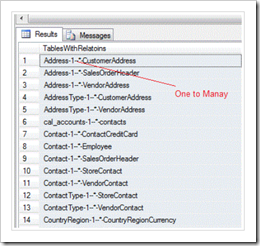
Diagraming table relationships with T-SQL

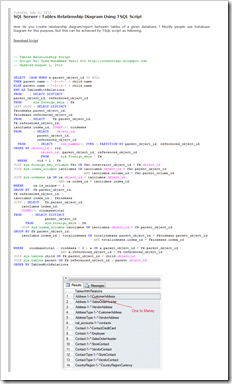
Connect SQL - SQL Server : Tables Relationship Diagram Using TSQL Script

How do you create relationship diagram/report between tables of a given database ? Mostly people use Database Diagram for this purpose, but this can be achieved by TSQL script as following.

...

image

image

Kind of like ASCII Art but with TSQL? Okay, maybe not, but still I love these kinds of TSQL hacks (and you know how I love diagrams!).

Just the facts, mama... and the first release of Factual C# / .NET driver

Factual - First Release of Factual C# / .NET Driver

We’re pleased to announce the release of the officially supported C# / .NET driver for Factual.

Get going!
The driver is available on Nuget. To install the driver into your Visual Studio project, go to the package manager console window and do this:

Install-Package FactualDriver

See the README for more details, including instructions for non-Nuget use.

Once you have the driver installed in your project, you can create an authenticated handle to Factual like this:

Factual factual = new Factual(MY_KEY, MY_SECRET);(If you don’t have an API key, sign up to get one. It’s free and easy.)

Basic Query Example
Do a full-text search of Factual’s Places table for entities matching “Sushi Santa Monica”:

factual.Fetch("places", new Query().Search("Sushi Santa Monica"));

You can find out more about detailed query capabilities in the driver’s README as well as the general docs for our Core API docs.

Geo Filter Example
The driver supports all of Factual’s Geo Filtering. Here’s an example of finding Starbucks locations near a latitude, longitude:

factual.Fetch("places", new Query()
                              .Field("name").BeginsWith("Starbucks")
                              .WithIn(new Circle(34.06018, -118.41835, 5000)));

...

image..."

Factual / factual-csharp-driver

Officially supported .NET driver for Factual's public API.

image..."

Factual - About

Making Data Accessible

Factual is an open data platform for application developers that leverages large-scale data aggregation and community exchange. Our focus is on making data more accessible (i.e. cheaper, higher quality, less encumbered) for machines and developers, to drive and accelerate innovation in an unprecedented way. We take on the dirty work of data management and data curation, letting developers focus on higher value and more productive tasks. We provide clean, structured data with complete source transparency to developers via both download and API access on liberal terms.

The Data

Our data includes comprehensive Global Places data, with over 60MM entities in 50 countries, as well as deep dives in verticals such as U.S. Restaurants and U.S. Healthcare Providers. We are continually improving and adding to our data; feel free to explore and sign up to get started!

Factual aggregates data from many sources including partners, user community, and the web, and applies a sophisticated machine-learning technology stack to:

  1. Extract both unstructured and structured data from millions of sources
  2. Clean, standardize, and canonicalize the data
  3. Merge, de-dupe, and map entities across multiple sources.

We encourage our partners to provide edits and contributions back to the data ecosystem as a form of currency to reduce the overall transaction costs via exchange.

Is is lame that I didn't know about Factual until I saw this news item? Anyway, I know about it now!

Just a few cool points:

  • Factual is based in Los Angeles (support your local tech!)
  • It looks like it has some cool data
  • Getting a key to that data is free and easy
  • There's now the official .Net library
  • That library is OSS

hummmm... I think I see a weekend project here... :)

(via socaltech.net - Factual Releases C#/.NET Driver)

Office knows what you are doing, whether you've been... Office Telemetry for Office 2003, 2007, 2010, 2013...

Office IT Pro Blog - Introducing Office Telemetry in the new Office

"On July 16th 2012, we unveiled the next version of Office. One of the powerful features for IT Pros in the new Office is Office Telemetry, which we built to make IT Pros’ Office upgrade experience easier.

In a forthcoming series of blog postings, we will talk about Office Telemetry concepts and features designed to reduce migration costs.

Modern Office compatibility process

We started our work with one simple goal: Minimize the time IT Pros need to spend on Office compatibility before they deploy the new Office. (Past Office compatibility testing processes typically took more than a year for manual testing millions of documents and hundreds of add-ins). The new Office is designed to be compatible with existing Office documents, add-ins, and custom solutions. We know, however, that IT Pros still need to verify that the new Office will work with their users’ documents and add-ins with no compatibility and performance issues.
For the new Office, we studied the common issues that complicate deployments and developed a new Office compatibility approach:

Step 1 Collect data: Start with collecting actual document and solution usage and metadata from end users.
Step 2 Analyze data: Identify the business-critical documents and add-ins that need to be ready on the first day of Office deployment.
Step 3 Start a pilot deployment, focusing on the most critical solutions: Focus on testing documents and add-ins that are necessary to run the business. Proactively monitor how the business-critical documents and add-ins are behaving when they are tested. Quickly figure out resolutions to issues.
Step 4 Deploy Office and continue monitoring your solutions: Deploy the new Office, and look for cases of errors or poor performance to be addressed.
Identifying the truly important documents and add-ins and monitoring how well they run in the latest version of Office sounds like a gargantuan task. The new Office can gather this information for you automatically.

Sound promising? How can you know what is actually being used and how well it’s performing?

To help you answer these questions, we built Office Telemetry Dashboard. This is the tool that will give you access to the information that is necessary to follow the new compatibility approach.

What is Office Telemetry Dashboard?

Office Telemetry Dashboard is an Excel-based solution designed for IT Pros to view metrics of how frequently end users open specific Office documents, what issues that end users experience, and detailed information about their deployments, hardware, and documents. The aggregated telemetry data is collected from end users' PCs. Let's quickly take look at how you can view the data. As you can see in the screenshot below, the dashboard presents your company’s most frequently used documents and add-ins. ...

...

How is the data collected?

Data behind the dashboard is collected from end users with telemetry capabilities integrated in the new Office. It collects various kinds of events that are happening with Office client installations.

Also, IT pros can deploy the Telemetry Agent to Office 2003, 2007 and 2010. For these versions of Office, Telemetry Agent collects inventory information on actively used documents and registered add-ins so that IT pros can see the most frequently used documents and add-ins before deploying the new Office. This information is essential for scoping your enterprise’s business-critical documents and add-ins.

..."

image

As a wanna-be IT guy, I think this is awesome. I love telemetry in our app's, the ability to easily gather usage stats, information, errors, etc from our applications. There's nothing worse than having to send out an email, "Are you guys using feature X/Y/Z?" "How often do you..." yada, yada. because you know the kind of data you're going to get (if you get any at all). Having runtime telemetry in our apps should be a fundamental requirement.

As a user this kind of freaks me out. lol. Knowing that my IT is getting this level of data from me, including file names, etc just seems a little, tiny bit icky. Yeah, I know they are already scanning my work HD, network shares, etc and know all about these documents already, but still.

I believe the key is clean, open, concise and transparent communication. If this telemetry agent just auto-magically appeared on my system, without communication or notice, I'd go out of my way to kill it. But if I were communicated with first, if the reason, usage and intent were clearly and openly communicated to me, then I'd likely let it live.

So remember, runtime telemetry and analysis is awesome, you MUST use it with care and clearly communicate with those provide the data. It's a matter of trust.

Tuesday, July 31, 2012

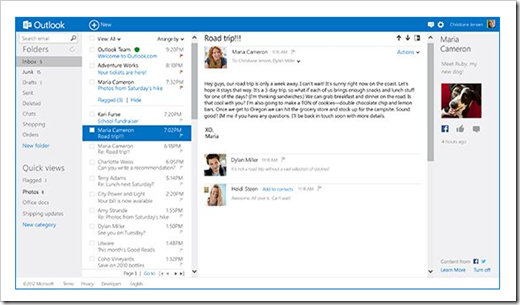
The outlook for Hotmail is shiny with the new Outlook.com (and a few tips on using it)

Introducing Outlook.com - Modern Email for the Next Billion Mailboxes

Recently, we talked about how we've reimagined cloud services for Windows 8 and Windows Phone. And we described new apps for Windows 8, updates to SkyDrive, and how cloud services power the new Office Preview, We've also been hard at work on a mission to reimagine personal email - from the datacenter all the way to the user experience. Today, we're starting to deliver on that goal with a preview of the new Outlook.com - modern email designed for the next billion mailboxes.

...

image

...

Get Started Today at Outlook.com

While today's preview is just the start, Outlook.com is ready now to become your primary email service. We're expecting millions of people to try it out. Starting today, you can get an @Outlook.com email address, and we've also made it easy to get started with your current email address if you want to.

  • If you're a Hotmail customer and want to upgrade to the Outlook.com preview, just click "Upgrade" in the options menu of Hotmail. Your email address, password, contacts, old email, and rules will remain unchanged, and you can send/receive email from your @hotmail.com or @msn.com or @live.com address. You'll experience it all in the new Outlook.com preview user interface. You can also add an @Outlook.com email address to your account if you want.
  • Using Gmail, Yahoo, or another email service? No problem - it's easy to try the preview by going to http://www.outlook.com/. If you have a Microsoft account, just log in and get started. If you don't, it's easy to create a new account with an @Outlook.com email address. Then you can set up Gmail or your other email service to forward your mail to Outlook.com and import your contacts and messages by following these instructions . This will let you use both services for now, but we think that over time, most people will prefer Outlook.com.
  • Don't have an email address? Go to Outlook.com and create a new one and you'll be up and running.

Once you're using Outlook.com, you can also set it up on your phone (Windows Phone, iPhone, Android, Blackberry, or other phone), tablet (Windows 8, iPad, and Android), in the new Outlook 2013 Preview, or in other mail apps you might use. And because Outlook.com supports Exchange ActiveSync, you can set it up just like you would your Exchange or Hotmail account. Have more questions? See our step-by- step guide to setting up Outlook.com on your phone.

Join the Preview and Join the Conversation

Today is the start of our preview, which represents an opportunity to learn together as we roll out and scale this new service. We know your email is important and you need a service that puts you in control, and we're looking forward to your feedback. Once you're using the service, just click Feedback in the Outlook.com Options menu and let us know what you think. If you have questions about this post, feel free to leave a comment here on our blog, or join us on Reddit later today where we're hosting an "Ask me anything" at 11am PST. We have a lot more we'll be sharing on this blog, and we look forward to continuing this conversation with you.

..."

A couple things to note on using the new Outlook.com that I've found;

  • If you're a Hotmail.com/Live.com user already, Outlook.com should just work. You can start using it today with no changes to your account, existing messages, addresses, etc.
  • You can switch back to the old Hotmail UI if you want...
    image
  • To create a new Outlook.com alias, i.e. an @outlook.com email address that hooks into your existing email (For whatever reason this took me a while to find and see)...
    image
    image
  • To navigate to other services like your Calendar, People, SkyDrive, etc use the hidden selector. Hover over on the Outlook header and click
    image
    You'll then get the service selection. 
    image

Hope this helps a little at least...

Monday, July 30, 2012

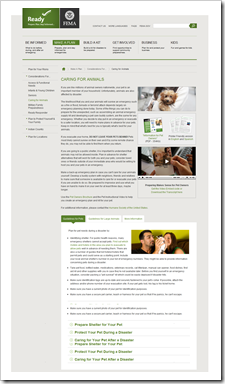
When the unthinkable happens, make sure you think about your pets... Caring for your animals in a disaster means preparing now.

Ready.gov - Caring for Animals

"If you are like millions of animal owners nationwide, your pet is an important member of your household. Unfortunately, animals are also affected by disaster.

The likelihood that you and your animals will survive an emergency such as a fire or flood, tornado or terrorist attack depends largely on emergency planning done today. Some of the things you can do to prepare for the unexpected, such as assembling an animal emergency supply kit and developing a pet care buddy system, are the same for any emergency. Whether you decide to stay put in an emergency or evacuate to a safer location, you will need to make plans in advance for your pets. Keep in mind that what's best for you is typically what's best for your animals.

If you evacuate your home, DO NOT LEAVE YOUR PETS BEHIND! Pets most likely cannot survive on their own and if by some remote chance they do, you may not be able to find them when you return.

If you are going to a public shelter, it is important to understand that animals may not be allowed inside. Plan in advance for shelter alternatives that will work for both you and your pets; consider loved ones or friends outside of your immediate area who would be willing to host you and your pets in an emergency.

Make a back-up emergency plan in case you can't care for your animals yourself. Develop a buddy system with neighbors, friends and relatives to make sure that someone is available to care for or evacuate your pets if you are unable to do so. Be prepared to improvise and use what you have on hand to make it on your own for at least three days, maybe longer.

Use the Pet Owners Brochure and the Pet Instructional Video to help you create an emergency plan and kit for your pet.

...

image..."

image

As I always say, a disaster is stressful enough (gee, Mr. Obvious here!) but not be prepared, even a little bit, makes many times it worse than it needs to be. Don't be afraid, just be prepared. Preparing a little at a time is all it takes... And remember, being prepared is not a destination, but a journey.

(No, I'm not a "prep'er" and have much work of my own to do to be better prepared. But I'm also not afraid to think about the unthinkable and am trying to work on our own preparedness journey and need these reminders myself... ;)

Exchange 2013 says "See ya MAPI and goodbye Outlook 2003!" Exchange 2013 drops MAPI support

The Email Admin - Major Changes in Store with Exchange 2013

Microsoft recently announced the Exchange Server 2013 Preview, and admins everywhere should be very excited about the next generation in Exchange technologies. While I am very excited myself about the possibilities, I can foresee a few things about Exchange 2013 that may come as a surprise to many, and might require some others to make a sea change in the way they think, so better to discuss these now.

Bye-bye MAPI

In Exchange 2013, clients can connect using POP3, IMAP, SMTP, and the various HTTPS protocols, including Outlook Anywhere, Exchange ActiveSync, and Exchange Web Services. However, old-school MAPI connections are gone. I’ve worked with a number of customers who have a strange fear of Outlook Anywhere, and this may cause them some heartburn.

...

image..."

Ah, MAPI I knew you well. From your earliest days when you were competing with VIM (Vendor Independent Messaging, put forth by Lotus in the cc:Mail days) through today with the Outlook Connector which put a MAPI face on Hotmail. Still I guess time moves forward, technology changes and needs morph. Still it's a little weird to see you getting the boot...

IE for the XBox 360, a Dev's Guide (13 pages)

Microsoft Downloads - Internet Explorer for Xbox Developer’s Guide

This paper provides information about Internet Explorer for Xbox.

Version: 1.0

Date published: 7/27/2012

Language: English

InternetExplorerforXboxDevelopersGuide.docx, 782 KB

From the DocX;

This paper provides information about Internet Explorer for Xbox. It provides guidelines for developers to who want to optimize their site for Internet Explorer for Xbox. It contains design recommendations, and it describes some of the technical differences between Internet Explorer 9 and Internet Explorer for Xbox.

This information applies to the following product:
Xbox® 360

image

I've heard from a reliable source (cough...  NDA... cough...) that IE on the XBox is not as weird as you might think and with a chatpad works well. While there's no Flash support, HTML5 video seemed to work well too.

What media elements and formats are support? This doc tells you stuff just like that...

image