Wednesday, December 07, 2011

LINQ to Reports... As in transform your LINQ queries into reports, with extensible formats like Excel, PDF, CSV, HTML

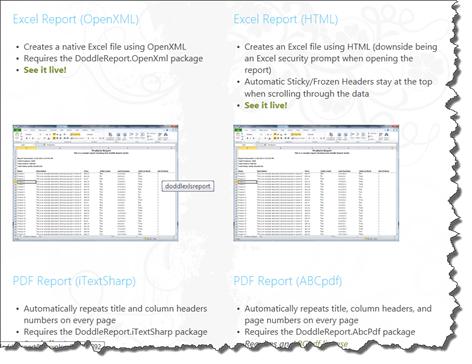
Matt Hidinger - Transform your LINQ queries into Excel/PDF reports with DoddleReport 1.2

DoddleReport builds tabular reports from any IEnumerable datasource. Out of the box it can render reports to Excel, PDF, HTML, and CSV – fully pluggable of course. I created the project to provide reporting output over the LINQ queries we had already written for an application, but maybe you can find other uses for it.

So what does it generate?

The following samples are generated live in real-time (notice the data will change every time you open the report)

SNAGHTML3ec93211

image..."

CodePlex - DoodleReport

image

DoddleReport automatically generates tabular reports from any IEnumerable datasource.

Out of the box it can render reports to Excel, PDF, HTML, and CSV – fully pluggable of course. I designed the project to provide reporting output over the LINQ queries we had already written for the application, but maybe you can find other uses for it.

Blog Updates

For updates and other topics please visit my blog at http://www.matthidinger.com or follow me @matthidinger

Get Started!
New to DoddleReport?
NuGet Packages

DoddleReport has been split into multiple packages to support more users’ needs. See their Descriptions within NuGet for more on the differences

  • Install-Package DoddleReport
  • Install-Package DoddleReport.Web
  • Install-Package DoddleReport.iTextSharp
  • Install-Package DoddleReport.AbcPdf
  • Install-Package DoddleReport.OpenXml
  • Install-Package DoddleReport.Dynamic
New in v1.2
  • NEW WRITER: A new OpenXML ExcelReportWriter found in the DoddleReport.OpenXml package, courtesy of Louis-Philippe Perras
  • NEW WRITER: A new iTextSharp PDF writer can be found in the DoddleReport.iTextSharp package, courtesy of Louis-Philippe Perras (thanks again!)
  • Breaking change: The root namespace changed from Doddle.Reporting to just DoddleReport
  • Breaking change: The Default Orientation for reports is now Portrait
  • All Web references moved to separate project to allow for .NET Client Profile support for WinForms/WPF
  • Added “myReport.RenderHints.BooleansAsYesNo = true” to write Yes/No on the reports for boolean fields
  • Added custom FileName support for web reporting as requested in Discussions
  • Added MVC Areas support by calling areaRegistrationContext.MapReportingRoute();
  • Various Bug fixes and enhancements as reported in the Discussion forum and Issue Tracker

SNAGHTML3ecc1bb4

Okay, that's kind of awesome...

Community created Forward Engineer Database Diagrams Addin for Visio 2010 (Think "Diagram to T-SQL," like in past versions, but with source)

James Serra's Blog - Create SQL Server scripts with Visio 2010

"If you are using Visio 2010 and creating tables via the Database Model Diagram template, you may be surprised to learn there is not a way to build CREATE TABLE scripts from your resulting diagram. The last release that supported that was the Enterprise Architect version of Visio 2003, which required Visual Studio 2005 to be installed.

But there is help. There is an open source project from Alberto Ferrari that is an add-in for Visio 2010 that allows you to generate SQL Scripts from your database diagram. The resulting script has the create table statements, the alter table statements to add foreign key constraints and indexes, and even creates the code to drop objects if they already exist. Alberto’s blog post about it is here, and you can download the add-in at Visio Forward Engineer Addin (NOTE: I could not get it to install properly until I first installed Microsoft .NET Framework 4).

..."

Alberto Ferrari - Visio Forward Engineer Addin for Office 2010

"Most of my database model are written with Visio. I don’t want to start a digression whether Visio is good or not to build a simple data model: Visio is enough for my modeling needs and customers love its colours and the ability to open the model with Office when I need to discuss it with them. When I have finished modeling, I generate the database and everything works fine.

Nevertheless, Microsoft seems not to like the forward engineer capabilities of Visio. The last release that supports forward engineering is the Enterprise Architect version of Visio 2003, which requires Visual Studio 2005 to be installed on the box. Since I am really tired to install old releases of Visio just to perform forward engineer (moreover, the 2003 release does not support the new data types) I decided it was time to follow the standard approach to Microsoft products: “if Microsoft does not help, do not ask, do it by yourself”.

Thus, I wrote an Office add-in that performs forward engineer of a Visio database model to SQL Server. It does not support any other database driver and has some big limitations, since the library that should let programmers have access to the underlying Visio data model is non documented and full of uninplemented interfaces. Thus, I needed to collect information over the web, searching for people who tried the same before me. Nevertheless, for a standard data model it works fine and saves me to the need to install old software on new computers. :)

It has two basic functions, available through a new ribbon:

..."

CodePlex - Visio Forward Engineer Addin

"Project Description
Somehow Microsoft decided not to include this feature in 2010 version of Visio.

Visio Forward Engineer Addin for Visio 2010, adds the ability to generate the database scripts directly from the database model defined in Visio 2010. It is developed in C#.

Idea

The original idea of this project was developed by Alberto Ferrari*. The original project can be found at http://www.sqlbi.com/Default.aspx?tabid=173.

This project has two main versions:

  • Version 1.0 that is Alberto's original version that was cleaned and created an automatized setup.
  • Version 2.x that is a completely rewritten project that offers many new features and improved code base.

Version 1.0 is available for download, while version 2.x is still under development.

..."

When creating database schemas I like boxes and lines.... I like diagramming my tables and views up front and visually seeing the relationships. I've found that doing that helps me better think through the model and iterate it until it's done "enough". At work I use ERWin, but for my home projects, I've not found a good package. I keep whining to Microsoft that Data Projects (i.e. Data Dude, etc) should have diagramming, but still no joy. I mean we can diagram code, why not databases? (I know, I know, it's not that easy, but still). So I used to use Visio, but after upgrading to 2010 that feature seems to have gone away. So being lazy I just did it the hard way, script, to diagram.

When I saw this, I knew I had to capture it for the next time I need to build a database.

The project looks stalled (no check-ins since March 2011) but since the source is available, if there're any issues, well, we can fix it ourselves! :)

Getting Started with Scratch - A Programmer's Guide

I Programmer - A Programmer's Guide to Scratch

"Scratch is one of a number of computer languages aimed at getting people, mostly but far from exclusively children, started with programming. If you haven't come across it before, see Scratch not to be sniffed at! for its background.

The idea is to expose the student to the concepts of programming without bothering them with the tedious things like typing, spelling and exact syntax. There is also an argument that the approach used by systems like Scratch is so good that it raises the question why we don't use it for real development? This really is a good question and not one I have an answer to.

Even if you don't think that you are going to use Scratch to teach programming you really need to know something about its approach to programming - it might be the way we all do it in the future.

So Scratch is an easy to learn easy to use language.

Why then do we need an introduction to it?

The answer is that, of all the people who encounter Scratch, programmers are often the most mystified. They expect to sit down and use it without spending any time on learning about it. After all if you can program in X, where X stands for whatever language you already know, then Scratch should be easy.

The fact of the matter is that programmers often learn their skill by doing, and don't often spend hours thinking deep thoughts about what is fundamentally behind what they do. As a result a skilled programmer might well find Scratch to be confusing and not at all about programming.

With these thoughts in mind let's take a programmer's look at Scratch.

This is not an introduction that is designed to be useful to a complete beginner, but an introduction that might enable a programmer to introduce a complete beginner to the art, craft and science of programming. It really is a whole new way of thinking.

Getting started

...

imageimage..."

Until I blogged about it on the Kinect Gallery, Kinect 2 Scratch, I hadn't heard much about Scratch. Since then I've started to keep my eyes open for articles on it and this guide seems to provide a good introduction to it.


Related Past Post XRef:
Kinect 2 Scratch

Microsoft Robotics Developer Studio 4 Beta 2 now available (MSRDS4B24U)

Microsoft Robotics Developer Studio

"There has been tremendous excitement with Microsoft Kinect within the robotics space signaling the potential opportunities that exist in transforming robots to low-cost mainstream consumer devices. RDS4 beta 2, with support from the Kinect sensor, aims to make it easier for developers to build applications, including those directed at personal robotics and consumer scenarios, both in hardware and in simulation.

  • With RDS4 beta 2 simulation tools, you don’t need physical hardware to develop a Kinect-based robot!
  • For hardware design, Microsoft has published the Robotics Developer Studio: Reference Platform Design specification for a standardized Kinect-based robot, to work with RDS4 Beta 2. Parallax, Inc has manufactured a hardware kit based on the reference platform design specification which, is available for pre-order now.
  • RDS4 beta 2 also adds support for Microsoft .NET Framework 4, XNA Game Studio 4.0, and Visual Studio 2010.

To download Microsoft Robotics Developer Studio 4 Beta 2 (RDS4 Beta 2), click here.

Here are the changes in RDS4 beta 2 :

  • Bug fixes
  • DSS Log Analyzer Updated
  • More documentation
  • Improved Obstacle Avoidance with a UI
  • Refactored the Reference Platform services to support a HAL

..."

Microsoft Robotics Blog - Announcing Robotics Developer Studio 4 Beta 2

"A new release of Robotics Developer Studio 4 Beta 2 is now available that is an update to the Beta released in September at Maker Faire in New York. This new Beta 2 version includes the following:

  • Support for the Kinect for Windows SDK Beta 2
  • DSS Log Analyzer
  • Structured Logging
  • Improved Obstacle Avoidance Service with a Visualization UI
  • CCR for Silverlight 4.0, including new Extension Methods
  • Additional documentation

This version of RDS requires Windows 7 and Visual Studio 2010 (C# Express or higher). You can get a copy of RDS 4 Beta 2 free of charge from the Download page.

..."

Microsoft Downloads - Microsoft Robotics Developer Studio 4 Beta 2

Microsoft® Robotics Developer Studio 4 Beta 2 is a freely available .NET-based programming environment for building robotics applications. It can be used by both professional and non-professional developers as well as hobbyists.

Version: 4.0.228.0
Date Published: 12/7/2011

Language: English

Microsoft Robotics Developer Studio 4 Beta 2.exe, 289.0 MB

Microsoft® Robotics Developer Studio 4 Beta 2 enables hobbyists and professional or non-professional developers to create robotics applications targeting a wide range of scenarios. This release is an update that has the functionality of the previous Standard Edition with the addition of support for the Kinect sensor and a defined Reference Platform.
Microsoft Robotics Developer Studio can support a broad set of robotics platforms by either running directly on the platform (if it has an embedded PC running Windows) or controlling it from a Windows PC through a communication channel such as Wi-Fi or Bluetooth®.

In addition to providing support for Microsoft Visual Studio 2010, Microsoft Robotics Developer Studio 4 Beta provides a Visual Programming Language (VPL) which allows developers to create applications simply by dragging and dropping components onto a canvas and wiring them together.

The powerful Visual Simulation Environment (VSE) provides a high-fidelity simulation environment powered by NVIDIA™ PhysX™ engine for running game-quality 3D simulations with real-world physics interactions.

Tutorials that illustrate how to write applications ranging from simple "Hello Robot" to complex applications that simultaneously run on multiple robots.

Something fun to play with during the coming holidays...


Related Past Post XRef:
Microsoft Robotics Developer Studio 4 Beta released (Think RDS gets Kinected)

I've got my XBox Live Avatar, right here.... on my T-Shirt!

cafepress - xbox

Order your Avatar on t-shirts & gear (what a score!)

Bring your Xbox LIVE® Avatar to life & share it with people in the "real" world. When you're sporting your own fun Avatar on gear, who knows who you'll bump into (and be recognized by — because of your Avatar!). It's easy to make yours, just pick from the many poses. Then order your stylin' Avatar on t-shirts, drinkware and more.

image..."

So of course I have to check it out. I'm a little bummed my accessory doesn't appear (which is a WP7 device... lol )

image

image

Also it would have been nice to allow for a different background or something.

Still I think this is kind of cool. Now to get off my cheap butt and actually buy one... :P

(via The Road to Know Where - Get Your Custom Xbox Avatar T-Shirt Here!)

Tuesday, December 06, 2011

Panorama? Pivot? What's the diff? Here's a Boss Eyed View of the two...

Canadian Mobile Developers' Blog - Like a Boss! Understanding the Difference between Panorama and Pivot in Windows Phone

"One of the great features of Windows Phone is the natural feel of the left-to-right (or right-to-left) scrolling of apps and hubs. There’s a good reason for this flow – the Windows Phone team looked into the behaviour of how users interact with the phone and figured out that the anatomy of the hand is such that its actually easier to scroll left and right vs. up and down (true story!).

To that end, the Windows Phone SDK contains two major controls that allow you to take advantage of the left/right interaction: Panorama and Pivot.

Panorama Control

The Panorama control is, as you might guess from its name, expansive in nature. Panorama is a UI asset that is meant to draw the user into the app and literally immerse him/herself in the experience you have implemented.

...

Pivot Control

If you were to look at the Pivot and Panorama controls side by side and tell me that they are basically the same thing, just looking a little different, I wouldn’t blame you. The differences to the user are fairly subtle, but to you as a developer/designer and to the experience your user has with your app (whether or not they realize it), those differences are both significant and ultimately determinant to the success of your app in many cases.

We have already discussed Panorama and its mission: Artful, Expansive, Immersive; basically it’s a canvas and you are the artist. The Pivot control shares the left/right behaviour of Panorama but the common experience to the two controls really ends there. The Pivot control is a deeper experience and meant to be data-driven.

...

SNAGHTML3a31fc69

image..."

Not that I need this or anything... Because, well I know the difference between the two of these... um... well... err... Okay, now I do at least. :P

Moving Applications to the Cloud 2nd Edition guide (and Hands on Labs)

Microsoft Downloads - Moving Applications to the Cloud – Hands on Labs

"...Version: 2.0
Date Published: 12/6/2011

Language: English

Windows Azure Architecture Guide Part 1 HOL.Source.EXE, 4.2 MB

This series of Hands-On Labs is related to the guide "Moving Applications to the Cloud on the Microsoft Windows Azure™ Platform" available from http://msdn.microsoft.com/en-us/library/ff728592.aspx. The individual labs correlate with the chapters of the guide, and demonstrate or expand upon the techniques shown in the guide. The Labs are designed to enhance your understanding of the Windows Azure platform through practical, hands-on work with the complete, sample aExpense application developed by the fictitious Adatum company.

..."

Moving Applications to the Cloud, 2nd Edition

Summary

How to build applications to be scalable and have high availability? Along with developing the applications, you must also have an infrastructure that can support them. You may need to add servers or increase the capacities of existing ones, have redundant hardware, add logic to the application to handle distributed computing, and add logic for failovers. You have to do this even if an application is in high demand for only short periods of time.

The cloud offers a solution to this dilemma. The cloud is made up of interconnected servers located in various data centers. However, you see what appears to be a centralized location that someone else hosts and manages. By shifting the responsibility of maintaining an infrastructure to someone else, you're free to concentrate on what matters most: the application.

...

Overview

This book is the first volume in a series about the Windows® Azure™ platform. It demonstrates how you can adapt an existing, on-premises ASP.NET application to one that operates in the cloud. The book is intended for any architect, developer, or information technology (IT) professional who designs, builds, or operates applications and services that are appropriate for the cloud. This book is primarily written for people who work with Windows-based systems. You should be familiar with the Microsoft .NET Framework, Microsoft Visual Studio®, ASP.NET, SQL Server and Microsoft Visual C#®.

SNAGHTML3a293d7e

image..."

Cloud now or cloud later, but clouds are coming... So getting up to speed sooner or later probably isn't an option.  This guide seems to be one that might help...


Related Past Post XRef:
“Windows Azure Architecture Guide, Part 1 – Moving Applications to the Cloud” now available as an interactive guide.

Walking on water... Well maybe not, but almost! NeverWet is a superhydrophobic spray that repels water (big time)

geek.com - Superhydrophobic spray means no more clothes to wash

"...

Rather than just concentrate on steel, Ross decided to create a new product based on the spray known as NeverWet, which we should all hopefully benefit from using soon.

The spray actually uses nanoparticles and is superhydrophobic. That means it repels water and keeps a surface completely dry and stain free. While it may keep steel dry, Ross also realized it could be sprayed on products to keep them clean, and also keeps objects free of bacteria and ice. The company even claim you can spray an iPhone with NeverWet and it becomes waterproof.

NeverWet is being turned into a consumer product and will see a release next year, but we should also start seeing it applied to products too. Shoes that can’t get dirty, ovens that don’t need cleaning, and clothes you never need to wash hopefully (a personal dream of mine).

If you want to see what NeverWet does to a surface, check out the video below

...

image..."

You have to check out the video...

That's mind blowing isn't it? I do have to wonder how "green" it is, the impact on the environment, etc, but still... I SO need this for my work shirts (you know, the ones I seem to spill coffee on about once a week?)

(via @pete_brown - http://10rem.net)

SimCity 3D... as in 3D printed SimCity 2000 tabletop pieces...

Thingiverse - SimCity 2000 Tabletop Play Set by Skimbal

"Description

Do you think the Politicians have it all Wrong? Is your Mayor a Bumbling Idiot? Are your local City Planers out to kill you?

Well now you can prove them all wrong! Demonstrate your city building mettle with the Sim City 2000 Tabletop Play Set!

All the Thrills of being a real City Planner, without the boring environmental impact statements.

But Watch Out! Disaster can Strike at any moment! The Devastation of the Spilled Coffee Flood! The Clean-Up Alien from the In-law's House! The Horror Of the Attacking 1000 foot 3-Year-Old!

Instructions

All these building where modeled in Google Sketch-Up based on my memories of playing Sim City 2000. (Still my favorite computer game of all time)...

imageimageimageimageimage..."

OMG... This makes me want to run out and get/build a 3D printer. This is awesome (and something my wife and son will never understand why I think it's awesome... LOL

(via Technabob - Play SimCity in Actual 3D with the DIY Tabletop Play Set via Architizer via Notcot)

Loggr - Your SignalR based real time "event" application monitor (think "Cool web based major/high level event UI" or "A logging solution with data you can actually use...")

loggr

SNAGHTML3914ebef

loggr - How It Works

SNAGHTML3913ff12[4]

Why use it?

One of our goals is to make application monitoring non-technical. Sure, you'll need some technical chops to implement a logging solution, but consuming those events has to be easy. Easy enough for your client to be able to log in and see how the site you just built is performing. Even after you've moved on to your next project. We've all seen how people's eyes glaze over when we explain how to use Google Analytics.

What it's not

Loggr is not for web traffic. Use Google Analytics for that. Loggr does not replace syslog or windows event viewer. Use Splunk for that. We do high-level events like errors, sales, usage, job activity, etc.

Who's it for?

Independent Contractors use Loggr for each of your new jobs. Build in events that are meaningful for your clients and share the log with them, or let them see them on their phone. Keep tabs on all your client jobs within the same web app. Consolidate your alerts and be notified when any project is having problems.

Development Shops use Loggr to centralize the event logging across all current projects. Managers can monitor activity across all projects. Save the time and cost of building out logging for your projects. It takes a second to add a new log, and with our platform libraries your devs can easily build in event logging from the start of each new project.

Web Startups use Loggr to track critical events for your new web business. Web-traffic analytics only go so far for tracking progress. Log conversions, signups, cancelled accounts, feature usage, errors, application tracing, etc. Loggr enables you to see historical patterns, track customer paths across tiers in your application, even servers in your web farm

A couple things I liked about this new service...

  • They make it clear what it's Not. I like that kind of clarity...
  • I liked the idea of adding runtime analytics with one'ish line of code. While this doesn't replace full and complete runtime analytics I can really see how something like this could be used to provide "Senior Management Safe" data. 
  • I dug the idea of how it might be used in an enterprise, think across a product that uses tons of servers and such. Sure we've all invented this wheel ourselves before, but was that a wheel we really needed reinvent? Or just because there wasn't something like this already available?
  • Finally that it used SignalR... :)

There's a"Free Forever" plan if you just want to play with this.

Cool Earth-Science storytelling with the new Layerscape from Microsoft Research (powered by the WorldWide Telescope)

Microsoft Research Connections Blog - Layerscape for Earth-Science Storytelling

Every so often, a new platform comes along that really shakes things up. Well, if you’re part of the earth-sciences community, prepare to be shaken, because Microsoft Research has just released a new way to convey earth-science concepts. It’s called Layerscape, and I like to think of it as a storytelling medium, since transmitting scientific ideas, especially those involving complex datasets, comes down to creating narratives. I work on earth-science storytelling at Microsoft Research Connections, and I’d like to walk you through just a couple of the many features of Layerscape.

First, let me explain that Layerscape is a data visualization engine that was originally developed as WorldWide Telescope (WWT), an astronomical observatory housed within your PC. WWT was and is a wonderful tool for exploring the heavens, but right from the start is was more than just a powerful telescope on your PC. It is also a treasure trove of information drawn from cumulative scholarly publications and databases, including SIMBAD (the Set of Identifications, Measurements, and Bibliography for Astronomical Data), which gives you a list of objects visible in any particular corner of the night sky.

...

The first feature of Layerscape I want to describe is communities. At the Layerscape website, under the “Browse by” drop-down, you will find content categories (Life Science, Climate, and so forth) that organize existing content. The communities feature, by contrast, lets you build structure around your own content. You can create a community around any idea you like and add whatever content you wish. What’s more, you can create WWT tours, which are special narratives built around data.

...

Okay, so what can I do with your data? Lots. This brings me to the second of Layerscape’s many features, what I will call “separation of data from perspective.” This feature works on data that exists in three dimensions and has a temporal aspect, allowing you to animate the data to see it unfold over time (probably at an accelerated or decelerated pace)—while you fly around examining it from any perspective or viewing angle you like.

For example, I’m currently building a tour from data compiled by Gavin Hayes of the U.S. Geological Survey’s National Earthquake Information Center. In particular, I’m exploring Gavin’s data on subduction slabs, those enormous, 500-kilometer-thick boundaries where tectonic plates shove one another around. That data is pretty interesting, especially when you use WTT’s time control to speed it up by a factor of 10,000. Doing so enables me to see the recorded earthquakes, which betray the subduction slabs’ structure, popping off like fireworks all around the slabs. Better yet, I can use Layerscape’s separate perspective control to watch the action from many different angles. I can look at the data glowing down in the depths below, or I can fly down inside the Earth and look back up at it. This lets me create stories around the data that hadn’t been told before—stories that can change how we explore and come to understand our increasingly complex data.

..."

Layerscape

VISUALIZE. EXPLORE. DISCOVER.

From the upper reaches of the atmosphere to Earth's core, Layerscape lets you seamlessly share and explore 3D visualizations of complex datasets via WorldWide Telescope.

With Layerscape, you can:

  • Import data, images, videos and more to create your own visualizations and tours.
  • Discover tours created by others.
  • Create and join collaborative communities open to the public or a select group of invitees.

Watch the introductory video for an overview of Layerscape's features. Then, click 'Sign In' to start sharing.

image..."

I think this officially counts as "cool"  :)

Monday, December 05, 2011

The sun never sets on Windows Phone 7 (well at least on all these WP7 web sites...)

Kodierer [Coder] - Windows Phone Sites Around the World

"...

I also asked my translators if they know any local Windows Phone news sites / blogs. Below is a list of international and regional Windows Phone news sites we collected. Note, that those are primarily consumer sites read by consumers and not only for developers. This list could be useful if you plan to release a localized version of your app and want to promote it a bit.

image..."

I like the broad languages/areas covered by this list. Sometimes it's hard to see outside our own, so when I saw this I knew I had to capture and share it...

From COM to Win8, one developers retrospective...

Li Xiong - Retrospect different Microsoft technologies from Win8

Learning how things work internally has always been my favorite. The first thing I did was to launch debugger when I got Win8 installed. Based on my research, Win8 is an amazing product. There are many old and new technologies involved in Win8. I’d like to use this blog to retrospect different Microsoft technologies.

Please note, the following analysis was based on Win8 CTP. I expect many changes when Win8 gets to RTM.

This above information is just my person opinions.

COM -Common Object Model

  • The threading model like STA/MTA/NTA is over complex
  • Lack of development tool support
  • The complexities were out of control when it expanded to DCOM, COM+, and DTC

.NET Framework/CLR

...

WPF

...

The interoperability of Microsoft products

...

Win8

It’s time to discuss why I feel so good about Win8.

...

image..."

Some of the stories and use cases made me chuckle a little (and cry a little on the inside too...lol). This developer retrospective on MS Dev frameworks/platforms/etc was a nice look back and look forward. Sometimes its nice to take a look back at where we've come from and a little of the thinking behind our steps forward.

Getting started with Win8, VS11 and Metro - The Video

Kunal's Blog  - How to Create a Windows 8 Metro Style Application using Visual Studio 2011?

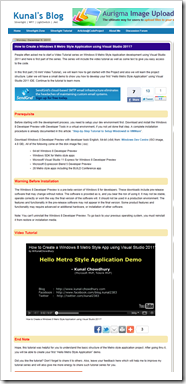
"People often asked me to start a Video Tutorial series on Windows 8 Metro Style Application development using Visual Studio 2011 and here is first part of the series. The series will include the video tutorial as well as some text to give you easy access to the code.

In this first part (10 mint Video Tutorial), we will learn how to get started with the Project and also we will learn the project structure. Later we will have a small demo to show you how to develop your first “Hello Metro Style Application” using Visual Studio 2011 IDE. Continue to the tutorial to learn more.

image..."

I like dimecasts like these, short, sweet and to the point...

[Humor] The Real One Percent

Endless Origami - Endless Origami - The Real One Percent

image

Occupy EULA...  :P

Friday, December 02, 2011

It's tool time baby! As in Scott Hanselman's 2011 Ultimate Developer and Power Users Tool List!

Scott Hanselman - Scott Hanselman's 2011 Ultimate Developer and Power Users Tool List for Windows

"Everyone collects utilities, and most folks have a list of a few that they feel are indispensable. Here's mine. Each has a distinct purpose, and I probably touch each at least a few times a week. For me, "util" means utilitarian and it means don't clutter my tray. If it saves me time, and seamlessly integrates with my life, it's the bomb. Many/most are free some aren't. Those that aren't free are very likely worth your 30-day trial, and perhaps your money.

Here are most of the contents of my C:\UTILS folder. These are all well loved and used. I wouldn't recommend them if I didn't use them constantly. Things on this list are here because I dig them. No one paid money to be on this list and no money is accepted to be on this list.

Personal Plug: Discover more cool tools and programming tips on my weekly Podcast Hanselminutes, or my other show with Rob Conery called This Developer's Life.

This is the Updated for 2011 Version of my 2003, 2005, 2006, 2007 and 2009 List, and currently subsumes all my other lists. Link to http://hanselman.com/tools when referencing the latest Hanselman Ultimate Tools List. Feel free to get involved here in the comments, post corrections, or suggestions for future submissions. I very likely made mistakes, and probably forgot a few utilities that I use often.

New Entries to the 2011 Ultimate Tools are in Red. There are dozens of additions and many updated and corrected entries and fixed links. I started doing this list for EIGHT YEARS AGO which is like 60 internet years ago. I've also removed some older stuff that no long matters in 2011.

2009 Japanese Translation: Yasushi Aoki has translated the 2009 Tools List to Japanese! You can find it here http://www.hanselman.com/tools/ja-jp/ 訳: 青木靖.

NOTE: Please don't reproduce this in its entirety, I'd rather you link to http://hanselman.com/tools. I appreciate your enthusiasm, but posts like this take a lot of work on my part and I'd appreciate that work staying where it is and linked to, rather than being copy/pasted around the 'net. If you're reading this content and you're not at http://hanselman.com, perhaps you'd like to join us at the original URL?

[GD: I've leached the header in full, but the actual list is only thumb-nailed below, giving you a feel for the massive amount of content, and also putting into perspective the amount of work Scott has put into this and hopefully underscoring the why you shouldn't leach the list either...]

image..."

This has been blogged about about everywhere (and on this week's TWC9 too... gee, I wonder how it got it that line-up... ;) but since I've blogged about Scott's list every year, I feel it's only right I do so again this year, right?


Related Past Post XRef:
Scott Hanselman has updated his monster (and must read) “Ultimate Developer and Power Users Tool List for Windows”!
It's that time... Scott's Ultimate Developer and Power Users Tool List for 2007
Scott Hanselman's 2006 Ultimate Developer and Power Users Tool List for Windows is Out
Scott Hanselman's 2005 Ultimate Developer and Power Users Tool List
Scott Hanselman's [2003] Ultimate Developer and Power Users Tools List

Two cool NuGets of the day: FlickrNet (3.2.4310) and Lucene.net (2.9.4)

Code Climber - Lucene.net 2.9.4 is out, now with NuGet

There is no official news feed for the project, so I’m just copying here the announcement from their homepage:

We finally got it out the door, it took a lot longer than we expected. However, we have a ton of bug fixes rolled into this release as well as a number of new features.

  • Some of the bug fixes include: concurrency issues, mono compilation issues, and memory leaks.
  • A lot of work has been done to clean up the code base, refactoring the code and project files, and providing build scripts
  • A couple of new features: Search.Regex, Simple Faceted Search, and simple phrase analysis in the Fast Vector Highlighter
  • Download it now on our downloads page

Just around the corner is a 2.9.4g release (early January), that has been substantially refactored and uses generics across the board.

Lucene NuGet Packages:

FlickrNet API Library

The Flickr.Net API Library is a .Net Library for accessing the Flickr API. It is written entirely in C# it can be accessed from the following frameworks:

  • .Net Framework 2.0 and above.
  • .Net Compact Framework 2.0 SP1 and above.
  • Silverlight 3.0 and above.
  • Windows 7 Phone
  • Mono
  • Monotouch for iPhone

FlickrNet NuGet Packages:

FlickrNet is one of my favorite managed Flickr libraries and Lucene.Net speaks for itself... :)

31 Days of Mango - eBooked (for purchase)

Blankenblog - 31 Days of Mango | Now In eBook Format!

"The entire series, 31 Days of Mango, is now available in e-book format for Kindle and Nook! If you would like to read all of these articles on-the-go, while supporting the developers that wrote them, they are now available for in the Nook and Kindle stores!

The proceeds of this book will be distributed amongst all of the amazing authors that contributed to this series of articles: Jeff Blankenburg, Jared Bienz, Samidip Basu, Jerrel Blankenship, Dave Bost, Michael Collier, Matt Eland, Jeff Fansler, Gary Johnson, Parag Joshi, Chris Koenig, Doug Mair, and Chris Woodruff.

image..."

Nice turn around on this... The series just finished up and now the book is available. This is a great example of leveraging your content, besides the fact that it's great content... :)

Thursday, December 01, 2011

Make My Robot! You design it, they 3D print it, you get to play with it

winextra - Robot Nation lets you build your own robot and own it

"Robots, robots, robots, everywhere robots, and even easier now thanks to Robot Nation and their awesomely easy robot creation and ordering site that has gone live after a month long beta.

Using your browser you can design your very own robot from the ground up and then have them actually create it for you using a 3D printing process. One would think that building a robot would be difficult but that is the beauty of what Robot Nation has done here. It is all a matter of dragging and dropping the parts that you want to make your robot from

..."

My Robot Nation

"Fun and easy online creation.
Your unique robot is 3D printed in full color and delivered to your door.

image..."

Awesome... It's not a robot that moves or you can move (i.e. not an action figure) but this is still way cool (but not cheap)

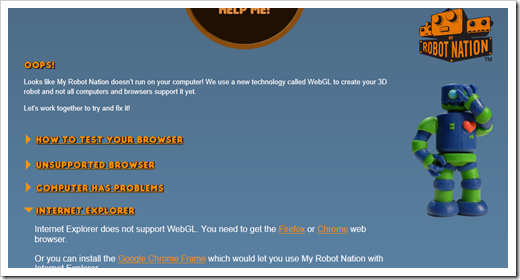
The "Oh Oh Your Browser Ain't Going to Work" (aka Oops!) page (because IE9 doesn't do WebGL) made me laugh...

image

Doh!

image

image

image

It's fun just playing with this... lol

A bunch of free Metro graphic sets

Code Inside - Icons in the "Metro Look" for free – Monochrom/Minimalist Icons

"At the moment it is in to create simple but elegant designs. A good example is the metro design used by Microsoft in numerous products. Of course you need to find a fitting icon first so here is something I want to recommend to you because they are for free and you can use it in commercial products as well.

...

image..."

Some of these I've seen or mentioned, but some I haven't... (and new, free graphic sets makes me smile... :)


Related Past Post XRef:
300 Windows Phone 7 Icons, Creative Commons (with *.XAML, *.Design and *.PNG)
Windows Phone 7 Icons.. Before you search the web, check your hard drive
Application Bar Icons for your Windows Phone 7 development
The Noun Project, XAML’ified… or The Noun Project converted for you to XAML and PNG’s
“The Noun Project” + SVG + Free + Metro like look and feel + 500 = Happy Windows Phone 7 Developers

A Dev's Game Dev castroll... (Or Chris shares the Game Dev podcasts he listens too)

Chris Bowen's Blog - List of Game Development Podcasts

"As you might know from my list of podcasts for .NET devs, I’m a big fan of podcasts to help make travel time less… [annoying | mind-numbing | wasteful].

As my recent work has focused more on game development, I’ve been keeping an eye out for relevant podcasts. Here are the ones I know of that focus primarily on game development and the gaming industry.

image..."

Shiny! Games! Podcasts! Development! (and a long commute... sigh)  :P

Managing the unmanaged... as in 5 tips toward understanding .Net Managed/Unmanaged Interop

simple-talk - 5 Tips for Understanding Managed-Unmanaged Interoperability in .NET

"Interop. The term alone can inspire fear, confusion, and uncertainty in many software developers. But there’s really nothing to fear from interoperability between managed and unmanaged code, especially if you learn a bit about what’s going on under the hood when you write interop code. Indeed, quite a few parts of the .NET Framework on Windows are implemented as platform invoke (P/Invoke) interop with native Windows DLLs. Windows Forms, for example, is primarily a P/Invoke-based wrapper around ComCtl32.dll. See: http://msdn.microsoft.com/en-us/magazine/dd315414.aspx.

P/Invoke is one of the two types of interop you will come across as a developer. You will most commonly use it to access C-style functions in Win32 DLLs, and C and C++ code in in-house and 3rd party libraries. Considering the magical things it does, it is often surprisingly easy to implement P/Invoke in order to call some specific bit of native functionality that your application needs.

The other type of interop is COM interop, which Visual Studio actually provides many tools to make easy. COM has a long history and there are many components out there that use it. This article is primarily about the memory aspects of interop so there are many aspects of COM interop that we’ll only briefly touch on and quite a few that we won’t see at all (e.g. differences in error handling mechanisms - see http://msdn.microsoft.com/en-us/library/9ztbc5s1.aspx). If you need to dive deep into COM interop, the MSDN documentation is one of the best sources of information there is: http://msdn.microsoft.com/en-us/library/bd9cdfyx.aspx. I also recommend searching around for materials about creating Microsoft Office add-ins using C# and VB since that’s a very rich source of COM interop information.

Interop code of either sort lets you access functionality in existing native and COM libraries that is not exposed by the .NET Framework. With it, you can take advantage of the speed and ease of .NET without needing to rewrite existing code that your projects depend on.

...

SNAGHTML210b5280

SNAGHTML210afd6e

image..."

A great document that provides some great information on Managed<>Unmanaged interop


Related Past Post XRef:
“I got your P/Invoke… right here…” But is it right?

.Net, Native, P/Invoke marshaling just like magic… “Marshaling with C# Pocket Reference” (Think “Marshalling Guide for the Busy Dev Guy”)
Signature/Data Type Conversion P/Invoke Cheat Sheet – aka What do you convert a wChar_t to .Net?
Marshall Fixed Length TCHAR Strings between Managed and Unmanaged Code

The PInvoke Interop Assistant Source is now on CodePlex
The PInvoke tool you've been looking for all this time... the "PInvoke Interop Assistant"

Fly like a [beta test] Eagle... Microsoft is looking for Microsoft Flight Beta testers...

The Road to Know Where - Microsoft is Looking for "Pilots" to Test New FLIGHT Sim Program!

"Microsoft is looking for people to beta test their new FLIGHT simulation program, scheduled to kick-off in January 2012.

..."

NEWS FROM THE DEVELOPMENT TEAM

"As promised in our November update, we have big news for all of our Flight fans: the Microsoft Flight launch sequence has begun!

We’re thrilled to announce that the Microsoft Flight Beta is scheduled to kick-off in January 2012 and we are now accepting applications to participate in the beta program – to apply click here. Note that any beta applications sent via e-mail to msflight@microsoft.com will not be considered for inclusion in the beta program.

We will be sorting through your applications over the coming month and will get back to qualifying participants with additional details throughout our beta phases in January. As we taxi for takeoff, we will continue to provide intriguing updates about the future of Microsoft Flight so please keep checking in on our website or on our Facebook Fan Page.

Fasten your seat belts, return your tray tables to their upright and locked positions, and get ready for Microsoft Flight to takeoff!

The Microsoft Flight Team" [GD: Page leached in full]

sigh... I really need to upgrade my machine so I can get in, and enjoy, this... I mean it's MS Flight!  :)