Wednesday, August 04, 2010

Pivoting your Code, a Silverlight Pivot of your Visual Studio Solution - VS Solution PivotViewer

Silverlight driven blogging - Visual Studio Solution Pivot Viewer. Add-on for VS2010 to Visualize Code Structure

”My previous add-on for Visual Studio (Xaps Minifier) is extremely popular. Many developers and several MVPs use it in their projects already. I am going to extend its functionality to simplify developers’ life. I should say, in general, I like the way of developing extensions for Visual Studio 2010 and I am going to continue working at this area.

Several weeks ago, Sergey Zwezdin announced a brainstorming to generate a bunch of ideas for Add-ons for Visual Studio 2010. I described Xaps Minifier and proposed one more idea. The idea was to use Pivot Viewer Silverlight control to visualize source code and some aspects of it.

Abstracts

Pivot Viewer control is used for visualizing big chunk of data and allows filtering and sorting by many criteria. Source code can be used as data that should be analyzed by a developer/team lead etc  to find out bottlenecks. When I say ‘bottlenecks’, I mean classes, files, methods that should be refactored. For example, It is very difficult to maintain large classes or methods. They  should be divided into several pieces or minimized by excluding duplicated code etc.

My add-on should analyze source code, prepare data for PivotViewer and display PivotViewer control and data in it.

…

image…”

I’ve heard of the Silverlight Pivot Viewer, but had played with it. Now after seeing it in “my” world, I think I’m going to have to take a closer look at it… ;)

I really like the post/story Max provides, how his addin is implemented and how he brought the different parts together to make it work.

Here’s a snap of addin’s for one of my projects;

image

You can get it from Visual Studio Gallery - VS Solution PivotViewer or via the Extension Manager.

(via Silverlight Show - Visual Studio Solution Pivot Viewer. Add-on for VS2010 to Visualize Code Structure)

Tuesday, August 03, 2010

Netduino - .NET Micro Framework, open source, electronics platform, free (software), code walk though, cool…

Make: - New in the Maker Shed: Netduino, a .NET-powered open source electronics platform

“Just in! The Netduino is an open source electronics platform using the .NET Micro Framework. The board features a 32-bit microcontroller and a rich development environment, making it a perfect solution for engineers and hobbyists alike. Here's everything you need to know to get up and running with this amazing little micro controller.

To use Netduino, you'll need to be running Windows XP or later and the free Visual Studio Express 2010 (or the full version).

The Netduino team is hard at work on a fully open source development, compiler, and deployment tool based on MonoDevelop and Mono.

You can download everything you need from the Netduino site. Here are the links you'll need:

  1. Microsoft Visual C# Express 2010: http://www.microsoft.com/express/downloads/
  2. Microsoft .NET Micro Framework v4.1 SDK: http://www.netduino.com/downloads/MicroFrameworkSDK.msi
  3. Netduino SDK v4.1: http://www.netduino.com/downloads/netduinosdk_32bit.exe (for 32-bit Windows) http://www.netduino.com/downloads/netduinosdk_64bit.exe (for 64-bit Windows)

…

Make Online  New in the Maker Shed Netduino, a NET-powered open source electronics platform…”

As a mostly software guy, I find coding hardware stuff fascinating. From the thought of coding apps for my Zune/XBox 360, to robots (i.e. the RDS), to this, I just think it too cool writing stuff that interacts with the “real world.”

This article makes it seem pretty darn easy. Now all I need to do is to convince my DFO (Domestic Financial Officer… i.e. my wife ;) that I need this “for professional purposes.” LOL (Heck the base hardware is only $35! I think I can slip that in…)

Monday, August 02, 2010

Free Managed Ribbon for WPF from Microsoft (with samples, source, and MVVM… [insert “Oh My” here])

Microsoft Downloads - Microsoft Ribbon for WPF

“Managed implementation of the Ribbon for WPF. The Ribbon is designed to help you quickly find the commands that you need to complete a task.

Version: 3.5.40729.1
Date Published: 8/2/2010
Language: English
Download Size: 1.1 MB - 3.2 MB*

This release is a managed implementation of the Ribbon for WPF. The Ribbon is a command bar that organizes the features of an application into a series of tabs at the top of the application window, is designed to help you quickly find the commands that you need to complete a task. The Ribbon user interface (UI) increases discoverability of features and functions, enables quicker learning of the application, and helps users feel more in control of their experience with the application. The Ribbon replaces the traditional menu bar and toolbars.

…

Additional Information

Note: There are a large number of design revisions in this release since the CTP version. This is mainly to facilitate MVVM-centric applications.

Design-time: The MSI will install design-time support for Visual Studio 2010 and Expression Blend 4. This includes a project template for a ‘WPF Ribbon Application’, an item template for a ‘Ribbon Window’, and Ribbon controls in the toolbox such as, RibbonButton, RibbonToggleButton, RibbonMenuButton, etc.

Sources: Ribbon source code is available for reference purposes only. Please see EULA for more information.

Samples: A few samples are also included to provide an overall view of all the available Ribbon features integrated within a WPF application. These samples include:

  • RibbonWindow Wordpad Sample
    This sample illustrates a Ribbon control hosted within a RibbonWindow that emulates the Wordpad appearance. To run this scenario:
    • …
  • RibbonWindow MVVM Sample This sample illustrates a Ribbon control hosted within a RibbonWindow that is completely populated from a view-model collection. To run this scenario:
    • …
  • RibbonBrowser Wordpad sample This sample illustrates a Ribbon control hosted within a browser window that emulates the Wordpad appearance. To run this scenario:
    • …
  • RibbonBrowser MVVM sample This sample illustrates a Ribbon control hosted within a browser window that is completely populated from a view model collection. To run this scenario:
    • …

…”

This makes adding a Ribbon to my personal open source/source available projects much easier (from a licensing point of view). Plus the design time support is very cool as are the samples, and the view pattern (i.e. MVVM) support.

image

image

image

Note: I had a really rough time downloading the MSI’s (I still haven’t been able to get the Source & Samples MSI). And the download page would appear to come and go… Maybe the content is still in the process of being made available? (or it could be my current connection to the Net…sigh) Anyway, if you try the link and it appears to be broken/gone, try again.

Explaining Software Design Patterns to a non-developer…

CodeProject - How I explained Design Patterns to my wife : Part 1

“Learning Object Oriented Design Patterns through some interesting conversations

Introduction

Me and my wife had some interesting conversations on Object Oriented Design principles. After publishing the conversation on CodeProject, I did get some good responses from the community and I am really inspired. So, I am happy to share our next conversation that took place on Object Oriented Design patterns. Here it is.

What is Design Pattern?

Shubho : I guess you already have some basic idea about the Object Oriented Design principles. We had some nice talks on the OOD principles (SOLID principles), and I hope you didn’t mind, I published our conversation in a CodeProject article. You can find it here:

How I explained OOD to my wife

Design patterns are nothing but application of those principles in some specific and common situations, and standardizing some of those. Let’s try to understand what design patterns are by some examples.

Farhana : Sure, I love examples.

…

How I explained Design Patterns to my wife  Part 1 - CodeProject…”

I thought this a cute article/post… I doubt I’m going to be having this conversation with my wife, but there are other non-developers that I know where this might come in handy.

[Humor] Facebook in the Courtroom

Case in Point - August 2nd 2010

facebook

This made me snort-laugh out loud (slol ;)

Saturday, July 31, 2010

DoD TSP BOK - Free eBook, “Team Software Process (TSP) Body of Knowledge (BOK)”)

Carnegie Mellon Software Engineering Institute - Team Software Process (TSP) Body of Knowledge (BOK)

“The Team Software Process Body of Knowledge (TSP BOK) was drafted to define the fundamental knowledge and skills that set TSP-trained individuals apart from other software professionals. It helps individual practitioners to assess and improve their own skills, provides employers with an objective baseline for assessing the process improvement skills and capabilities of their development team members, and guides academic institutions that want to incorporate TSP into their software and other engineering courses or curricula. The TSP BOK also facilitates the development of TSP certification programs that are based on a well-established standard set of knowledge and skills.” [GD: Description leached in full]

From the PDF;

“…

The ideas and findings in this report should not be construed as an official DoD position. It is published in the interest of scientific and technical information exchange.

This work is sponsored by the U.S. Department of Defense. The Software Engineering Institute is a federally funded research and development center sponsored by the U.S. Department of Defense. …” [GD: Our tax dollars at work ;]

I’m not really sure we need another software development TLA or certification program, but I also know the software development process it still very chaotic and entirely too much re-inventing of the process wheel is still going on (for a very simple example, how many businesses still make up as they go their own dev position descriptions…? like all of them?).

What struck me about this document was that it seemed that the entire team was addressed, from leadership to end-users/stakeholders. It also seemed pretty “real world” with discussion of team dynamics, administration stuff like weekly meetings, checkpoints, coaching, etc. I also liked, “…It helps individual practitioners to assess and improve their own skills…” I feel that the only person responsible for improving your skills is you, so this personal responsibility message struck a cord with me.

In short this doesn’t seem to be just blue sky/perfect world/lost in academia stuff…

Added to me “Should Read This Soon” pile.

Here’s some snips and content from the PDF;

image

image

Here’s an dump of the ToC so

Table of Contents i
List of Figures v
Acknowledgments vii
Executive Summary ix
Abstract xi
1 Introduction 1
1.1 Purpose for the TSP BOK 2
1.2 Sources and Influences 3
1.3 Document Organization 3
2 TSP BOK Structure and Terminology 5
2.1 Structure of the BOK 5
2.2 Operational Definition of Terms 5
3 The TSP Body of Knowledge 7
Competency Area 1: TSP Foundations and Fundamentals 9
Knowledge Area 1.1: Knowledge Work 9
Knowledge Area 1.2: TSP Prerequisite Knowledge 12
Knowledge Area 1.3: TSP Principles 14
Knowledge Area 1.4: TSP Process Elements and Measures 15
Knowledge Area 1.5: TSP Quality Practices 17
Competency Area 2: Team Foundations 19
Knowledge Area 2.1: Teams and Teambuilding 19
Knowledge Area 2.2: Team Types, Styles, and Dynamics 22
Knowledge Area 2.3: Team Formation and Membership 26
Knowledge Area 2.4: Team Member Responsibilities 28
Knowledge Area 2.5: Team Member Roles 29
Knowledge Area 2.6: Team Leader Role 34
Knowledge Area 2.7: Coach Role 37
Competency Area 3: Project Planning with TSP 41
Knowledge Area 3.1: Change Management Fundamentals 41
Knowledge Area 3.2: Piloting TSP in an Organization 45
Knowledge Area 3.3: Preparing Management and Teams for TSP Implementation 48
Knowledge Area 3.4: The TSP Launch Meetings 51
Knowledge Area 3.5: The TSP Relaunch 57
Competency Area 4: Project Implementation and Tracking with TSP 61
Knowledge Area 4.1: Weekly Meetings 62
Knowledge Area 4.2: Checkpoints 64
Knowledge Area 4.3: Communicating with Stakeholders 65
Knowledge Area 4.4: Replanning 67
Knowledge Area 4.5: Phase, Cycle, and Project Postmortems 70
Competency Area 5: Gathering and Using TSP Data 72
Knowledge Area 5.1: Data Recording 73
Knowledge Area 5.2: Gathering and Using Size Data 73
Knowledge Area 5.3: Gathering and Using Schedule Data 75
Knowledge Area 5.4: Gathering and Using Quality Data 75
Knowledge Area 5.5: Gathering and Analyzing Postmortem Data 79
Competency Area 6: Scaling Up the TSP 82
Knowledge Area 6.1: Organizational Implementation 82
Knowledge Area 6.2: TSP Process Variations 84
Knowledge Area 6.3: Large-scale TSP Teams 90
Appendix A: Engineering Guidelines 92
A1 Principles of Modern Engineering Work 92
Appendix B: Project Management Guidelines 94
B1 Operational Processes for Project Management 94
B2 Project Management Using TSP 94
B3 Managing TSP Plans 96
B4 Managing Team Communication 97
B5 Managing Team Project Focus 97
B6 Managing Team Roles 98
Appendix C: TSP Coaching Guidelines 104
C1 The TSP Coach Role 104
C2 Guidelines for Introducing TSP into an Organization 105
C3 Guidelines for Launching Teams 107
C4 Guidelines for Coaching Teams 109
C5 Guidelines for Coaching Role Managers 111
C6 Guidelines for Assessing Team Characteristics 112
C7 Guidelines for Coaching Plan Management Issues 114
C8 Guidelines for Coaching Data Management Issues 116
C9 Guidelines for Data Analyses 118
C10 Guidelines for Coaching the Team’s Quality Management 120
C11 Guidelines for Coaching the Team’s Schedule Tracking 120
C12 Guidelines for Coaching the Postmortem 122
C13 Guidelines for Coaching TSP Multi-teams (TSPm) 122
C14 Guidelines for Coaching Other TSP Team Types 124
Appendix D: TSP Team Leader Guidelines 126
D1 The Team Leader Role 126
D2 Team Leader Guidelines for Plan Management 127
D3 Team Leader Guidelines for Quality Management 128
D4 Developing the Team 128
D5 Protecting the Team 129
D6 Working with the TSP Coach 129
Acronyms Used 131
References 132

The Executive Summary;

“… As the character of engineering technology has changed in the post-industrial revolution, an increasing proportion of engineered products are actually components of entire systems of products that directly support end-use applications such as driving, flying, or medical diagnoses and treatments. These products and systems must meet critical performance, safety, security, survivability, and usability requirements. Not only must these modern engineering products be of the highest possible quality, but they also must meet business-critical schedule and budget constraints.

Modern engineering work requires teams for work products that are too large or too complex to be completed by a single engineer. Furthermore, the modern engineering workforce must work in close cooperation with people who have the variety of domain skills required for the system’s design and implementation. This requires a work environment in which people with vastly different skills can work together to produce quality products that meet their functional, architectural, and property requirements. The Personal Software ProcessSM (PSPSM) and Team Software ProcessSM (TSPSM) technologies provide such an environment by proving individuals and teams with a framework for creating or tailoring processes that all members can follow, for communicating in a common vocabulary, and for planning and tracking their work using a commonly accepted set of measurements and standards.

The Team Software Process Body of Knowledge (TSP BOK) was drafted to define the fundamental knowledge and skills that set TSP-trained individuals apart from other software professionals. It helps individual practitioners to assess and improve their own skills, provides employers with an objective baseline for assessing the process improvement skills and capabilities of their development team members, and guides academic institutions that want to incorporate TSP into their software and other engineering courses or curricula. The TSP BOK also facilitates the development of TSP certification programs that are based on a well-established standard set of knowledge and skills.

The TSP BOK is intended to provide a high-level comprehensive overview of the competencies that compose the essential knowledge and skills required for the competent implementation of the TSP as a team member, team leader, coach, or manager of a TSP team. This document is not meant to provide detailed descriptions or in-depth explanations of the concepts, practices, and procedures of every component in the TSP. Rather, the purpose of this document is to provide an overview of the competencies, knowledge areas, and key concepts and skills that constitute the essential knowledge, skills, and abilities of competent TSP practitioners.

…”

(via Architects Rule! - Team Software Process (TSP) Body of Knowledge (BOK))

Friday, July 30, 2010

Nine UML’s from a Niner on Nine - Nine using UML with Visual Studio 2010 videos on Channel 9

Visual Studio Visualization and Modeling Tools – Team - Channel 9 video series: UML with VS2010

“Clint Edmonson, an Architect Evangelist at Microsoft, has posted a series of videos that show how to use the Visual Studio 2010 Ultimate visualization and modeling tools in your software development process:

Clint Edmonson - UML with VS 2010 Part 1: Brainstorming a Project

“In this screencast, Clint Edmonson presents an overview of using a UML use case diagram to brainstorm the scope and features of an application.

image…”

If you’ve got Visual Studio Ultimate, you’ve got UML… Might as well see if you can use it to help.

(via C l e m e n s - Channel 9 video series: UML with VS2010)

Wednesday, July 28, 2010

New C# Yellow Book version available - Yeah, big, yellow, ebook, 197 pages, C#, free…

robmiles.com - New C# Yellow Book Now Available

“The new version of my famous C# Yellow Book is now available for download. This free 197 page book is the basis of our programming course and has a whole bunch of new content, along with reorganised layout and proper sections. Get yours today from here:

image

…”

robmiles.com - C# Yellow Book

“The C# Book is used by the Department of Computer Science in the University of Hull as the basis of the First Year programming course.

We give away a free printed copy to students when they arrive in the department, and we also give a copy away to anyone who comes to see us on an Open Day. This is the 2009 version of the book, which still has an attractive yellow cover.

…

The material is Copyright (c) Rob Miles and the University of Hull 2009. If you find any mistakes in the text (it has been known) then I would be most grateful if you could send me an email to foundamistake@robmiles.com so that I can put it right.

If you want to print out copies for use in class teaching then that is fine by me, as long as:

  1. The printed copies are sold at cost price.
  2. They have a yellow cover.

I have written other things too:

…”

Here’s a snip of the PDF:

image

Every day I am amazed at just how much I don’t know… Some would say that’s the beginning of wisdom. I say it just makes me feel stupid… LOL :P

(via Luciano Evaristo Guerche)

Word to XAML Converter Updated to support WPF 4,Silverlight 4 and Word 2010 (Think “File/Save As XAML…”)

Synergist - Word to XAML Converter Updated

“I have just updated the Word to XAML Converter application to support Word 2010, WPF 4, and Silverlight 4.  You would use this converter if you have documentation or text in Word that you want to integrate into WPF or Silverlight applications.

  • The Add-in is now surfaced in the Word 2010 Backstage View (The File Tab) Save & Send group
  • I fixed a number of XAML generation errors – if you see more, please create an issue with an attached Word file that demonstrates the error.
  • Silverlight XAML generation now has two options:
  • StackPanel + TextBlock: this supports formatting via styles (use this option for Windows Phone 7 content)
  • RichTextBox: this supports inline images and graphics but not formatting via styles

…”

CodePlex - Word to XAML Converter

“Project Description
A Word 2010 Add-in that converts the Office Open XML (WordprocessingML) to XAML:
For WPF, the document is converted into a FlowDocument element.
For Silverlight 4, the document is converted into either a StackPanel element containing TextBlock elements or a RichTextBox.

Usage

  1. Install the WordToXaml Add-in (in the Releases Tab)
  2. Start Word; you should see a XAML Tab on the Ribbon Interface
  3. Open any document in Word 2010
  4. Switch to the XAML Tab and select the appropriate options
  5. You can preview the WPF or Silverlight document directly from Word by pressing the Preview button
    1. Previewing the Silverlight XAML opens the XAML in a test Silverlight page running on the file system (You'll need to approve the Silverlight plug-in here). You can then copy the XAML directly from there.
  6. From the File menu select Save & Send...XAML Document to save the XAML document to a file

…

image…”

I found a number of things cool about this.

a) The Word 2010 integration, using the new Backstage capability
b) The thought of “Save as XML”. Thinking about taking the billions and billions of Word docs that I have and with a Save As turning them into WPF just sounds kind of cool
c) The source for it all is available… :)

(via Rob Relyea - XAMLified - Michael Scherotter: Word to XAML Converter; ValueConverter item template for VS)

Sidebar that Silverlight - VB Project Template to help build Silverlight based Windows Sidebar Gadgets

Visual Studio Gallery - Silverlight Sidebar Gadget (VB)

“Template to easily get started on developing a Sidebar Gadget using Silverlight 3.0 or 4.0 controls in Visual Basic.NET

…

image…”

There’s something about using Silverlight for a Sidebar gadget that appeals to me. Then there’s the fact that, with Win7’s success, sidebar gadgets are now getting more usage. And finally there’s the general uptick happening with Silverlight itself.  So we mash all these together and get…?

Yes, there’s also a C# template too, Silverlight Sidebar Gadget (C#)

Tuesday, July 27, 2010

Data, files and drive images… Computer Forensic Reference Data Sets (CFReDS), Digital Corpora and “1 million files.” Oh my

SANS Computer Forensic Investigations and Incident Response Blog - I’m here! Now what?

“…

Staying sharp can be tough.  There are many high quality blogs and forums that are fantastic resources for learning and exchanging information, but I’m the type of person who learns by doing, not just reading.  However, you can only image your own hard drive and examine it for practice so many times before you’re bored to death with it.  Fortunately, in addition to the free and low cost tools out on the net, there are also a number of freely available disk images available for download.  There are images available in several different file system formats, so you won’t find yourself limited to just one type. The images have documented content which can be used to compare against the data your tools produce.

The site I’ve most taken advantage of when downloading images is …

image

…”

Computer Forensic Reference Data Sets (CFReDS)

“NIST is developing Computer Forensic Reference Data Sets (CFReDS) for digital evidence. These reference data sets (CFReDS) provide to an investigator documented sets of simulated digital evidence for examination.  Since CFReDS would have documented contents, such as target search strings seeded in known locations of CFReDS, investigators could compare the results of searches for the target strings with the known placement of the strings. Investigators could use CFReDS in several ways including validating the software tools used in their investigations, equipment check out, training investigators, and proficiency testing of investigators as part of laboratory accreditation. The CFReDS site is a repository of images. Some images are produced by NIST, often from the CFTT (tool testing) project, and some are contributed by other organizations. National Institute of Justice funded this work in part through an interagency agreement with the NIST Office of Law Enforcement Standards.

In addition to test images, the CFReDS site contains resourcesto aid in creating  your own test images. These creation aids will be in the form of interesting data files, useful software tools and procedures for specific tasks.

…

image…”

Digital Corpora 

“DigitalCorpora.org is a website of digital corpora for use in computer forensics research. Some of the corpora on this website are freely available, while others are only available to researchers under special arrangement.

From here you can view the available:

…”

Digital Corpora  - Govdocs1 — (nearly) 1 million freely-redistributable files

“In recent years a significant amount of forensic research has involved the analysis of files or file fragments. In the absence of such corpora, researchers and students who wish to work with files first need to collect files—a surprisingly difficult task if one wishes a large number of files of many types from a variety of sources. Although many files can be freely downloaded from the web, building and running a high performance document discovery and downloading tool is not a trivial task. Once files are downloaded they need to be analyzed, characterized and curated. Finally, many corpora that might be assembled cannot be easily redistributed due to privacy or copyright concerns.

For these reasons, we have created and released a corpus of 1 million documents that are freely available for research and may be (to the best of our knowledge) freely redistributed. These documents were obtained by performing searches for words randomly chosen from the Unix dictionary, numbers randomly chosen between 1 and 1 million, and randomized combinations of the two, for documents of specified file types that resided on web servers in the .gov domain using the Yahoo an Google search engines.

Each file in the corpus is presented as a numbered file with a file extension (e.g. 0000001.jpg). The file extension is typically the file extension that was provided to us when the file was downloaded. The file extension is a suggestion—it is not part of the corpus.

We are making the corpus available in several ways:

  • Distributed as a set of 1000 directories, with 1000 files in each directory, …
  • Distributed as a set of 1000 ZIP files, each with 1000 files …
  • As a set of 10 subset “threads” (subset0.zip through subset9.zip), each one containing containing 1000 randomly chosen documents. …
  • Through a search interface that allows searching for any file by search term …

…”

While most of you won’t care about this, I do and since it’s my blog… :p

Sometimes you just need allot of files and finding enough that are “safe” can be hard. You can create them yourself, but that can be a pain. What you really want is a collection of thousands to hundreds of thousands of files, of mixed types, that are a known quantity and are freely redistributable.

Looks like what you want is right here… :)


Related Past Post XRef:
Need a ton of email data (10’s of gig’s)? Need it in PST form? Need it to be public data? Want to look behind the curtain into Enron? The EDRM Data Set Project is for you…
EDRM Enron Reference Data v2 now available
Stacks and stacks of data - Your copy of the Stack Overflow’s (and family) public data is a download away

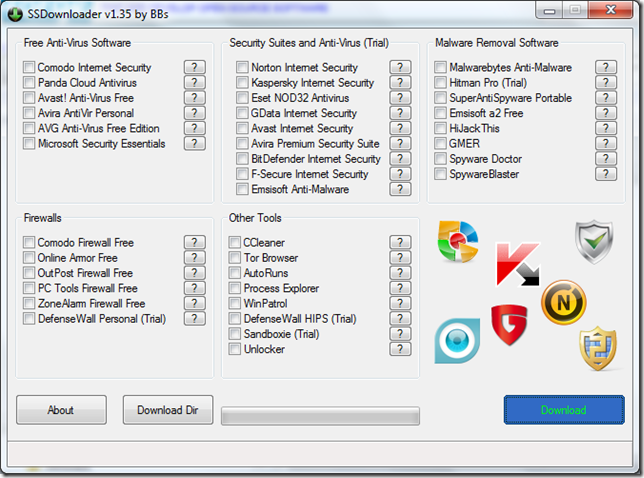
SSDownloader (Security Software Downloader) – Many/most “security” apps, one simple downloader

Minty White (aka Windows Guides) - Automatically Download the Latest Security Software with SSDownloader 

“If you are the one who always helps your friend to reformat/reinstall Microsoft Windows on their PC or laptop, most likely you will have their Windows equipped with at least a free anti-virus software (so they will not bug you anymore to do the reinstallation due to incurable viruses), and a couple of maintenance tools for some advanced users. However, since there are new threats and viruses appearing everyday, and the security software companies always have their product updated every week or so, you can’t really (unless you have too much free time) keep your downloaded security software installer updated. …

SSDownloader Makes Your Life Easier

So, to make your life easier, bbss has created a program called SSDownloader (or Security Software Downloader), which is a nifty download manager that helps you to download most, if not all, security software available online. You can download all sort of free and trial version of security software within a few clicks. …”

SSDownloader

“SSDownloader or Security Software Downloader is a small, easy to use download manager specially designed for security software.

…

  • Download the most popular free and paid security software with only one click.
  • Don't worry about OS or 32bit/64bit, the right version will be automatically downloaded.
  • Stay up to date, always newest versions of the software will be downloaded.
  • Just choose what you want to download and you will see a notification as soon your downloads finished.
  • …”

    I don’t know about you, but every time I need an anti-virus/malware/cleaner/etc utility I end up playing the “hunt for the download” game. This portable application looks like it could put an end to that game. (yeah! :)

    It’s simple, easy and just works. Download the exe and run it. No install (i.e. portable), etc. Just run it and go…

    image

    The Visual Studio Class Designer Power Toys (aka Modeling Power Toys) gets a VS2010 Refresh. Think “Export your Class Diagrams as HTML, nested types, pan/zoom window and more…”

    Visual Studio Data - Class Designer PowerToys for Visual Studio 2010 is Released

    “Class Designer PowerToys for Visual Studio 2010 is released today! It provides a bunch of enhancements to Visual Studio 2010 Class Designer. Click here to download it now.

    It has many cool features like pan/zoom window, floating properties window, fast navigation, etc. You could find the detailed feature list in its help document which is available on the desktop after the Class Designer PowerToys is installed.

    Besides the binary, the source code is also available. …”

    CodePlex - PowerToys for the Class Designer and Distributed System Designer

    “This set of add-ins augments existing functionality in the Visual Studio Class Designer and the Distributed Systems Designers. It now supports Visual Studio 2005, Visual Studio 2008 and Visual Studio 2010.

    The Design Tools Enhancements add-in provides a common set of features that can be used by both the Class Designer and the Distributed System Designers, such as pan/zoom window and rich formatting commands. The Class Designer Enhancements add-in provides additional functionality for the Visual Studio Class Designer, such as HTML export and nested type creation commands.

    This download includes all necessary source code and a Visual Studio project template for creating your own add-ins for the Visual Studio designers. The Class Designer is a developer productivity tool available in Visual Studio Standard Edition and above, which allows developers to easily visualize, design, refactor, and document their code.

    The Distributed System Designers enable software architects, operations managers, and developers to visually design service-oriented solutions and validate them at design time against their operational environments. The Distributed System Designers are a core component of Visual Studio Team Edition for Software Architects and the Visual Studio Team System.” [GD: Description leached in full with minor edits for readability]

    PowerToys for the Class Designer and Distributed System Designer - ModelingPowerToys for Visual Studio 2010 released

    “…

    This is the latest version, built on 2010/7. The installer and source code are available for download from CodePlex workspace. The installation requires the release version of Visual Studio 2010 (Professional edition or higher) installed on the machine.

    The main update is to support VS2010. The setup cannot install on earlier VS versions. You can continue use previous versions on VS2005 and VS2008. They can work side by side.

    …”

    Talk about passing the test of time… I first blogged about this Power Toy in 2005 when it was hosted in GotDotNet workspace (Class Designer Powertoy)… lol

    Source is still included in the download (i.e. not via the Source tab) with the install MSI.

    (via The Morning Brew - The Morning Brew #651)


    Related Past Post XRef:
    Class Designer Powertoy

    Monday, July 26, 2010

    The Windows Phone 7 Milestone of the month, first fart app!

    Shai Raiten - Windows Phone 7 – The First Fart Application

    “Yes I know, Farting isn’t nice… But each and every mobile phone on the planet has a Fart Application (Don’t ask me why!), So as a Fan of Phone 7 (In theory, still waiting to actually feel it…) I decide there is no way Microsoft Phone 7 will be without a decent Fart Application. (Fartless… :-))

    So I built a simple Phone 7 Application called – Fart With 7 or Fart7 (Picture from the right) –>

    …

    image

    …”

    Ah… now we know Windows Phone 7 (WP7) is getting real, now that there’s a Fart app (with source)! Now we need to cloud it and allow for the community to share and rate their “effects” LOL

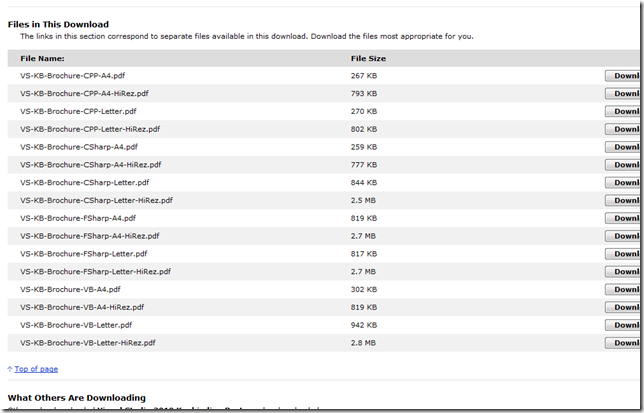
    Visual Studio 2010 Keyboard Shortcuts/Keybinding Cards v2 – More page size options, more content, fewer faces

    Lisa Feigenbaum - VS 2010 Keyboard Shortcuts for C#, VB, C++, F# Now Available in Letter (8.5x11in) and A4 (210×297mm) Print-Ready Sizes

    “Thanks for all the feedback on the Visual Studio 2010 Keyboard Shortcut Posters. We’ve released new versions to take into account your requested changes:

    - Create 8.5”x11” Letter-sized print-ready documents
    - Create 210x297mm A4-sized print-ready documents
    - Remove the people images and keep the space for content

    …

    image …”

    Microsoft Downloads - Visual Studio 2010 Keybinding Posters

    “Reference posters for the default keybindings in Visual Studio 2010 for Visual Basic, Visual C#, Visual C++ and Visual F#

    Version: 2010
    Date Published: 7/19/2010
    Language: English
    Download Size: 259 KB - 23.9 MB


    High quality, print-ready PDFs in letter & A4 format containing the default keybindings in Visual Studio 2010 for Visual Basic, Visual C#, Visual C++ and Visual F#. High-resolution versions are also available.

    …

    image…”

    More content + less fluff + more pages options = Happy Camper Greg

    Original (VB):

    image

    Now (VB)

    image


    Related Past Post XRef:
    What key [binding] does what again? The “Visual Studio 2010 Keybinding Cards” for C++, C#, F# and VB
    Can you smell it? VS2008 RTM is getting close (and it smells good...) - Visual Basic 2008 Keybinding Reference Poster

    Sunday, July 25, 2010

    A Feed You Should Read #32–Visual Studio ALM User Group

    In the past few Feeds You Should Read I’ve been focusing on feeds that might be easily missed, needles in a pile of needles, kinds of feeds. Today’s Feed is  no different. It’s a Feed/resource that you don’t hear about allot, yet I’ve found to provide a good deal of great information.

    Also I went to some Visual Studio ALM training this past week and so this topic happened to be on my mind… ;)

    Visual Studio ALM User Group

    image

    Background:

    I’ve been a “member” of the Visual Studio ALM User Group for a couple years now (since it was the Team System User Group-Virtual Edition [TSUG-VE], If no one is there, is it really a user group meeting? Yep! If it’s virtual at least… ) and have found it to be a great source of timely information.

    The user group “meets” online and is focused on providing web presentations. So if you’re a wall flower/lurker kind of person (cough.. like me… cough) then these sessions are great. They don’t require anything from you, just a brain to pour information into. It’s free, low impact, no drama and only meets for about hour a couple times a month. Oh and if you miss a session, they are recorded so you can catch them later…

    One of the cool things about the group is how session times staggered to allow for easier non-US attendance. So for those outside the US, there’s likely a timeslot that might work better for you. Much better than the usual slots you normally have to deal with.

    The topics are ALM focused (funny that, given the group name). Meaning they are not directly about programming/.Net/C#/WPF/etc. They are about how you can use Visual Studio and Team Function Server to help mange your development practices, i.e. stuff many of us have to deal with day in and out in a day jobs.

    Why do I like this feed and think you might also?

    Using Visual Studio in a business/enterprise?

    Using Team Foundation Server?

    Working on projects with more than one other team member?

    Projects that are not “one-off’s” but have a long shelf life?

    Interested in Application Lifecycle Management (ALM) and how Visual Studio can help you?

    Want to learn from people who have been in the VS ALM space for years, who’ve been watching the product, training others in how to use and have a broad connection to the VS community?

    Then do I need to say that this feed may be for you?

    Snap of the latest post:

    image

    Blog Information:

    Name: Visual Studio ALM User Group
    URL:  http://www.vsalmug.com/Meetings/Announcements.aspx
    Feed: http://www.vsalmug.com/CMSPages/BlogRss.aspx?aliaspath=/Meetings/Announcements
    Post Types: Visual Studio/Team Foundation Server Application Lifecycle Management (ALM)


    Related Past Post XRef:
    A Feed You Should Read TOC

    Saturday, July 24, 2010

    Would you like some Ultimate [Ranger] Architecture Guidance? There’s a Visual Studio Gallery page for that…

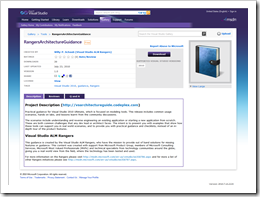
    Visual Studio Gallery – RangersArchitectureGuidance

    “Practical guidance for Visual Studio 2010 Ultimate, which is focused on modeling tools. This release includes common usage scenarios, hands on labs, and lessons learnt from the community discussions.

    The scenarios include understanding and reverse engineering an existing application or starting a new application from scratch. These are both common challenges that any dev lead or architect faces. The intent is to present you with examples that show how these tools can support you in real world scenarios, and to provide you with practical guidance and checklists, instead of an in-depth tour of the product features.

    image

    …”

    The Architecture Guidance coolness that I posted about here, is now available in the Visual Studio Gallery here. This makes it drop dead easy to install and begin using this guidance.

    image

    I’m coming to believe the killer feature of VS2010 is, not .Net 4, not VB10, Not EF4 or WF4, but its extensibility story (VSIX, Extension Manager, the new WPF based editing environment, the Visual Studio Gallery integration, etc…).


    Related Past Post XRef:
    Got your hands on VS2010 Ultimate? Want to know what all the excitement is about its new Architecture features? (i.e. why this is NOT you father’s “Architecture Edition”) Dig just about everything from the VS ALM Rangers? Well…

    Thursday, July 22, 2010

    PowerShell Cookbook (site, not book)–Short, simple yet still sweet…

    PowerShell Cookbook

    “This is a list of items my colleagues and I have found useful in our work. It's not intended to be encyclopedic, but rather a place to record things a beginner would find useful, especially things that might take a long time to figure out.

    This page was started before O'Reilly published Windows PowerShell Cookbook by Lee Holmes. I recommend O'Reilly's book, but this page is unrelated to it.

    …

    image …”

    Not a ton of stuff, but it’s so approachable, concise and likely stuff that many people need (i.e. perfect for just-in-time learning), that I wanted to capture it for future reference.

    (via SharePoint and related stuff - PowerShell Cookbook)

    A Data Dude (err… VS 2010 Database Project) strategy for handling object permissions for Dev/QA/Prod/etc deployment

    SSIS Junkie - A strategy for managing security for different environments using the Database Development Tools in Visual Studio 2010

    “Of late I have been getting down and dirty with the Database Development tools in Visual Studio 2010. You may know this feature set by one of the plethora of other names it has had over recent years such as:

    • Visual Studio Team System for Database Professionals
    • DBPro
    • Datadude

    For the rest of this post I’ll stick with the colloquial name that most people seem to recognise – datadude.

    Regardless of which moniker you prefer I’m hoping you recognise the feature set that I am referring to here which includes:

    …

    I plan to write a detailed blog post in the coming weeks talking about my overall experiences with datadude but in the meantime I’m writing this blog post to focus on how I have chosen to manage security; by which I mean:

    • logins
    • users
    • role membership
    • user and role permissions

    …

    image …”

    I thought this was an interesting and usable approach for handling permissions for the different deployment environment targets. Also this is a pattern that you might be able to use for other “target” based problems you might have to solve.

    OneNote, the Cloud and Training Materials… Using OneNote Web to provide cool training material access (to, in this case, Windows Phone 7 Jump Start materials)…

    Windows Phone 7 Jump Start (Born to Learn) - Using OneNote: Best Way To Get Course Materials

    “Just a quick update that our class resource page has demo files as well as course materials in PDF format for each session of Windows Phone 7 Jump Start. But we also have all course materials nicely organized in OneNote notebooks for each session. By default, you have "read only" access to these online notebooks. However, anyone participating in Windows Phone 7 Jump Start will get read/write access …

    You are also welcome to use the OneNote course materials “offline” (provided you ask for read/write access) if you have OneNote 2010 installed on your computer. For details on how to use OneNote or the OneNote Web App (plus info on how syncing works),…”

    … [GD: Click through for all four OneNote session links]

    So why use the OneNote Web App version? Two reasons:

    1. It's free and easy to use. We've provided it here for those who might not have the OneNote desktop client.
    2. It's a great way to meet and collaborate with fellow Windows Phone 7 developers. You, and any other WP7 developers asking for read/write access, can leave notes anywhere throughout these notebooks.

    …”

     Using OneNote: Best Way To Get Course Materials - Session 1

    image

    Static training materials and shared slide decks? cough… how 00’s… cough…

    This is the future. Google Doc’s, MS Office Web Apps, etc is how Training Materials should be shared. And with the new OneNote Web App, it becomes a shared experience, where the entire class can take part and interactively collaborate during the session. Stop the pen to slide deck print out madness!


    Related Past Post XRef:
    Windows Phone 7 Jump Start–Four free three hour (12 hours total) virtual sessions to jumpstart your WinPhone7 development (Space is limited)

    “As Administrator” only a CTRL-Shift-Click away (and other keyboard shortcuts you might not know)

    Life Hacker - Use Ctrl+Shift+Click to Open Programs as Administrator in Windows 7

    “Windows 7: Everybody knows that you can right-click any application to launch it as administrator, but what you might not know is there's an even quicker way you can trigger administrator mode.

    The Guiding Tech blog points out that you can simply hold the Ctrl and Shift keys while double-clicking on any shortcut or application to launch it as administrator. We've pointed out this trick before in our power user's guide to the Windows 7 taskbar—since …”

    Guiding Tech - 15 Killer Windows 7 Keyboard Shortcuts That Might Surprise You

    “One of my personal favorites among the new features that Windows 7 came with was the introduction of some awesome and long awaited keyboard shortcuts. I personally use them as much as I can to save time, and I recommend the practice of using keyboard shortcuts to others too.

    This article talks about 15 really cool keyboards shortcuts that are specific to Windows 7. I can bet that you don’t know all of them. Check them out, some of them will surprise you for sure.

    …

    15 Killer Windows 7 Keyboard Shortcuts That Might Surprise You…”

    So many cool keyboard shortcuts, so little time… :p


    Related Past Post XRef:
    A very nice, and new/non-tech user safe, 48 page Windows 7 Shortcut eBook - “The Complete Windows 7 Shortcuts”
    Windows 7 Keyboard Shortcut – The full, and searchable, list

    Wednesday, July 21, 2010

    “Work Without Walls” – Free eBook for management/workers thinking about “Working Remote” (reg-ware)

    Kurt Shintaku's Blog - DOWNLOAD: Free eBook “Work Without Walls” for people considering remote work

    We’ve made available an 18 page eBook specifically on the topic of Remote Working called “Work Without Walls”  by Rieva Lesonsky.

    All you need to do, in order to download the eBook, is register for the Microsoft Business Resource Center.  See the link below.

    …

    It’s easy to join the Microsoft Business Resource Center so go and check it out for yourself. Once you join the site you will be able to download the Work Without Walls eBook from Microsoft.

    REGISTRATION: Microsoft Business Resource Center
    http://www.microsoft.com/business/mycenter/”

    Here’s a snap of the PDF;

    image

    As you can see, the guide is somewhat “fluffy” (i.e. “Management safe” ;) but even so, there are some good nuggets of information. Things to help you keep from re-inventing the wheel or learning the same lessons many have already learned. Most sides of the equation are addressed, technical, management and worker.

    As a part-time remote worker myself, I can tell you that there IS some applicable information, things that I’ve had to learn the hard way…

    Feature Builder v1.0 Released (Remember, this is the tool that helps build tools… The Power Tool for Visual Studio Power Tools)

    Adventures In SoftwareLand - Feature Builder 1.0 Released!

    “Please visit http://channel9.msdn.com/tags/FeatureBuilder for more information and links to the download.

    Note: While all the information on Channel9 is valid, there have been many additional features added since the videos were recorded and I will be updating them in the very near future.

    Second Note: Will shortly be providing an upgrade tool on CodePlex (in source code form), which will aid authors who built Feature Extensions for the RTM-Preview version to upgrade their Feature Extensions to work with v1.0” [GD: Post leached in full]

    Visual Studio Gallery - Feature Builder Power Tool

    “Feature Builder is a Power Tool for Visual Studio 2010 which helps you easily create rich Visual Studio extensions.

    These extensions may include tools (Visual Studio automation), code (your sample code or binaries you wish to share with others) and a map (a set of steps your users will want to follow to get the best experience with your extension). You can use this power tool to quickly package up sample code with documentation, custom menus, or take the time to create complete automated guidance experiences targeted toward a specific technology. You can share your extension with users by distributing a .vsix file, or posting to the Visual Studio Gallery.

    You can create two different kinds of extensions using Feature Builder. A standard Feature Extension can contain tools, code, and a simple map - it will run on the Visual Studio Professional edition and above. A more advanced extension, called an Ultimate Feature Extension, can contain everything a standard feature extension can contain, as well as rich modeling and visualization tools that can take advantage of the modeling platform inside the Visual Studio 2010 Ultimate edition (required). These tools can be used to provide a logical view of your target solution, and to visualize your existing code. This is the preferred type of extension to use if you intend to provide architectural guidance or share specific refactoring or pattern knowledge.

    Feature Builder requires Visual Studio 2010 Ultimate Edition, and the installation of the Visual Studio SDK to author/build Feature Extensions.

    The 1.0 version supports feature extensions running on Visual Studio Professional edition and higher (but still requires the Visual Studio Ultimate edition to author a feature extension).

    …”

    Extending Visual Studio 2010 is quickly become a new hobby for many, it’s just SO much easier that in previous releases that it’s actually kind of fun! lol From the dev side all the way through deployment and updates, we’re talking a whole new ball game. Spending hours browsing the Visual Studio Gallery web site or via the Visual Studio Extension Manager, the problem will be controlling yourself and NOT installing the tons of very cool things you find… ;)


    Related Past Post XRef:
    Feature Builder Power Tool Preview updated for VS2010 RTM – Think “Extension to help build Extensions,” or “Power Tool for Power Tools…”
    “Feature Builder Power Tool” Preview Released – A power tool to help you build tools/extensions/etc for Visual Studio 2010, a tool to help build tools…

    Clean Coding, The Cheat Sheet. Starts SOLID and gets better from there…

    {quicklycode} - Clean Code Cheat Sheet

    image

    One sheet, centuries of man-hour learning and experience...

    image


    Related Past Post XRef:
    DevCheatSheet.com, The Developer focused cheat sheet aggregator (just about all languages, all areas, all the time…)

    Microsoft Learning Content Development System (LCDS) v2.5 Released (Think x64 & SilverLight 4 Release)

    Born To Learn - FREE: Build your own e-learning with LCDS 2.5

    “A new version of LCDS, the Microsoft Learning Content Development System, is always great news. This is a very valuable and professional tool for anyone in the Microsoft Learning community who wishes to create high-quality and interactive online courses.

    Using LCDS, you can publish e-learning courses by completing the easy-to-use LCDS forms that seamlessly generate highly customized content, including interactive activities, quizzes, games, assessments, animations, demos, and other instructionally engaging elements.

    …

    Highlights of this release

    New v2.5 feature for learners and authors of E-Learning courses and Learning Snacks include:

    • LCDS authoring is 64 bit–compatible
    • E-learning created is compatible with Firefox 3.5.9 and Firefox 3.6.3
    • New Silverlight 4 Media Player for animations that includes closed captioning and full screen option
    • Enhanced keyboard accessibility for the sort and tile games, adventure interactivity, and Voice of the Expert element
    • LCDS authoring and e-learning created are completely Microsoft Silverlight 4.0–compatible
    • Content is now permitted at the Lesson level (previously, the SCO was the Lesson so this was not possible)

    Also available on the site are 7 localized LCDS v2.3 versions: Brazilian Portuguese, Chinese Simplified, Russian, Hindi, Polish, Turkish, and Spanish.” [GD: Post Leach level 99.9%]

    Anything that could make those mandatory in-house training sessions better is a good thing in my book… Winking smile


    Related Past Post XRef:
    Microsoft Learning Content Development System (LCDS) v2.4 Released
    Microsoft Semblio – A set of tools for educators to create rich interactive content/training, with extensibility via SDK, .Net and WPF (SDK free available today, rest coming soon)

    Monday, July 19, 2010

    Microsoft’s Third “Official” Team Foundation Server Project Template has RTW’ed - Microsoft Visual Studio Scrum 1.0

    Aaron Bjork - Announcing Microsoft Visual Studio Scrum 1.0

    “Today we’re releasing the first official version of our latest process template – Microsoft Visual Studio Scrum 1.0 (formerly known as Team Foundation Server Scrum v1.0 Beta).   If you were following the beta, you know that this template was built from the ground up specifically for Scrum teams. 

    Visit the Visual Studio Gallery to download the template.  Below I’ve taken some time to describe what’s changed since the beta and also outlined a few of the key concepts/artifacts in the template.

    Q:  What’s changed since the beta?

    …

    Q:  Why did Microsoft decide to build a Scrum template?  I thought MSF Agile 5.0 was Microsoft’s answer to Scrum?

    …

    Q:  Did Microsoft work with Agile thought leaders when building this template?

    …

    Q:  How is the Sprint work item intended to be used?

    …

    Q:  What about the Iteration Backlog and Product Planning workbooks from the MSF Agile 5.0 process template? 

    …

    Q:  Can I move data from an existing project into a new project build from Microsoft Visual Studio Scrum 1.0?

    …

    image…”

    One of the important things in my mind, is that this is an “official/in-the-box” Scrum TFS Project Template. Also I like the simplistic approach this template takes. If you need “Enterprise” Scrum, check out EMC’s Scrum for Team System v3. If you need something smaller, less complex, then this seems like a good choice…


    Related Past Post XRef:
    Scrum Resources

    Which TFS2010 “Agile” Project Template one is right for you? One side-by-side of MS Agile v5, MS Scrum v1[Beta] and Scrum For TFS(SfTS) v3

    Sometimes a picture says… Photoshop Design Templates (and other design resources) for Windows Phone 7

    istartedsomething -  Photoshop your own Windows Phone 7 applications

    “It looks like Microsoft is not just making the Windows Phone 7 application development experience easy for developers, but it turns out designers have most of their job cut out for them. If you need to mock up an application UI for Windows Phone 7, it’s now as easy as mashing up some Photoshop files from the “Design Templates for Windows Phone 7″ resource.

    Since finding useful information on MSDN is practically a treasure hunt, this 88MB archive is a treasure chest full of PSDs with layer-licking goodness. The gems include a full suite of UI controls as well as other practical UI elements such as the on-screen keyboard, notifications and start menu for easy drag and drop manipulation, if you can find the right layer amongst hundreds that is.

    …”

    MSDN - Design Resources for Windows Phone

    “…

    Design Templates for Windows Phone 7

    A collection of 28 layered Photoshop template files that can be used to create pixel-perfect application layouts, to help guide UI development, or to pitch an idea. These design templates showcase many controls that are a part of the Windows Phone Developer Tools Beta. They also include examples of controls that are a part of Windows Phone, but are not available as a part of the Windows Phone Developer Tools. These additional templates are included to help designers and developers maintain a consistent look and feel across applications for system controls that developers wish to mimic. Templates in the download: Application Bar & Application Menu, Buttons, Check Box, Context Menu, Date Picker, Dialog Boxes, Edit Control, Hardware, Icons, Keyboard & Input, List Picker, List View, Panorama, Panorama Backgrounds, Picker Box, Pivot, Progress Indicators, Quick Jump Grid, Radio Button, Reminders, Slider, Start & App List, Start Tiles, Status Bar, Theme, Time Picker, Toast Notifications, Toggle Switch …

    image…”

    Here’s a snap of the PDF included in with the PSD’s;

    image

    And a quick snap of some of the zip’s contents

    image

    While you’re here, and of course you find this interesting, make sure you also check out UI Design and Interaction Guide for Windows Phone 7 and Windows Phone Design System - Codename Metro


    Related Past Post XRef:
    Application Bar Icons for your Windows Phone 7 development

    The Visual Studio Productivity Power Tools just got better (with yesterday’s update). Now it’s Cool x 2!

    The Visual Studio Blog - New Version of the Productivity Power Tools is Available!

    “I am pleased to announce that we have an updated version of the Productivity Power Tools. With this release, we've introduced 4 brand new extensions and we've fixed many of the bugs that were reported in the previous version. If you have the Productivity Power Tools installed already, you will get a notification that a new version is available the next time you restart Visual Studio. Otherwise, you can visit our Visual Studio Gallery page here: http://visualstudiogallery.msdn.microsoft.com/en-us/d0d33361-18e2-46c0-8ff2-4adea1e34fef

    Tools Options Support

    The number one feature request by far has been the ability to turn off the individual extensions in the Productivity Power Tools.  In this release, we’ve added an extension which adds a category to Tools Options which allows you to toggle the extensions on/off and provides a single place to find the options for a particular extension.

    …

    Solution Navigator

    Solution Navigator is a new tool window that acts like an enhanced Solution Explorer.  With it, you can:

    • Expand code files to navigate to its classes, expand classes to navigate to their members, and so on (C# and VB only)
    • Search your solution, all the way down to class members
    • Filter your solution or projects to see just opened files, unsaved files, and so on
    • View related information about classes and members (such as references or callers/callees for C#)
    • Preview images by hovering over them, or preview rich information by hovering over code items

    In other words, it merges functionality from Solution Explorer, Class View, Object Browser, Call Hierarchy, Navigate To, and Find Symbol References all into one tool window!

    …

    Quick Access

    Quick Access is a new tool window that allows users to search for and execute common tasks within the Visual Studio IDE.  Not sure where a particular menu command is located?  Want a quick way to create a new Silverlight project? By using Quick Access, you can efficiently find and execute common VS operations without taking your hands off the keyboard.  Quick Access allows users to:

    …

    image…”

    Awesome…


    Related Past Post XRef:
    “Visual Studio 2010 Pro Power Tools” available on the Visual Studio Gallery and free for everyone (VS 2010 Pro and above though). Think “Monster rollaway filled with cool power tools”