Saturday, July 10, 2010

King’s Quest is back baby! The first episode of the fan King’s Quest project,The Silver Lining - Episode 1 - What Is Decreed Must Be, is now available for download (Free, forum registration required)

.NET & Funky Fresh - Thank You Activision! King’s Quest Lives On!

“Some months back I blogged about “The Silver Lining,” a King’s Quest fan project that’s been in development for almost eight years.  I was upset because Activision, after acquiring Vivendi-Universal, decided to shutdown the project. Well, it seams that things have changed! Activision has granted Phoenix Online a full non-profit license to release all five episodes over the coarse of 2010. Thank you Activision! You did something really good. In about 20 minutes from now, Episode 1: What is Decreed Must Be, releases to web.  Here’s the list of episodes planned in the series:

…”

The Silver Lining - Episode 1 - What Is Decreed Must Be

image

Phoenix Online Fan Club - The Silver Lining - Episode 1 - What Is Decreed Must Be Download (forum registration required)

“…

Put on your adventurer’s cap as King Graham on a brand new quest in the Land of the Green Isles, featuring beautifully rendered cutscenes and enhanced 3D graphics which enable you complete exploration while on your Quest.

Reunite with the Royal Family of Daventry and learn more about them than you thought possible as you begin a new journey which puts you in control of Graham, Alexander, and Rosella.in a brand new point-and-click adventure.

As you explore the Land of the Green Isles, your journey is enhanced by an original breath-taking musical score, fully-voiced character and narrator dialogue with closed-captioning available for the hearing impared.

…

image…”

Come on, it’s King’s Quest! (and free… lol :)

The install, and suggested Win7 patch, went smooth for me (Win7 x64, MS PDC09 Acer 1420p, 4GB RAM) and the game, and cutscenes, etc, play very well…

Friday, July 09, 2010

What’s New in Visual Studio 2010, the Quick Reference Poster…

SADev - What's new in Visual Studio 2010 quick reference poster

“One of my favourite aspects of my work at BB&D, is the creation of quick reference posters and cheat sheets for the DRP site which is one of BB&D’s way of sharing knowledge outside the organization. I have recently produced a bunch of new posters which I will be releasing over the next few days. First up is…

What’s new in Visual Studio 2010

A quick reference post which explains the edition changes, some new features (IntelliTrace and the architecture tools) and gives some hints about the IDE (docking of windows, search shortcuts, block selection and zooming). …”

Ahh… There are few better things in life than a new DRP Quick Reference poster! (Okay, maybe I exaggerate a little, but you get the idea… ;)

image


Related Past Post XRef:
What’s New in Visual Studio 2010 & .Net 4 – The Official MSDN Source
“Can you tell me about VS2010 in 5 Minutes?” The Visual Studio Quick Reference Guidance project can…

It’s there some new “testing” stuff in VS2010? Yep! Tons! And here’s a free webcast to show you all about it…
Got your hands on VS2010 Ultimate? Want to know what all the excitement is about its new Architecture features? (i.e. why this is NOT you father’s “Architecture Edition”) Dig just about everything from the VS ALM Rangers? Well

[Draft/Preview/Excerpt] “Moving to Visual Studio 2010” free ebook – Help, guidance in moving from older versions, as far back as VS2003, to VS2010
[Draft/Preview/Excerpt II] “Moving to Visual Studio 2010” Part 2, with three new chapters

Play with the Visual Studio Lab Management without paying the piper - Visual Studio Lab Management 2010 Pre-release Hyper-V VHD

Microsoft Downloads - VHD Test Drive - Visual Studio Lab Management (pre-release) 2010

“This download comes as a pre-configured VHD. This download enables you to evaluate Visual Studio Lab Management (pre-release) 2010 VHD.

Version: 1.0
Date Published: 7/8/2010
Language: English
Download Size: 75 KB - 12647.3 MB*


Download this fully configured virtual machine of the latest release of Visual Studio Lab Management (pre-release) 2010. Evaluate the new capabilities of Visual Studio Lab Management 2010 which enables teams to accelerate setup/tear down and restoration of complex virtual environments to a known state for test execution and build automation. It extends build automation by automating virtual machine provisioning, build deployment and build verification in an integrated manner. It also allows testers to file rich bugs with links to environment checkpoints that developers can use to recreate complex environments, effectively reducing wasted time and resources in your development and test lifecycle. The detailed walkthrough steps can be found here.

…

Supported Operating Systems: Windows Server 2008 R2 Hyper-V, Microsoft Hyper-V Server 2008 R2 and Windows Server 2008 SP2 Hyper-V Windows Server 2008 R2 Hyper-V is required to use this virtual machine In addition to the system requirements for Windows Server 2008 as described in the release notes, a 64-bit system with hardware-assisted virtualization enabled and data execution prevention (DEP) is required…

…”

Here’s the copy and paste’able download URL’s for your file downloader of choice;

http://download.microsoft.com/download/4/3/8/438B2F26-0575-479C-A94B-B03C1E4E32A1/Distributable VHD Image EULA.htm
http://download.microsoft.com/download/4/3/8/438B2F26-0575-479C-A94B-B03C1E4E32A1/README.htm
http://download.microsoft.com/download/4/3/8/438B2F26-0575-479C-A94B-B03C1E4E32A1/Visual Studio Lab Management (pre-release) 2010 VHD.part01.exe
http://download.microsoft.com/download/4/3/8/438B2F26-0575-479C-A94B-B03C1E4E32A1/Visual Studio Lab Management (pre-release) 2010 VHD.part02.rar
http://download.microsoft.com/download/4/3/8/438B2F26-0575-479C-A94B-B03C1E4E32A1/Visual Studio Lab Management (pre-release) 2010 VHD.part03.rar
http://download.microsoft.com/download/4/3/8/438B2F26-0575-479C-A94B-B03C1E4E32A1/Visual Studio Lab Management (pre-release) 2010 VHD.part04.rar
http://download.microsoft.com/download/4/3/8/438B2F26-0575-479C-A94B-B03C1E4E32A1/Visual Studio Lab Management (pre-release) 2010 VHD.part05.rar
http://download.microsoft.com/download/4/3/8/438B2F26-0575-479C-A94B-B03C1E4E32A1/Visual Studio Lab Management (pre-release) 2010 VHD.part06.rar
http://download.microsoft.com/download/4/3/8/438B2F26-0575-479C-A94B-B03C1E4E32A1/Visual Studio Lab Management (pre-release) 2010 VHD.part07.rar
http://download.microsoft.com/download/4/3/8/438B2F26-0575-479C-A94B-B03C1E4E32A1/Visual Studio Lab Management (pre-release) 2010 VHD.part08.rar
http://download.microsoft.com/download/4/3/8/438B2F26-0575-479C-A94B-B03C1E4E32A1/Visual Studio Lab Management (pre-release) 2010 VHD.part09.rar
http://download.microsoft.com/download/4/3/8/438B2F26-0575-479C-A94B-B03C1E4E32A1/Visual Studio Lab Management (pre-release) 2010 VHD.part10.rar
http://download.microsoft.com/download/4/3/8/438B2F26-0575-479C-A94B-B03C1E4E32A1/Visual Studio Lab Management (pre-release) 2010 VHD.part11.rar
http://download.microsoft.com/download/4/3/8/438B2F26-0575-479C-A94B-B03C1E4E32A1/Visual Studio Lab Management (pre-release) 2010 VHD.part12.rar
http://download.microsoft.com/download/4/3/8/438B2F26-0575-479C-A94B-B03C1E4E32A1/Visual Studio Lab Management (pre-release) 2010 VHD.part13.rar
http://download.microsoft.com/download/4/3/8/438B2F26-0575-479C-A94B-B03C1E4E32A1/Visual Studio Lab Management (pre-release) 2010 VHD.part14.rar
http://download.microsoft.com/download/4/3/8/438B2F26-0575-479C-A94B-B03C1E4E32A1/Visual Studio Lab Management (pre-release) 2010 VHD.part15.rar
http://download.microsoft.com/download/4/3/8/438B2F26-0575-479C-A94B-B03C1E4E32A1/Visual Studio Lab Management (pre-release) 2010 VHD.part16.rar
http://download.microsoft.com/download/4/3/8/438B2F26-0575-479C-A94B-B03C1E4E32A1/Visual Studio Lab Management (pre-release) 2010 VHD.part17.rar
http://download.microsoft.com/download/4/3/8/438B2F26-0575-479C-A94B-B03C1E4E32A1/Visual Studio Lab Management (pre-release) 2010 VHD.part18.rar
http://download.microsoft.com/download/4/3/8/438B2F26-0575-479C-A94B-B03C1E4E32A1/Visual Studio Lab Management (pre-release) 2010 VHD.part19.rar


<whine> Microsoft, could you PLEASE make these easier to download? Use your Download Manager, provide a copy-n-paste’able direct download URL list, something! Downloading 19 RAR parts via the “Download” buttons is weak. If you really want us to play with these, then you HAVE to make them a little easier to get.  The fact that I’m thinking about writing a MS Download Direct Download URL Lister/Grabber thing is… well… sigh…</whine>

(Via ActiveWin - VHD Test Drive - Visual Studio Lab Management (pre-release) 2010)

VB6 to VB.Net Upgraded Upgrade Help – Yes, you are not alone (in your VB6’ness)…

Beth Massi - Sharing the goodness that is VB - Free VB6 Migration Tool & Updated VB Developer Center

“Jason Zander just announced some exciting work that we’ve been doing for developers trying to migrate their Visual Basic 6 apps!

Good News for VB6 Migration

Today we re-launched our VBRun Resource Center for VB6 developers and announced a partner tool from Artinsoft, the Visual Basic Upgrade Companion [VBUC] that you can get for FREE. Check out the details here:

Download your FREE version of VBUC with code ‘MSDN’

You’ll also notice that we integrated the VBRun resources into it’s own tab on the Visual Basic Developer Center. If you haven’t checked out VBRun, it’s all about providing the best migration strategies, tools, support info, and training to help you on your gradual path from VB6 to .NET.

…”

Visual Basic Development Center – VBRun

image

VBRun - ArtinSoft’s Visual Basic Upgrade Companion (VBUC)

“ArtinSoft’s Visual Basic Upgrade Companion (VBUC) is the industry-leading tool for the migration of Visual Basic 6 to both Visual Basic .NET and C#. With a proven track record of millions of lines of code upgraded to Microsoft’s .NET Framework, the VBUC helps you move your business critical applications out of obsolescence, free of ties to third-party dependencies.

If you are looking towards taking advantage of new Microsoft technologies, reducing development, deployment and maintenance costs, and addressing compliance issues or meeting market demands, the VBUC is the most advanced and cost-effective solution out there.

Exciting Offer for You!

Microsoft and ArtinSoft have partnered to offer a free VBUC license to you. The discount code below can be used to purchase a license that will allow you to migrate an application of up to 10,000 lines of VB6 code to VB.NET or C# for free. It can also be applied when purchasing a larger license.

Download your copy today. Use the code MSDN for a free license for up to 10,000 lines of code! …

image…”

I love the name for this resource…lol

So you saw the “…up to 10,000 lines of code…” did you? Knew there was a catch? Well it might be a catch, but the retail price for that version of the utility is $799, so catch or not it’s a pretty darn good deal!

image 
(When placing the “order” is kind of looks like you have to enter CC information. You don’t! When you finish filling out the form, before you enter your CC info, just hit submit…)

Next you scoff at the thought of upgrading your VB6 code to .Net? Feel, as I do, that code that old, with likely that much technical debt, should probably be re-written from the ground up? Then that ugly thing called “reality” comes knocking. What we like and what we end up having to do can be two very different things.

Yes, I have upgraded VB6 code to .Net. And yes, we’re using it in production today… Am I happy? Not 100%, but it works, saved me months of effort, allowed me to solve my user’s problems faster and let me move that code on to a modern framework. All in all, I call it a win. But will I do it with the rest of my VB6 code? That, I don’t know… (Give me a break, at least I’ve finally moved all my VB6 code from SourceSafe to TFS! LOL)

Wednesday, July 07, 2010

Play Moonbase Alpha! (No, not that one… you’re showing your age… ;)

Moonbase Alpha

“Do you have what it takes ...

In ‘Moonbase Alpha’, players will step into the role of an exploration team member and will be immersed in a futuristic 3D lunar settlement. Their mission is to restore critical systems and oxygen flow after a nearby meteor strike cripples a solar array and life support equipment. Available resources include an interactive command center, a lunar rover, mobile robotic repair units and a fully stocked equipment shed.

This 'First Person Explorer' serious game includes both a single player capability and LAN or internet multiplayer gameplay for up to six active players on a team. Selectable maps will be available for specific player numbers (e.g., 2 player map, 4 player map, etc.).  Each of these maps is represented and tracked individually within the game’s leader boards.

Proper use and optimal allocation of their available resources (player controlled robots, rovers, repair tools, etc.) are key to the team’s overall success.  There are several ways in which the team can successfully restore the life support system of the lunar base, but since the team is scored on the time they take to complete the task, they have to work effectively as a team, learn from decisions made in previous gaming sessions, and make intelligent decisions in order to top the leaderboards.

Team up with your friends…
Utilize the latest NASA technologies…
Immerse yourself in an awe-inspiring lunar environment…
Compete with your team to reach the top of the leaderboards…

Minimum System Requirements

•  Win XP SP3
•  2.0+ GHZ Single Core Processor
•  2GB of System RAM
•  NVIDIA 7000-series or ATI Radeon X1900 Video Card
•  2GB of Free Hard Drive Space
•  DirectX 9.0c

Recommended System Requirements

•  Win XP SP3 / Vista / Windows 7
•  2.4+ GHz Dual Core Processor
•  4+ GB of System RAM
•  NVIDIA 9000+ or ATI Radeon 3600+ Video Card
•  5.0 GB of Free Hard Drive Space
•  DirectX 9.0c for XP/Vista
•  DirectX 10 for Windows 7

image…” [GD: Site content leached in full. It’s in part my tax dollars, so is it really “leaching”? ]

While I’d much rather my tax dollars go toward actual space exploration, getting people excited about it is a close second. Now if only we hadn’t recently scraped our Return to the Moon program (cough… irony alert… cough…)

BTW, I used to dig the “real” Moonbase Alpha (sigh… gee, NASA, thanks for the “damn, I feel old” moment. lol  )

(via The Road to Know Where - NASA Releases Free "Moonbase Alpha" Online Video Game)

A WebMatrix Roundup

I’m going to try something new today. Usually I focus on one blog post and its thread, but today, given all the news about the new WebMatrix beta release, I’m going to do a “roundup” post, aka link curation, etc. But instead of dry links, I though I’d add a visual element to it and provide thumbnails and of the posts. My intent is to give you a quick way to gage the given post’s breadth and give you a feel for what’s there... To help you spend your click-through’s wisely (we only have so many clicks left in our lives and so must spend them well… so something like that… ;)

Here’s a few, of many, WebMatrix posts I came across this morning (in no particular order).


ScottGu's Blog - Introducing WebMatrix

ScottGu The Gu does his usual rock’n post with a nice pictorial WebMatrix introduction and usage walk through.

Little on text, lots on showing your many of its features and capabilities.

Paul Thurrott's SuperSite for Windows - Microsoft Introduces Web Matrix

image[3] Paul provides a brief overview of WebMatrix and included technologies

Scott Hanselman's ComputerZen.com - Microsoft Introduces Web Matrix

Scott Hanselman - Microsoft WebMatrix in Context and Deploying Your First Site Scott walks you through downloading and building your first web site with WebMatrix.

Make sure you scroll down and check out the Related Links section. There’s a ton of links to more information, videos, walk-through’s, tutorials etc

Mikesdotnetting - WebMatrix - A First Application

WebMatrix - A First Application Mike walks us through creating our first WebMatrix based web site, using the new SQL CE database/data binding and the new view engine, Razor.

Bob's Blog - WebMatrix Top Features

image Bob highlights his top 10+1 WebMatrix features

Angle Bracket Percent - How WebMatrix, Razor, ASP.NET Web Pages and MVC fit together

image David provides a nice overview on how all the new pieces, MVC, Razor, ASP.Net all fit together with WebMatrix

BillS IIS Blog - Announcing WebMatrix – a small, simple and seamless stack for Web developers

image A brief “Introducing” post via IIS.Net

Mary Jo’s All About Microsoft - Microsoft takes aim again at Web developers with new WebMatrix tool suite

image Come on, it’s Mary Jo!

Michael Crump - The Forrest Gump guide to the new WebMatrix.

The Forrest Gump guide to the new WebMatrix How can you go wrong with a post title like that! lol

Mike starts even farther back in the “Install” thread, starting from the Web Platform Installer and going forward from there to usage and deployment.

Tuesday, July 06, 2010

The PowerGUI Visual Studio PowerShell extension is now officially a v1 (RTW/RTM, Released, Stable, etc, etc)

Shared Points for SharePoint - PowerGUI Visual Studio Extension is out of beta

“…

But as the title indicates the focus of this posting will be on the newly released PowerGUI Visual Studio Extension. PowerGUI Visual Studio Extension is an integration of the PowerGUI Script Editor into Visual Studio. In my opinion this is a very good idea because it brings PowerShell development into a familiar environment, as we can now maintain the scripts in Visual Studio projects. Additionally we get version control integration “for free.”

…”

PowerGUI Visual Studio Extension - PowerGUI Visual Studio Extension v1.0

“…

Released: Jul 4 2010
Updated: Jul 4 2010 by AdamDriscoll
Dev status: Stable

Recommended Download

PowerGUI VSX Extension
application, 578K, uploaded Sun…

Release Notes

This update to the beta 1 version is minimal. It includes mostly branding and some minor bug fixes.

  • Bug Fixes
    • The editor was forcing ASCII encoding (71202)
    • The extension would crash if an incorrect version of PowerGUI was installed (71200)
  • Added Features
    • Better branding
    • Added ability to Launch PowerGUI to start debugging the current script

…”

I love the smell of V1 in the morning…


Related Past Post XRef:
Now our Visual Studio is cooking with Power! The PowerGUI Visual Studio PowerShell extension that is…

PS for your VS – PowerConsole a PowerShell console for VS 2010

PowerGUI 1.5 RTM is now available
PowerGUI is now officially RTM
PowerGUI - Free PowerShell Script Editor and System Management Console (via PowerShell)
Want to access TFS Work Items via PowerShell? Then you'll want to check out the Team Foundation Server Project Browser PowerPack for PowerGUI
Making pretty VM Visio diagrams with the free Virtualization Visio stencil from VESI (Virtualization EcoShell Initiative)

A short diagramed guide of a few Model-View-* patterns

UK Application Development Consulting - Model-View-*

“I find myself answering questions related to the presentation patterns repeatedly. Since I am a lazy person, I am writing this post to illustrate my understanding and interpretation of the Model-View-* patterns and their variations so I can refer back to this post later.

I understand the concerns the Model-View-* purists might have around the correctness and/or pureness of these diagrams so I do apologize for potential inaccuracies in advance and I welcome any suggestions / comments!

I am not going to explain every single Model-View-* pattern as you can find better explanations in other places. Instead, I will focus on the relationship between participant components in each pattern.

Let’s start with a list of patterns we are going to cover:

  • MVC: Model-View-Controller
  • MVP (Supervising Controller): Model-View-Presenter with Supervising Controller
  • MVP (Passive View): Model-View-Presenter with Passive View
  • MVVM: Model-View-ViewModel
  • MVVMC: Model-View-ViewModel-Controller
  • MVPoo: Model-View-ViewModel with some Poo (in ViewModel)
  • MVPo: Model-View-ViewModel with little Poo (in ViewModel)

None of these are new so you should have heard the names before, apart from the last one (MVPo) where I have come up with a new name by slightly modifying the original name.

…

image…”

“MVPoo” just tickled my boy-in-a-man’s-body tickle bone. Such a true and accurate name for the MV pattern we all to often find our code in…

Want to learning about this NoSQL thing in five pages or less? DZone has the refcardz for you…

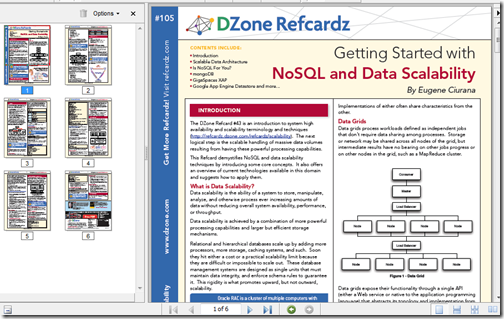
DZone Refcardz - Getting Started with NoSQL and Data Scalability

“Overview

This DZone Refcard demystifies NoSQL and data scalability techniques by introducing some core concepts.  It also offers an overview of current technologies available in this domain and suggests how to apply them.

…”

image

This RefCard provides a high level NoSQL overview as well as a brief introduction to three of the bigger NoSQL players, MongoDB, GigSpaces XAP and Google App Engine Datastore

From the PDF;

“…

IS NoSQL FOR YOU?

Preparation:
• Don’t fall prey to the NoSQL fad
• Don’t be stubborn; neither NoSQL nor traditional databases apply to all cases
• Apply the CAP Theorem to your use cases to determine feasibility

Brewer’s (CAP) Theorem
…”

Got to love practical, pragmatic advice like that… (i.e. programming should be about solving problems and providing solutions, not just exercising our geek/tech muscles… ;)

Monday, July 05, 2010

Programming robots without robots–Using the Microsoft Robotic Developer Studio, the Visual Programming Language and the included simulation environment

amazedsaint's .net journal - Hobby Programming – Creating your first robotic simulation using Microsoft Robotic Dev Studio and Visual Programming Language

“Preface

This is a quick introduction towards starting your life with Microsoft Robotic Developer Studio (RDS) and Microsoft Visual Programming Language (MVPL) for creating simple robotic simulations. This is intended to be an ‘absolute beginner’s guide’ to RDS.

In fact, I just started playing with RDS after some inspiration from Ramaprasanna during Kerala DevCon 2010 - and it is fun. And the objective of this post is to share the fun, mainly from a hobby programming perspective.

As a pre-requisite, for doing the hands own instructions below - you may need to download and install  Microsoft Robotic Developer Studio 2008 R3 – The installation should be pretty simple and easy.

…

Now, the fun part.

Your First Simulation

So, Let us create a quick simulation, using the Microsoft Visual Programming Language environment.

…

image…”

Been a while since I’ve mentioned the Microsoft Robotic Developer Studio (RDS) and come on, there’s few cooler things than robots! Smile

The above post is a simple walk-through of using the RDS and Microsoft Visual Programming Language (VPL) and quickly gets you playing in the virtual environment.


Related Past Post XRef:
Microsoft Robotics Developer Studio 2008 R3 Released - Now one edition, still free, VS2010 compatible, new simulation environments and more

What’s better than writing/building virtual robot tanks in .Net and having them battle it out? Having them battle Java virtual tanks!

Free “Programming Microsoft Robotics Studio” eBook (reg-ware, Copyright 2008, for MSRS v1.5)
"An Introduction to Programming Robots with Microsoft Robotics Studio"
Learn to Master your Inner Robot - Introductory Courseware for Microsoft Robotics Studio
MSDN Webcast: Robotics: Programming Lego Mindstorms Using Visual Basic 2005 Express (Level 100)

Sunday, July 04, 2010

[Book Review] “VirtualBox 3.1 – Beginner’s Guide”

[Full Disclosure Notice: The mentioned book was provided to me free by the publisher. This review is my own. The publisher has not seen it, nor promoted me in its content in any way, shape or form. All they did is provide the book free and asked me to review it… ]

The guys at Packt Publishing have given me a copy of “VirtualBox 3.1 – Beginner’s Guide” by Alfonso V. Romero read and to share with you.

image4

Table of Contents:

Chapter 1: Getting to Work with VirtualBox

Chapter 2: Creating Your First Virtual Machines: Ubuntu Linux

Chapter 3: Creating Your Second Virtual Machines: Windows 7

Chapter 4: Installing Guest Additions and Advanced Settings

Chapter 5: Storing Data in VirtualBox

Chapter 6: Networking with Virtual Machines

Chapter 7: Using Virtual Appliances

Chapter 8: Managing your Virtual Machines from a Remote Computer

Appendix A: Using Snapshots

Appendix B: Pop Quiz Answers

Overview

The book takes you from download to being productive with Sun’s/Oracle’s VirtualBox. Each chapter builds on the previous and not only walks you through each topic area step by step but also takes a step back and talks about “what just happened.” (i.e. it’s not a ton of simple screenshots and “click, click, click” instructions but also works to “teach you to fish”)

Likes 

One of the things I liked about the book is used a number of techniques to engage the reader and to help get a chapter’s point across. For example, an ongoing story/scenario was used to relate a chapter to something that might have, or will, happen to you “in the real world.” This made the reading more engaging, applicable and much less dry. It also took you beyond what you might read online (via wiki’s, VirtualBox doc’s, etc).

That was one of my questions when first getting the book. What will this teach me that I couldn’t just look up online? How is the price of the book versus the tons of free online information?

The problem is that the “tons of online information” is really “crud loads of data.” It’s up to the reader to turn it into “information” and then wisdom. This book jumpstarts your drive to VirtualBox wisdom, helping you better “know what you don’t know.”

It’s a Beginner’s Guide, so you’ll not walk away a VirtualBox Zen Master, but you WILL be on the path towards becoming one… (especially if you were like me and hadn’t ever installed or used VirtualBox)

Improvements

What did I think could be improved? Well you know I live in a mostly Microsoft world… So I wish there had been a little more coverage there. For example, Microsoft makes a number of it’s trial products available as VM’s. I would have liked to see some guidance/help/information on taking an existing Virtual PC 2007/Windows Virtual PC/Hyper-V VHD and converting it VirtualBox. Also I’d have liked to see why VirtualBox is better than the Windows Virtual PC that I already have. Something simple, a side-by-side chart would do. Just something to help me get over the concern of having two VM systems in place on the same machine (Windows 7 Virtual PC and VirtualBox).

What did I learn?

So did I actually apply anything I read in the book? You bet! Just yesterday, I used this book to help me resolve an issue my son and I were having with a legacy game what wouldn’t run well on Win7 x64 (nor in Windows Virtual PC). After reading this book and finally having my eyes opened to the capabilities of VirtualBox, it seemed well worth the effort to try to resolve this long standing issue.

So I downloaded the latest version of VirtualBox and was able to very quickly, because I already had exposure to, and a basic understanding of from my reading, get a VM created, storage added, settings configured, tweaked and VM shared. In the end I was able to be a Tech Hero to my son because I was finally able to get the game he’s wanted to play for months now working on his notebook. All because of this book (and VirtualBox)… I’ll call that a win!

Final Thoughts

In the end, one thing to remember is the subtitle “Beginner’s Guide”… It’s not Level 400 material, but then again it’s not supposed to be! It’s a guide to take the VirtualBox uninitiated and get you working and productive with it with no fuss, muss or tears.

Would I recommend a friend or coworker buy this book if they wanted to learn about VirtualBox (even if they lived in a mostly Microsoft world)? Oh yeah, no question about it. Matter of fact I AM going to be recommending it to a number of coworkers whom I know are VirtualBox users… ;)


Related Past Post XRef:
[Coming Soon][Book Review] “VirtualBox 3.1 – Beginner’s Guide”

Saturday, July 03, 2010

Windows Live Writer 2011, aka Wave 4, shortcut keys (No you’re not going crazy, some have changed)

Aaron's Live Writer Blog - Keyboard shortcuts for Windows Live Writer Wave 4 beta

“Adding the Ribbon UI to Windows Live Writer gave us a chance to also look at the keyboard shortcuts for the product as a whole.  Here is a list of keyboard shortcuts that you can use in the Live Writer beta.  We tried to match the same shortcuts used in Office applications looking specifically at Word since it is the most common to Live Writer.  I should note that these are for the English build. Some may be localized for a specific language or locale.

…

image…”

For a while there, using the new Windows Live Writer 2011 (wave 4) I thought it a little busted. A few of the keyboard shortcuts I used in nearly every post didn’t work anymore. (like CTRL-L to insert a photo, CTLR-SHIFT-V for the past dialog, etc).

But nope, not borked, just changed.

<whine>

This bugs me a bit… My main whine (yeah, yeah, I know this is beta… that’s why it’s just a whine) is that the keyboard shortcuts are not easily discoverable. Without the above post, how would I have known what they were? I like the Ribbon UI in general, and hope WLW’s implementation is still very beta and improves. For example I would REALLY like to editing/customizing, keyboard shortcuts in the tooltips, i.e. a more complete and full Ribbon UI implementation. </whine>

(via Windows Observer - Windows Live Writer Wave 4 Keyboard Shortcuts)

Windows Live Writer Twitter Notify URL Shortner Setting Utility OR How to tweak the URL Shortner used by the Twitter Notify plugin without edit your registry

InsertableContentSource - Twitter Notify, Because No-one Should Be Hacking The Registry

“Anyone who uses the Twitter Notify plug-in for Live Writer will know that it gives you a tinyURL.com url to tweet your link with, but sometimes, tinyURL isn’t what you want to be using, perhaps you prefer is.gd, or you have your own bit.ly account and want to use your own user details. Joe Cheng, when he was on the Writer team, wrote a blog post detailing how to go about changing this. Then, again, today Aaron Bregel, the Test Lead on the Writer team, wrote another post on how to go one step further and use the bit.ly API key.

Now, both of these posts are fine, and give you good instructions on how to change the setting, but it involves a registry change. The registry is not a place people should really be changing stuff by themselves, no matter how good the instructions, someone will screw it up.

So I decided what was needed was a little tweaker utility, so I quickly wrote one:

…”

Scott (who is no fool no matter his domain name) has come through again, seeing a pain point for the Windows Live Writer community and delivered. Today’s output from his big brain is a simple utility that makes it drop dead easy to switch what URL shortner is used by the Windows Live Writer Twitter Notify plugin.

In short, no more reg hacking!

Downloading, unzip it, run it (assuming you have the .Net framework installed), set it and you’re done.

Thanks Scott.

image

image


Related Past Post XRef:
Windows Live Writer, Twitter Notify and bit.ly? Yep, here’s how…
Windows Live Writer, the Twitter plugin and changing its URL Shorter

Friday, July 02, 2010

Windows Live Writer, Twitter Notify and bit.ly? Yep, here’s how…

Aaron's Live Writer Blog - Using bit.ly with The Twitter Notify plug-in for Live Writer

“One of my favorite plug-ins for Windows Live Writer is Twitter Notify which will give you the option to create a tweet on Twitter as part of publishing your blog post.  By default it uses TinyURL as the URL shortener.  The “problem” with TinyURL is that it uses 20 characters whereas newer shorteners use 17 or less characters and with the 140 character limit of Twitter every character counts.

Joe Cheng wrote a blog post, Using alternative URL shorteners with Twitter Notify plugin, and in the main article he explains how to configure the plug-in to use shorteners like is.gd, snipr.com, snurl.com, and cli.gs but I found in the comments of that post that Max Paulousky has explained how to configure it for bit.ly.  What follows are the instructions on how to setup the Twitter Notify plug-in for bit.ly.

First make sure you have the latest version of Twitter Notify.  You can download and install it from the gallery.  http://gallery.live.com/liveItemDetail.aspx?li=6b2b5ffe-936a-4cb3-869c-c01de29de176&bt=9

Second you need to know your username and API Key from bit.ly.  …

image…”

I had tried this, using bit.ly, when I did my original post about URL Shorteners and Windows Live Writer, but only very half-heartily and when it didn’t work the first time, because I didn’t know how to setup the URL correctly, I got lazy and gave up.

Luckily Aaron didn’t. He figured it out and better yet shared it with us. :)

So now my Twitter Notify short links should now be using bit.ly. Let’s publish this and see…


Related Past Post XRef:
Windows Live Writer, the Twitter plugin and changing its URL Shorter

Wednesday, June 30, 2010

Don’t reinvent your in-house Microsoft Office & SharePoint training… Give your users a productivity boost with the “Productivity Hub 2010” [Free, reg-ware]

Microsoft Downloads - Productivity Hub 2010

“The Productivity Hub is a Microsoft SharePoint Server 2010 site collection that offers training materials for end-users.

Version: 06-28-10
Date Published: 6/28/2010
Language: English
Download Size: 80 KB - 1006.2 MB*

Overview

Microsoft has developed the Productivity Hub to help support your ongoing end user training efforts.

The Hub is a SharePoint Server site collection for 2007 and 2010 that serves as a learning community and is fully customizable. It provides a central place for your training efforts, and includes training content from Microsoft’s core products. Microsoft also provides ongoing and updated content packs.

The Hub uses SharePoint Server’s social networking capabilities, such as blogs and discussion groups. In addition, it offers the Coach program, a change management feature to help you train end users to self-help, reducing the burden on your training and IT staff. The Coach program impacts productivity in a collaborative and positive way.

The 2010 version of the Productivity Hub includes a quiz feature, a section called ‘Get it Done’ that offers training for tasks such as email management and collaboration, and also features Silverlight. There will be a non-Silverlight version of the 2010 Hub delivered in late June.

The 2007 Hub contains 2007 content only (v2) with 2010 content added in v3 (to be released in June 2010). You can also add 2010 content packages to your current Hub. Watch for more document on migration from your 2007 Hub to your 2010 Hub.

What the Productivity Hub is:

  • Format: Pre-loaded SharePoint site collection, optimized for Web 2.0 functionality and easily deployed within SharePoint Server 2007 or SharePoint 2010 environment, depending on version
  • Content: Convenient end user productivity training in a variety of formats (documents, videos, podcasts, etc.). Receive free quarterly updates of content that you will learn about through the Productivity blog.
  • Blog: The Productivity blog offers tips and tricks for end user productivity. Use it as is, or your training staff can use the posts as their own to help them get started in running an internal blog.
  • Train the trainer: Includes IT/Manager section to aid with deployment of the site collection, and guidance to develop the Coach program
  • Products: Office 2007 and Office 2010 (including SharePoint Server 2007 and SharePoint 2010), Windows 7 and Internet Explorer 8, Project, Visio, Live Meeting, and Communicator [GD:Emphasis added]


You can also download additional content packages that expand the training materials you can make available through the Hub.

…”

You know me, I hate seeing time wasted on re-inventing the wheel. And it seems this happens a good bit with in-house/internal training. Don’t do it, at least without first checking out the many outstanding, and free, training resources available like this one…


Related Past Post XRef:
Turn your intranet into a training “Productivity Hub” – A SharePoint site collection prefilled with Microsoft Office and SharePoint training materials (optional reg-ware)

[Windows] Phone 7 Action Pack (wp7ap) – Tools to make WinPhone7 Dev even easier

CodePlex - Phone 7 Action Pack (Windows Phone 7)

“Project Description
Phone7ActionPack #wp7ap is a set of tools aimed at making developing for Windows Phone 7 as easy as possible. It will include some useful Extension Methods, Behaviors, Actions, Triggers and several controls.

If you talk about this on twitter could you kindly tag it with #wp7ap and you can follow me on twitter @phpn00b where I will tweet any an all news.
I will be posting more samples here http://www.anythingtheycando.com/blog/index.php/category/wp7ap/

First release is up and I will be aiming to do a major release every 2 weeks. Till I get some real meat on the action packs bones.
The action packs goals are simple to bring in to expression blend for design time usage as many as possible of the underlying elements of the framework.

It should be noted that any class not marked as stable or working is still in development and not expected to work

Currently Implemented (at some level)

  • OrientationChangedGoToStateBehavior - Forces visual state changes based on changes to the phone orientation
  • PhoneFileDataSource - Control that will read/write/list files in the applications Isolated Storage
  • MakeCallAction - Action that can be attached to any FrameworkElement that will make the phone call a number based on bound properties
  • CallMethodAction - This is just a simple port from Silverlight of the same basic action that calls a method on a target element
  • ChoosePhoneNumberAction - Simple Action that will bring up the phones contact list and allow the user to pick a phone number
Goals
  • PhonePositionControl - expose as dependency properties all useful information about the position of the phone
  • TakePictureBehavior - simple behavior that takes a picture based on an event on the attached object
  • AccelerometerControl - expose as dependency properties all useful information about the accelerometer on the phone so that visual elements can be bound to them.

…”

There’s a few things here that caught my eye, but more importantly was that the source for all this is available. We’re all going to need help ramping up on WinPhone7 dev and a rising tide raises all boats, yada, yada.

(via The Road to Know Where - Codeplex Releases "Windows Phone 7 Action Pack" for Developers)

Tuesday, June 29, 2010

Playing with Pex is just a web browser away at www.pexforfun.com

Pex For Fun

image

That’s just too cool. You can play with Pex, checking out how cool it is, without any impact to your system, installs, downloads, etc. Just browse and start playing… ;)

There’s nothing like seeing it in action to get the feel for what Pex can do.

(via Peli's Farm - Pex, Stubs, Moles, QuickGraph, MbUnit, Reflector Addins - www.pexforfun.com–> try Pex in your browser)


Related Past Post XRef:
Pex 2010 (aka Pex 0.90.50303.0) now available on MSDN Subscribers Downloads
Pex license updated – You can now use it in commercial projects
Pex 0.5 Released - Your Parameterized Unit Test Buddy

VS 2010/TFS2010 RTM VM’s (Virtual PC/Windows 7/Hyper-V) now available - Play with VS/TFS without getting your main messy…

Brian Keller: Technical Evangelist for Visual Studio Application - Now Available: Visual Studio 2010 RTM Virtual Machine with Sample Data and Hands-on-Labs

“I am pleased to announce that the RTM version of the Visual Studio 2010 virtual machine, along with sample data and hands-on-labs for key application lifecycle management (ALM) scenarios, is now available.

This virtual machine (VM) includes Visual Studio 2010 Ultimate, Visual Studio Team Foundation Server 2010, and a sample application along with sample data which supports 9 hands-on-labs. This VM includes everything you need to learn and/or deliver demonstrations of many of my favorite application lifecycle management (ALM) capabilities in Visual Studio 2010. This VM is available in the virtualization platform of your choice (Hyper-V, Virtual PC 2007 SP1, and Windows [7] Virtual PC). Hyper-V is highly recommended because of the performance benefits and snapshotting capabilities.

This virtual machine is based on trial software which will expire on December 15, 2010. Another updated virtual machine will be posted before that date.

Please note that if you were using the RC version of this VHD, it expires June 30, 2010 …

…

Tailspin Toys
The sample application we are using in this virtual machine is a simple ASP.NET MVC 2 storefront called Tailspin Toys. …

…

Hands-on-Labs / Demo Scripts
The 9 hands-on-labs / demo scripts which accompany this virtual machine cover several of the core capabilities of conducting application lifecycle management with Visual Studio 2010. Each document can be used by an individual in a self-paced hands-on-lab capacity, to learn how to perform a given set of tasks, or used by a presenter to deliver a demonstration or classroom-style training.

…

image…”

This is a must read post if you want these VM’s. Brain does his usual outstanding work in providing all the download URL’s for feeding to your download manager of choice, but more importantly how best to use the VM, dealing with the activation messages, etc.

If you need a VS2010/TFS2010 RTM environment to play with, experiment with or do development with (say you’re playing with TFS and want to tweak/dev against it, etc, etc) then there’s no question, get this VM.

(via Visual Studio news - Download now the Visual Studio 2010 RTM Virtual Machine with Sample Data and Hands-on-Labs)


Related Past Post XRef:
VS2010 RC, TFS2010 RC Virtual Machines are here…
Visual Studio 2010 B2 VM’s - The virtual machines have arrived with Hyper-V, Virtual PC 2007 and Windows Virtual PC flavors

The one Microsoft Demo VM to rule them all? (Think “Win Server 2008 R2, SQL Server 2008 R2, VS2010, SharePoint 2010, Office Web Apps 2010, FAST, Office Com Server, Exchange 2010, Office/Project/Visio 2010…”) [Now with Download URL’s for FDM]

Windows XP Mode to no longer require hardware virtualization [Updated: Now with links to the 32/64 update/patch]

Monday, June 28, 2010

Which TFS2010 “Agile” Project Template one is right for you? One side-by-side of MS Agile v5, MS Scrum v1[Beta] and Scrum For TFS(SfTS) v3

Crispin Parker's Blog - Scrum for Team System v3.0, MSF Agile v5.0 and Team Foundation Server Scrum v1.0 (beta)

“With the recent launch of the new Microsoft Scrum template, I am often asked about a feature comparison between the Microsoft templates and SfTS. So, below I will look into the features available in each of the process templates.

Project Life Cycle Tracking

…

Project Feature Tracking

…

Reporting

…

Project Portals

…

In Summary

I’m sure there are many other comparative aspects that I have overlooked. But I think I have clearly demonstrated that each of the templates offers features that will be just right for someone. Whether you are looking for a simple quick start scrum setup, mature project management that nods towards scrum or a complete enterprise level scrum adoption, there is something there for you.

One of the big wins for the SfTS template is the advanced Auto Rollup feature. The ability for values on linked work items to directly effect values on other work items cuts out a massive amount of administration work and is only available in the SfTS template. The rollup features give you a richer experience and makes the whole project hang together in a logical way. The process that controls the auto rollup functionality is (like the rest of the SfTS template) completely customisable. If you needs to change the rollup behaviour, you just edit the associated rules file contained within the installed SfTS web service.

…

image…”

This is the first side-by-side comparison of the new TFS2010 “agile” Project Templates that I’ve seen.

My major concern about Microsoft’s new Scrum Template is that we’ve seen other Scrum templates from Microsoft in the past, that eventually died. Picking a TFS Project Template is to important to pick one that might not have a future… If Microsoft’s is going to be included “in the box” when it RTM’s then that’s one thing. But if not, then I’d be worried about its lifespan. [GD: See update on this below]


Update 6/29/2010 @ 7:30 AM (PDT):

Driving forward from a comment left by agovorine (thank you), I pinged Aaron Bjork via his “Announcing Team Foundation Server Scrum v1.0 Beta” post about my “in the box” concern.

Quote:

“Yes, this template will eventually be "in the box".  Obviously our plans for vNext are not completely nailed down, but I anticipate having an Agile and Scrum template moving forward along with our CMMI template.  This is not just a "cool additional template".”

Prefect! I’m now a much happier camper and will be focusing on this template more in the future… :)


Related Past Post XRef:
Scrum Resources

“Getting Started With Scrum for Team System Version 3 (TFS 2010)” – aka The “Okay I’ve got it installed, now what?” Guide
Scrum for Team System version 3 (TFS 2010), aka (SfTS v3) RTM released
Scrum for Team System 2.2 Released – More Reports, bug fixes, SQL Server 2008 and new Report Slide Show feature
Want some help getting started with Scrum for Team System 2? Well here you go…
Scrum for Team System (SfTS) Work Item Migration Utility Released (SfTS 1.x/2.x to SfTS 2.1)
Scrum for Team System v2.1 Released
Scrum for Team System V2 (TFS 2008) RTM
Scrum 1.1 for Team System/TFS Released
Free Scrum Process Template for TFS

(Visual Studio 2010) Win7 Taskbar Extension–Adding Build Progress, Build/Run/Debug buttons and Warnings/Errors overlay icons to the Win7 VS Taskbar

Visual Studio Gallery - Win7 Taskbar Extension

“Add build progress, Build/Run/Debug buttons and Warnings/Errors overlay icons to Windows7 taskbar.

StudioThumbsToolbar…”

Some things seem just brilliant in hindsight. Things like this…